Give reading and AI distinct roles
The library and reader prioritize returning to the book. Chat, Minds, and Creations remain available as a separate layer, balancing access to AI with a focused reading experience.
Selected work, by invitation.
Enter the portfolio password to view this project.
Back to selected workProduct design · 0 to 1
An AI reading workspace I designed and built across iOS, iPadOS, macOS, and web. Reading, contextual questions, different perspectives, and creative output stay connected to the book.
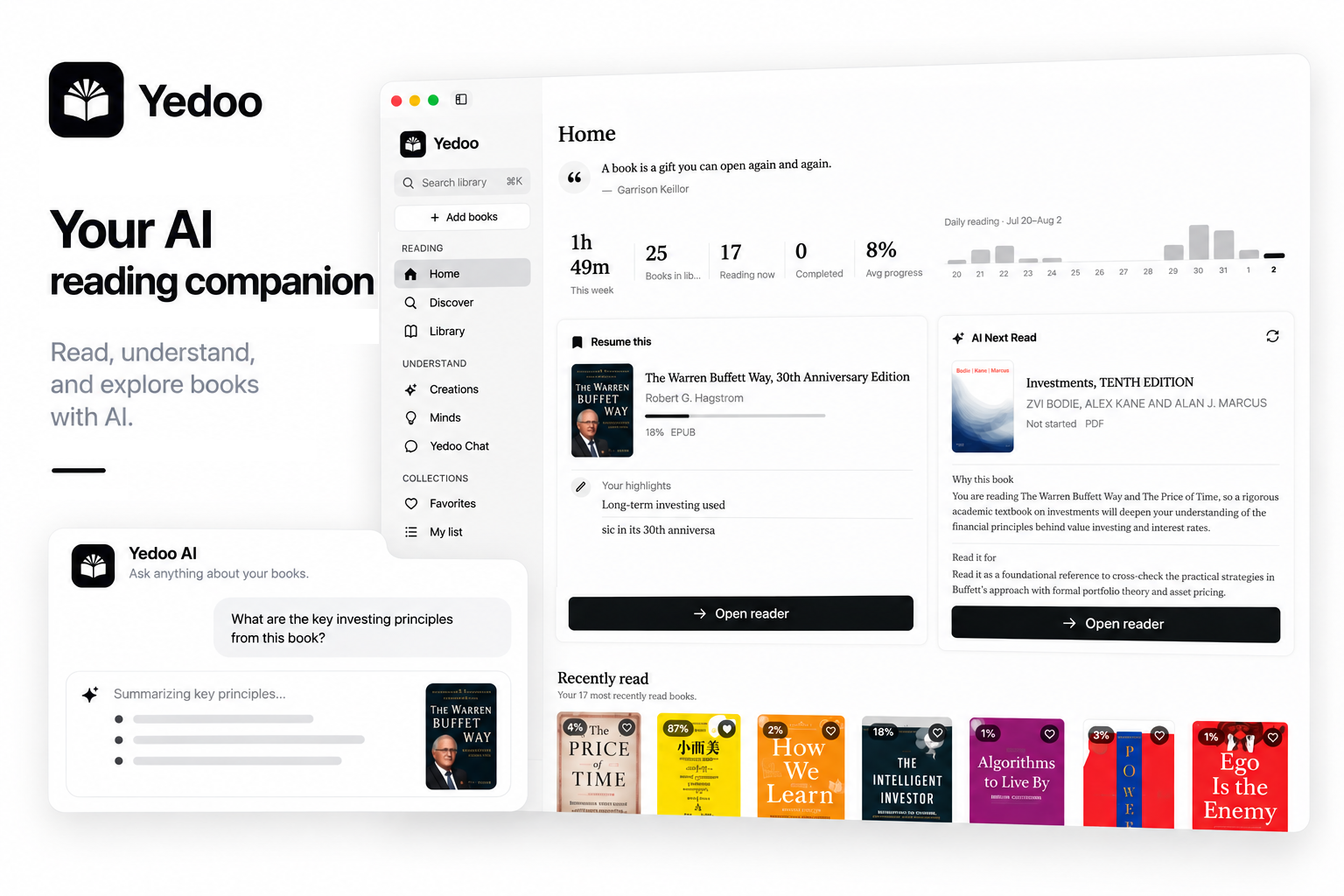
I led the product from strategy and interaction design through implementation, brand, and launch assets. I defined the design system, wrote the copy, and reviewed and refined the experience.
Discovery
Yedoo began with a design question: how could a reading app help people work through a difficult idea while keeping the book in focus?
Storing a book is only the starting point. I wanted reading, reflection, and questions to feel like one continuous experience, without pulling attention away from the page.
Bring chat, summaries, different perspectives, and creation into the reading workflow, with the book as their shared context.
Protect a calm reading experience. Make AI available when it helps readers go deeper, with the source passage still in view.
Process
AI help needed to be easy to reach without interrupting reading. I kept the book at the center, placed questions beside the passage, and gave discussion and creation their own entry points.
The library and reader prioritize returning to the book. Chat, Minds, and Creations remain available as a separate layer, balancing access to AI with a focused reading experience.
I made questions contextual to a passage, so readers can move between the book and an explanation without losing their place.
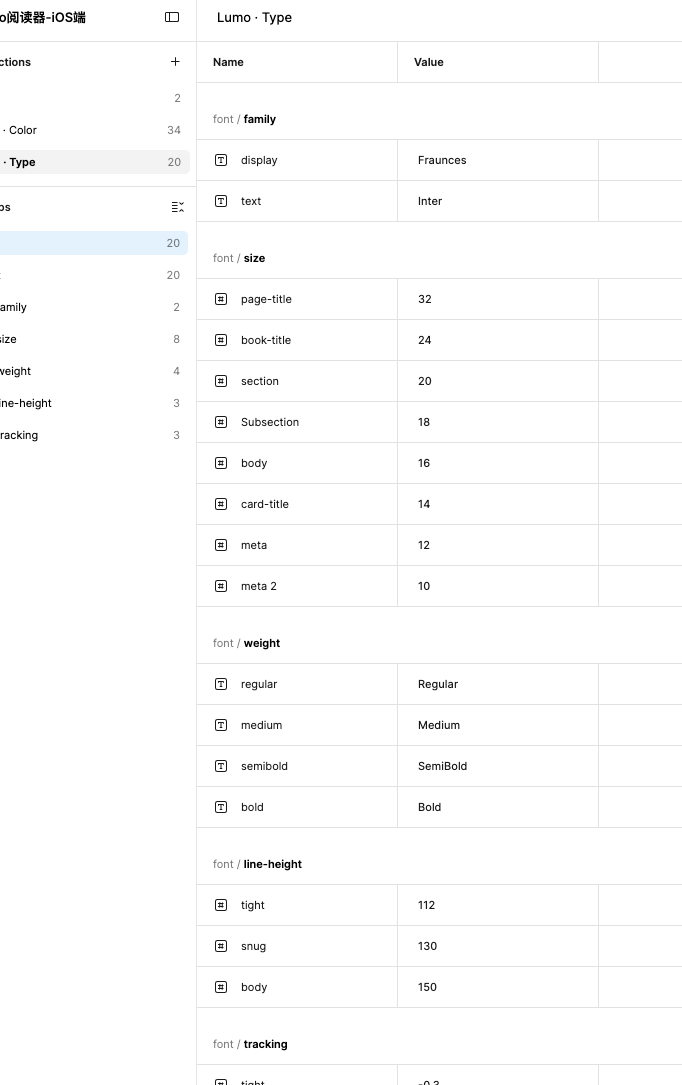
I connected type, components, and interaction rules through a shared design system, then adapted the layout to each platform's space and reading context.
Product Design
Readers can ask about a passage, explore other perspectives, or create something from the book without starting over elsewhere.
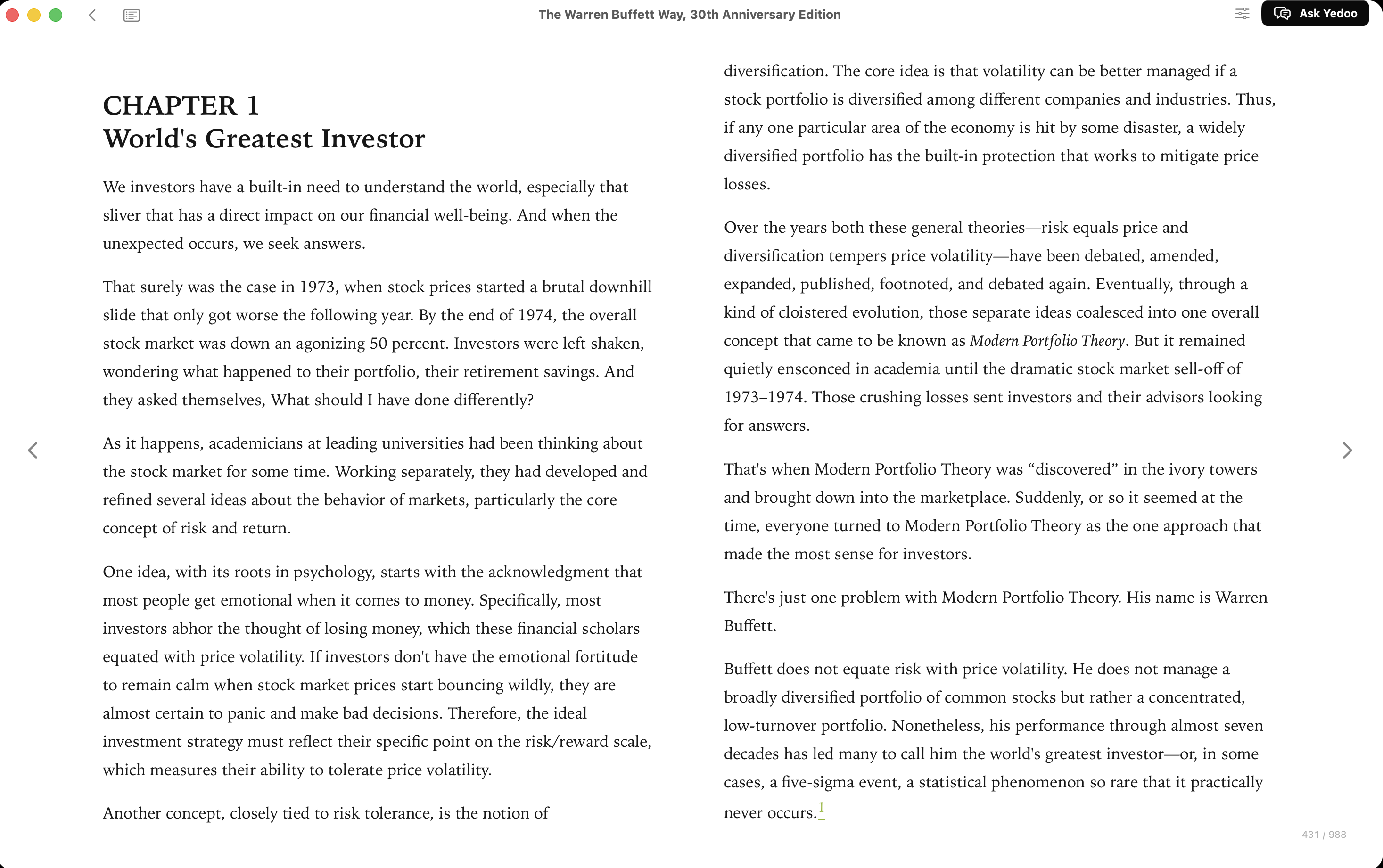
I kept navigation and reading tools close at hand while giving the text the most space.
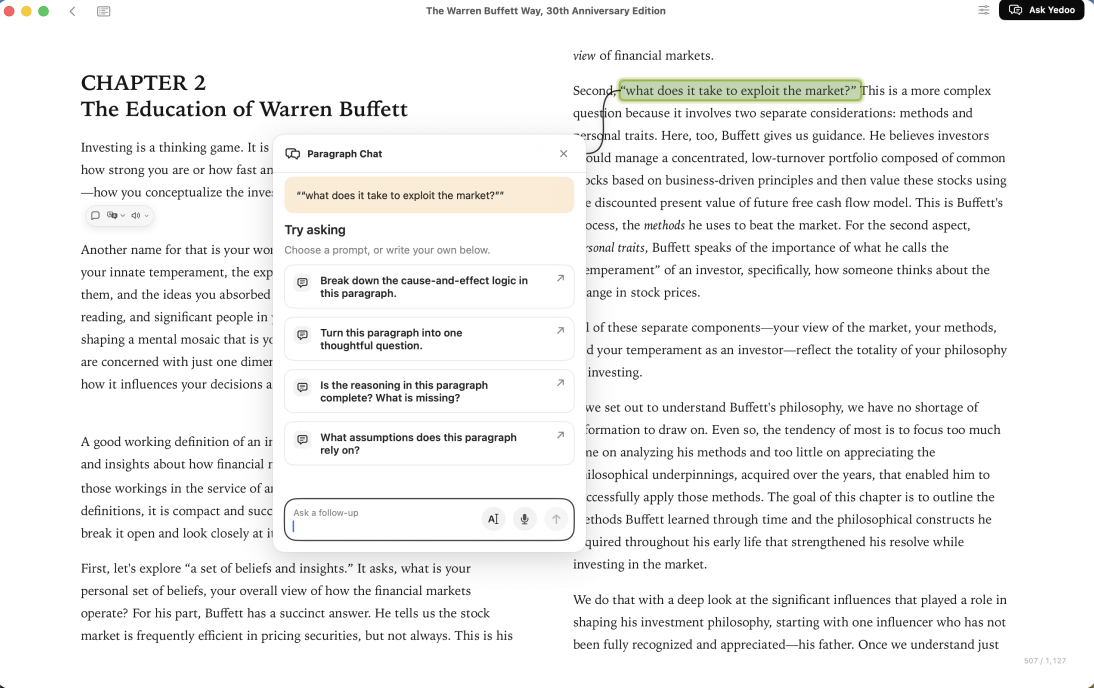
I placed AI help beside the selected passage so readers can compare the response with its source.
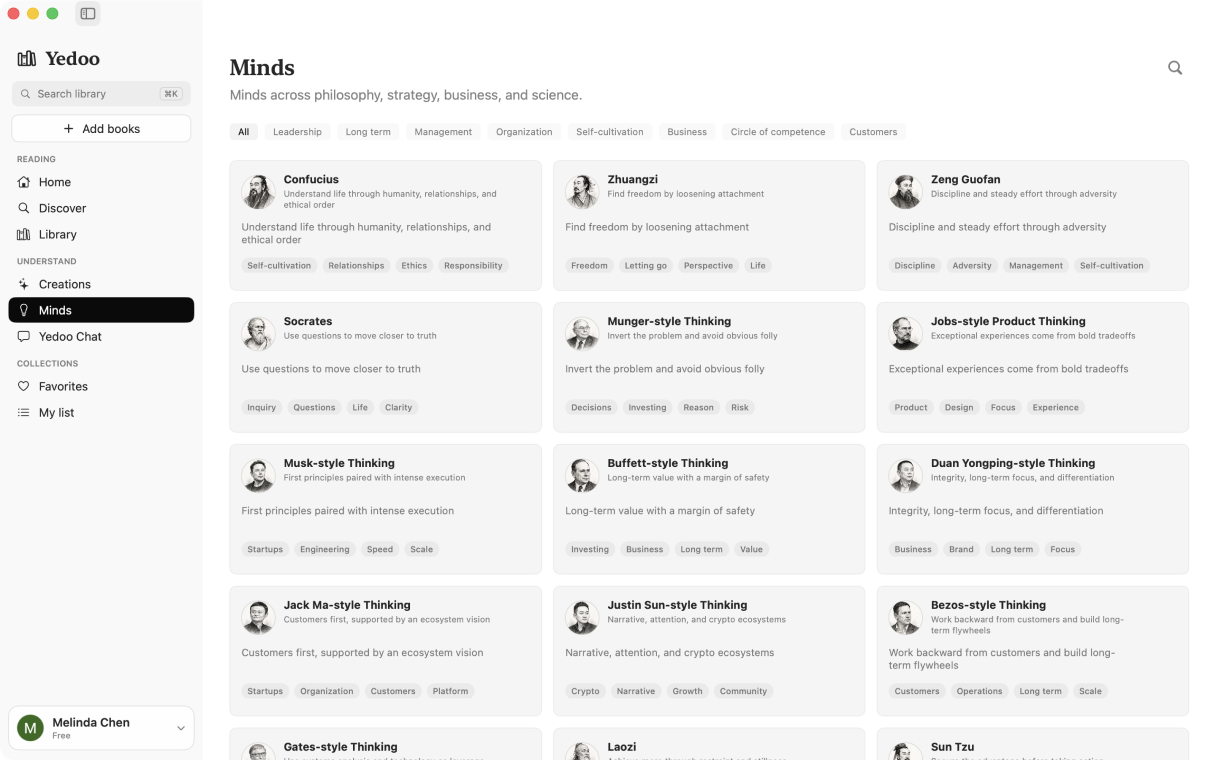
Great Minds lets readers explore an idea through multiple AI voices. Round Table gives that exchange a guided sequence.
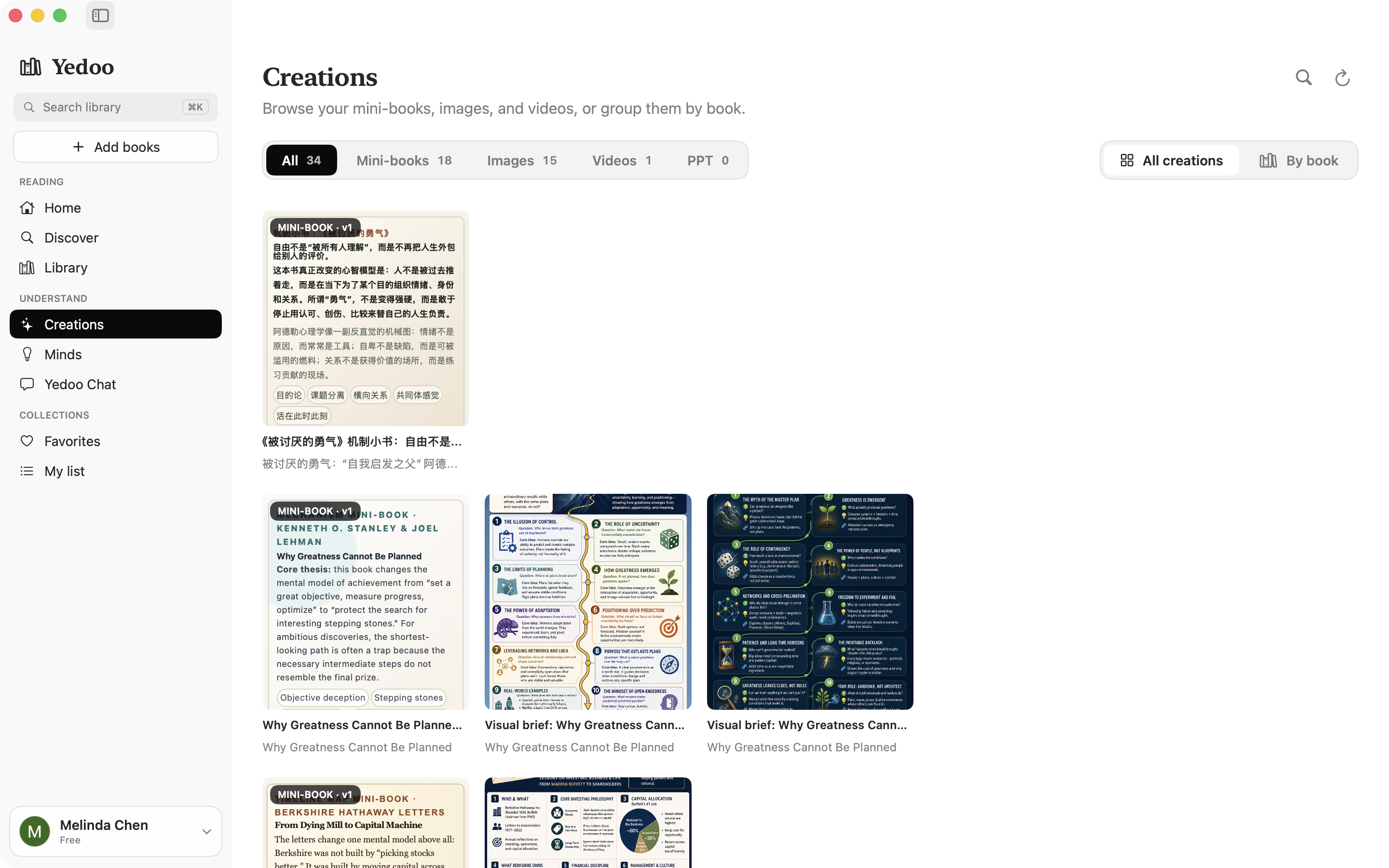
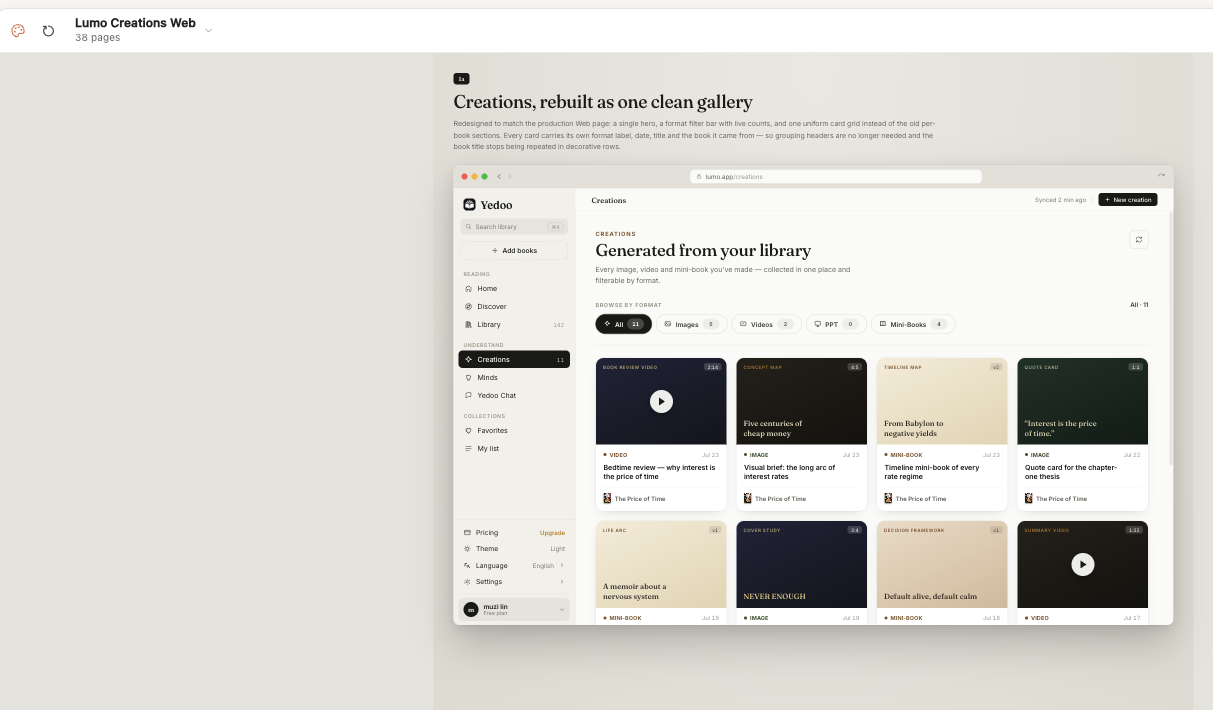
I brought images, videos, presentations, and mini-books into one gallery connected to the reader's library.
Book details and highlights support returning to a passage. Round Table guides a discussion from topic to exchange, while Creations carries book context into a new format.
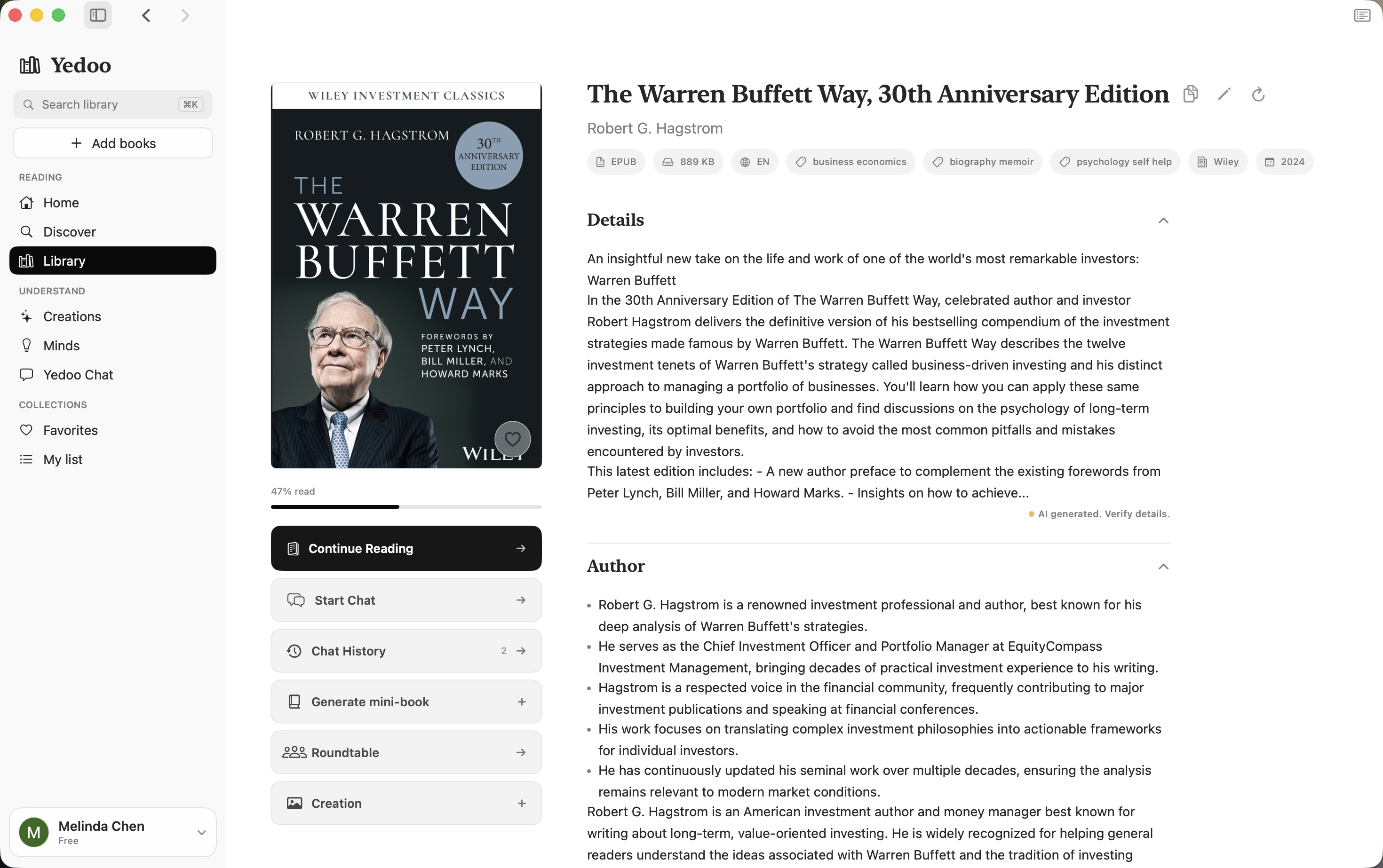
Book details bring the next reading action and tools for understanding into one place.
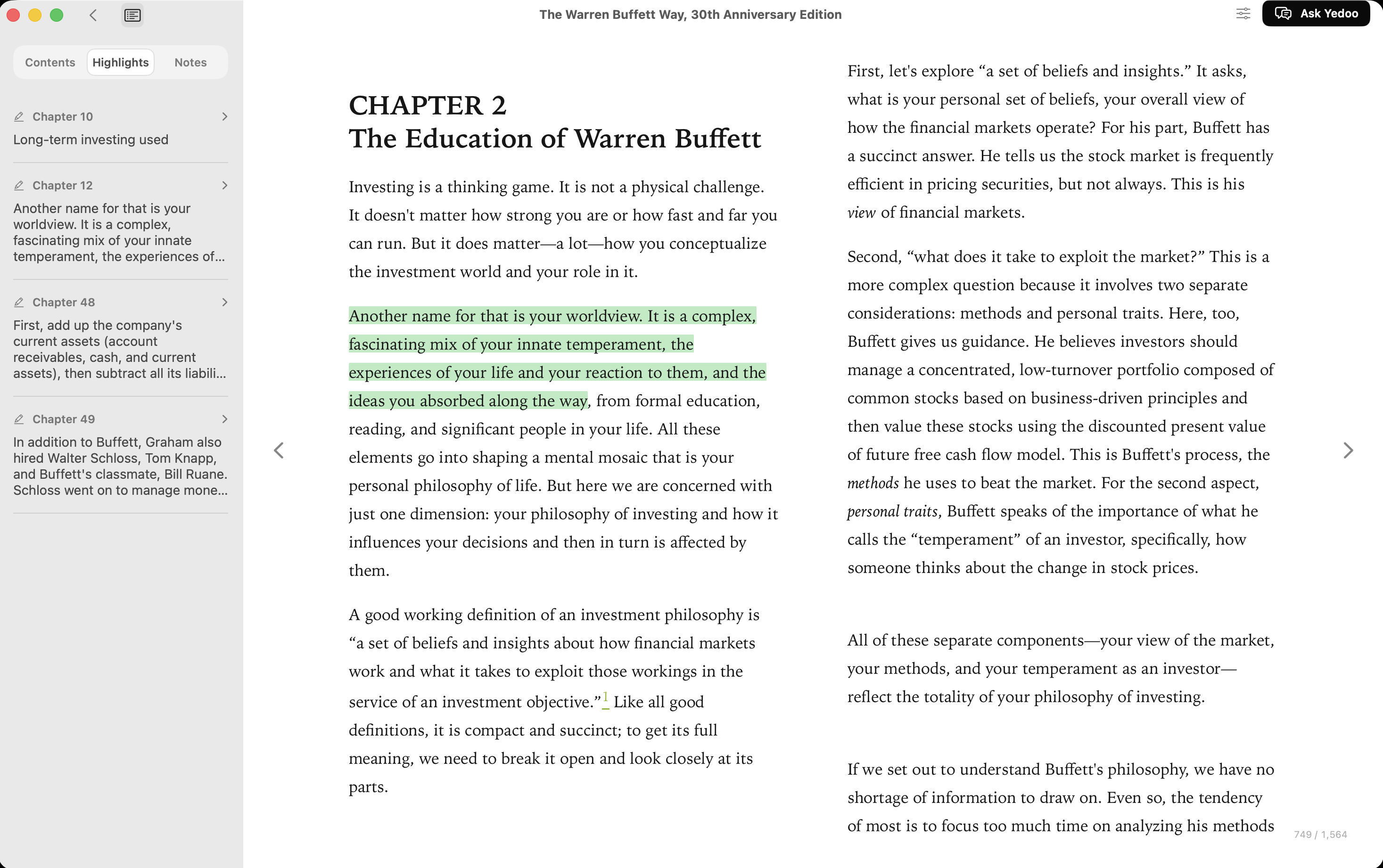
Saved highlights stay alongside the reader, preserving the passage's context.
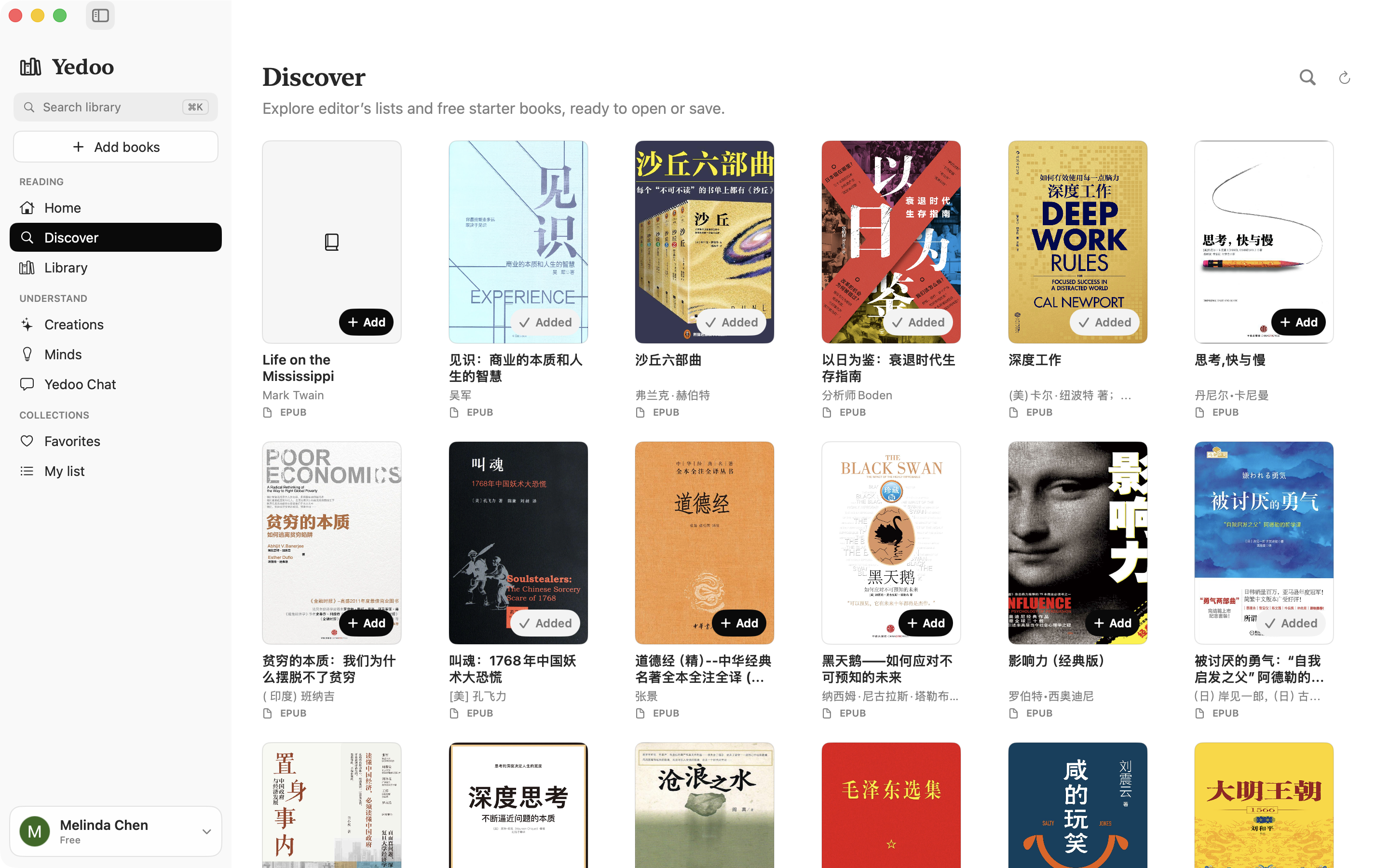
Discover provides another entry point into the reading workflow.
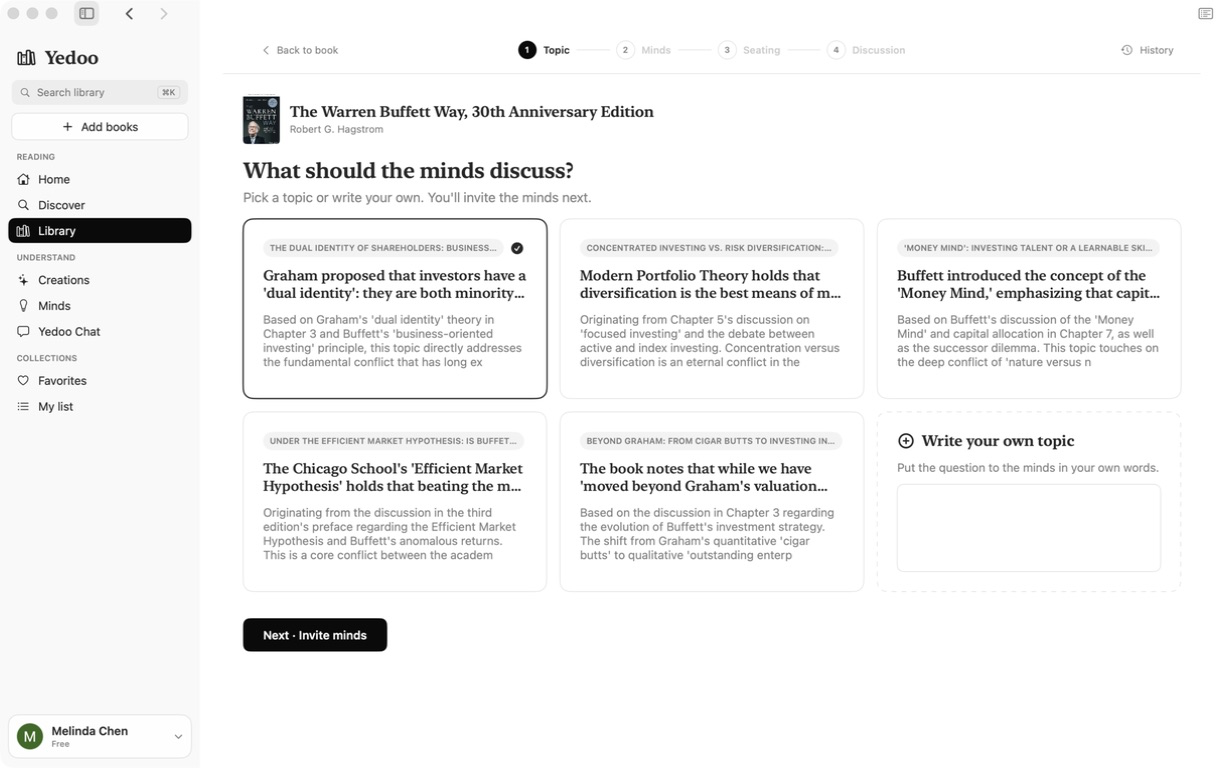
Topic selection gives the exchange a shared focus before choosing its participants.
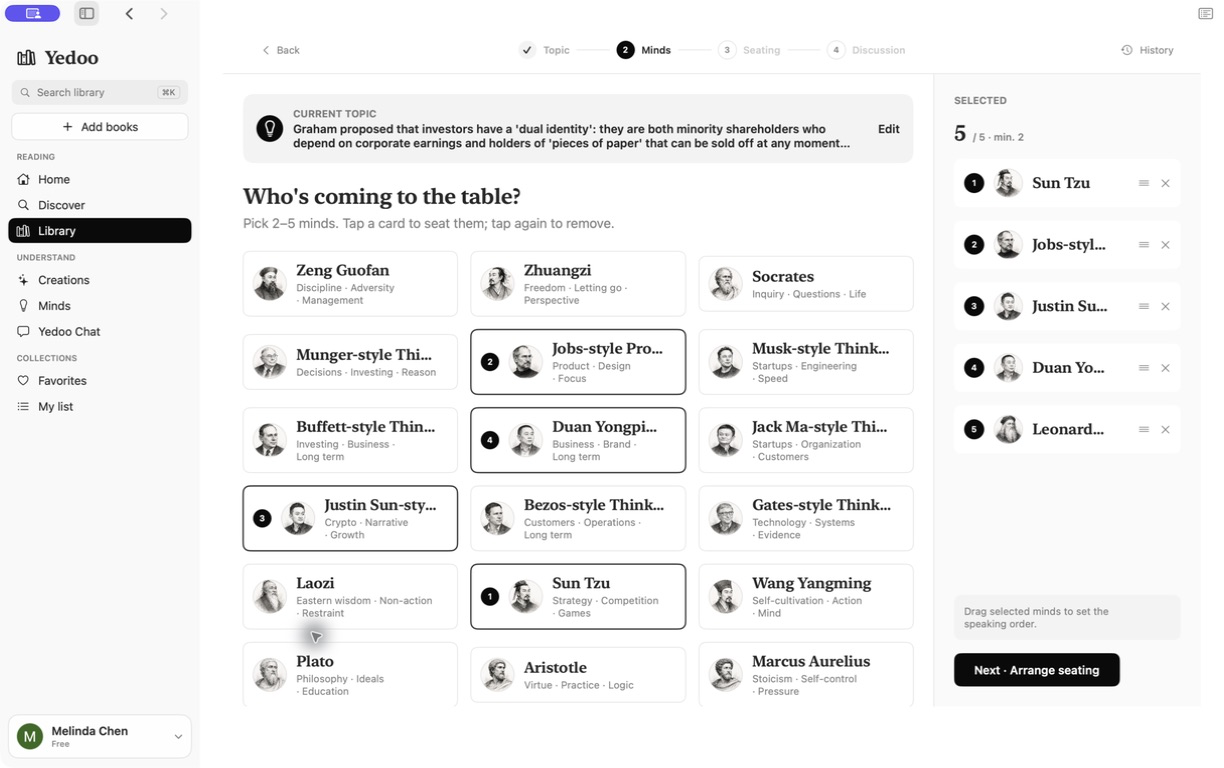
Readers select AI voices for the discussion rather than receiving one undifferentiated response.
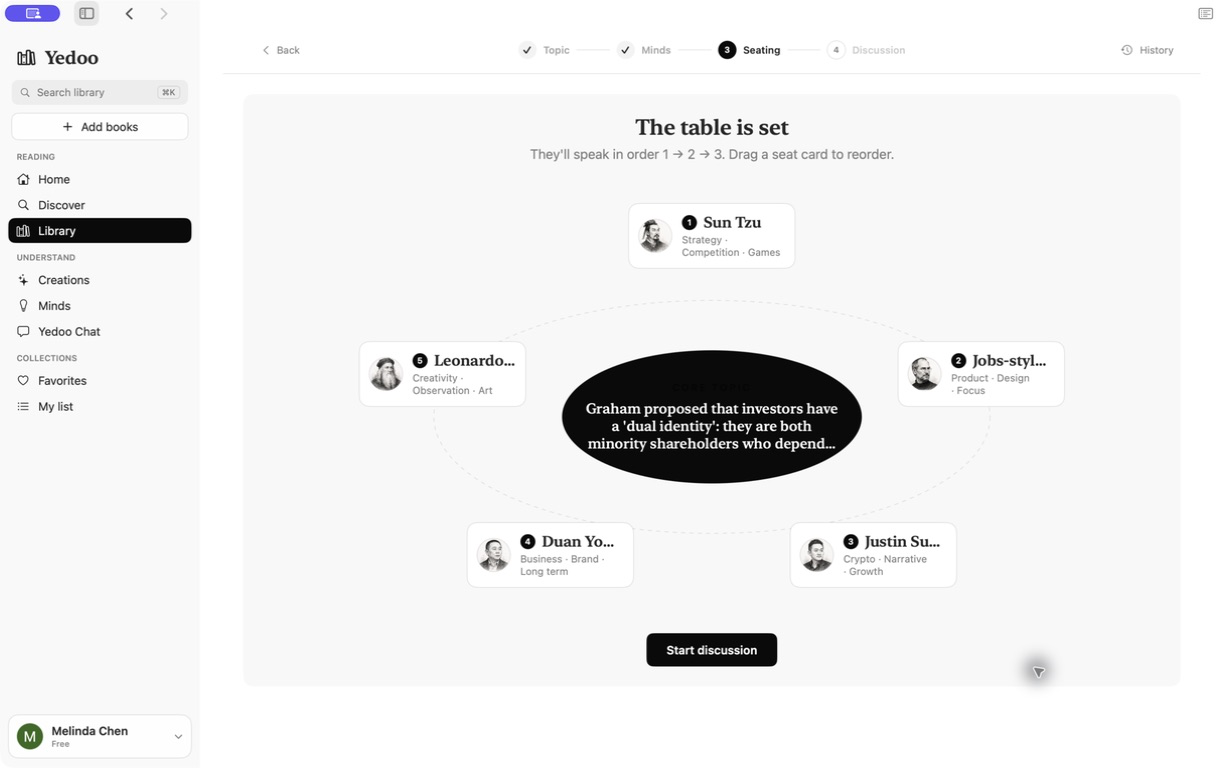
The seating step establishes who is taking part before the exchange begins.
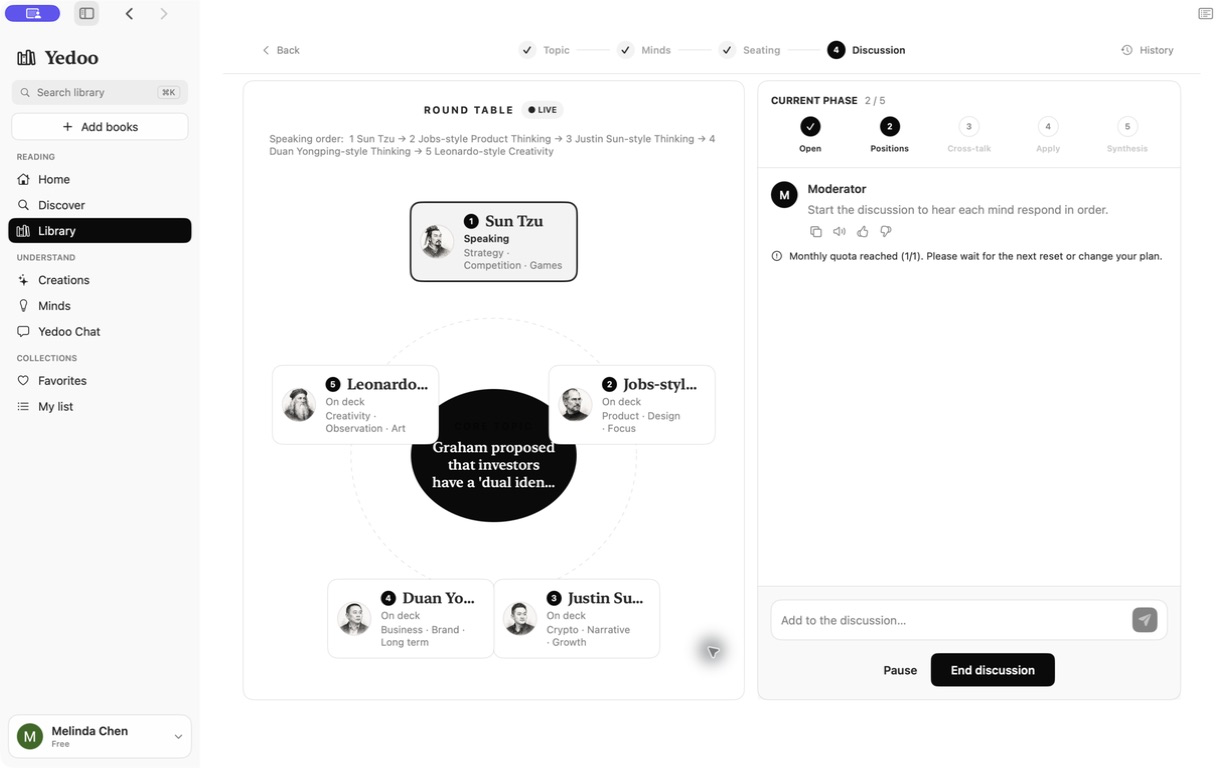
A shared discussion view keeps the participants and their responses together.
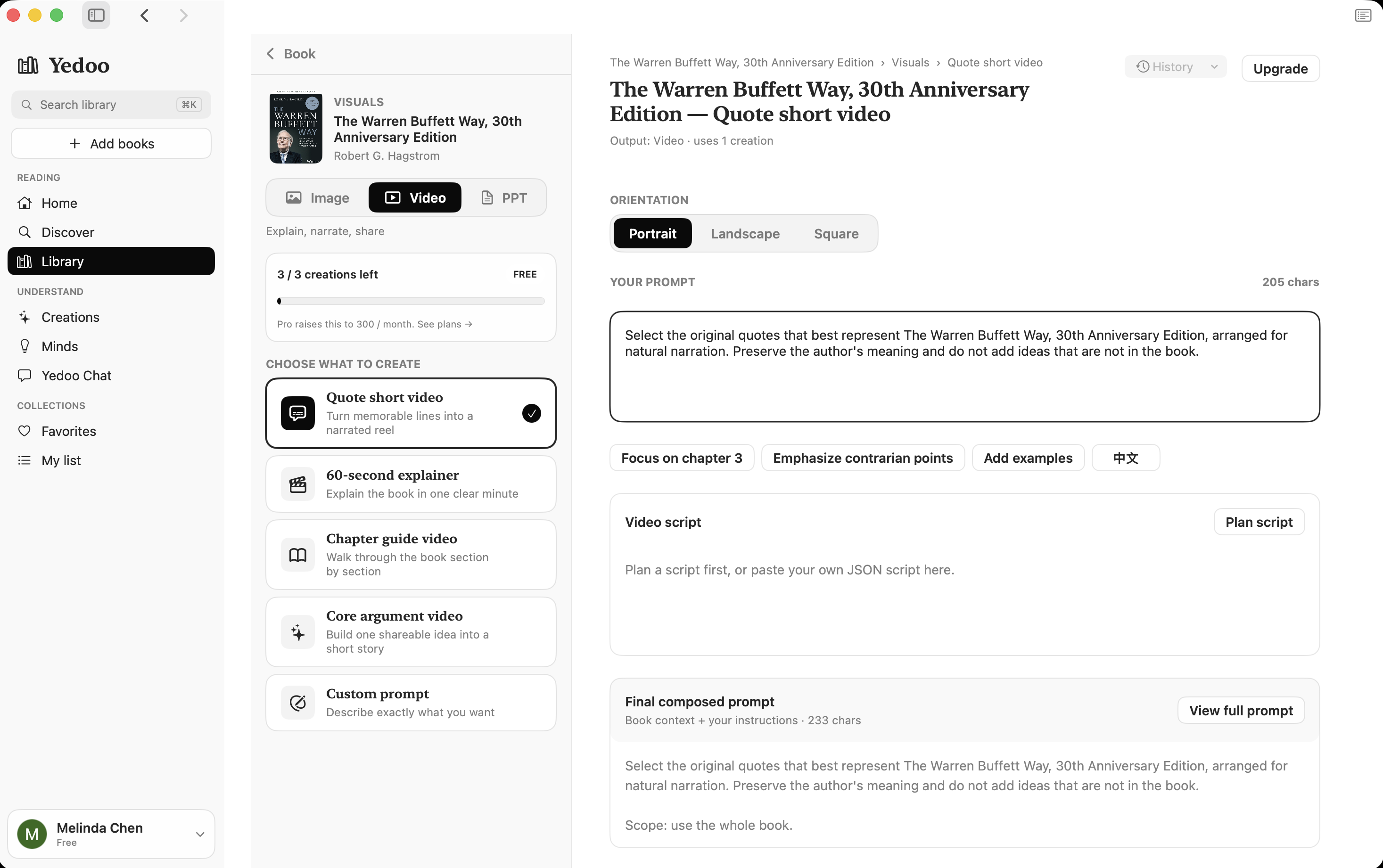
Generation extends the reading workflow into images, videos, presentations, and mini-books.
I adapted the same reading workflow to each device, changing density and navigation while keeping the product language consistent.
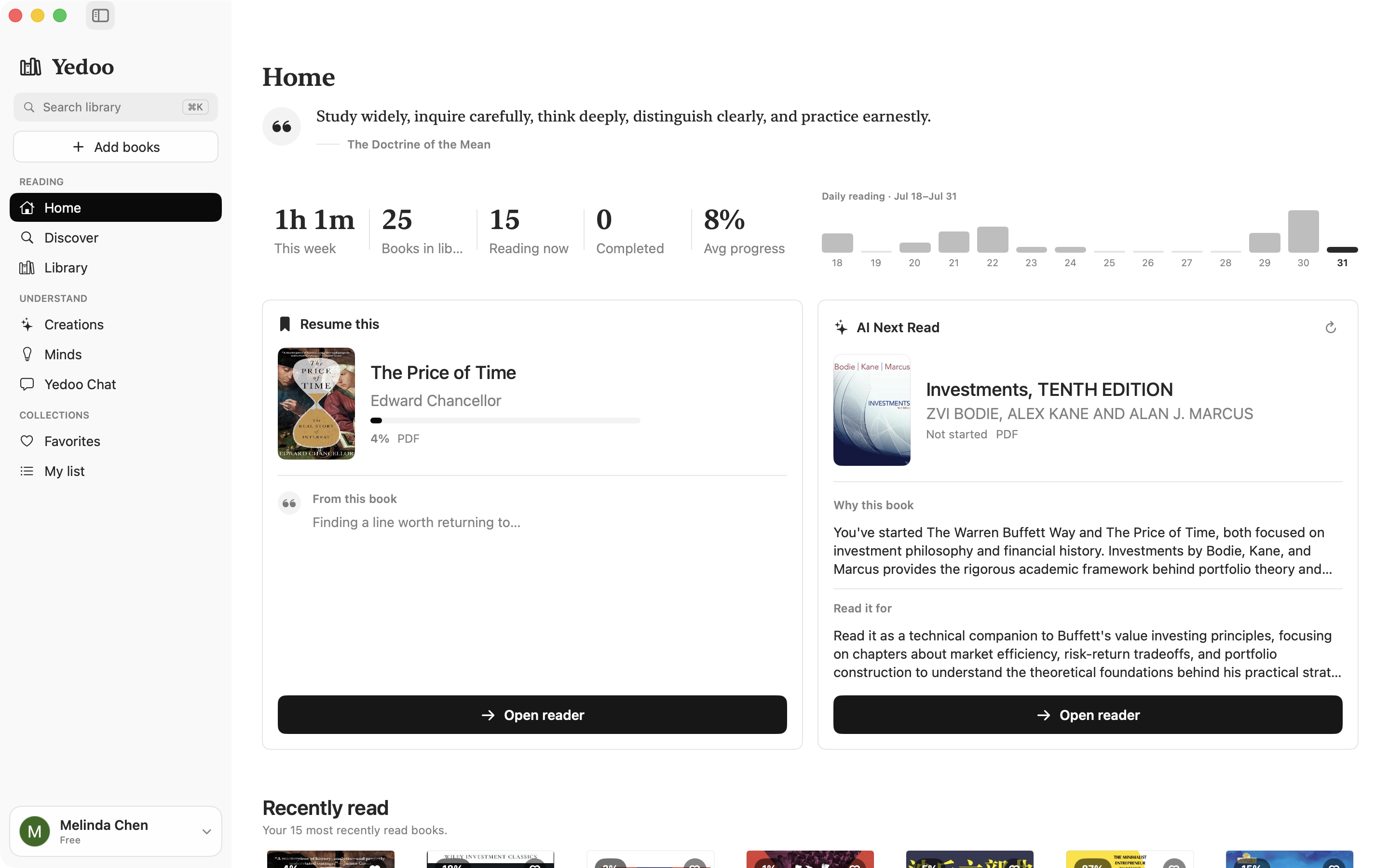
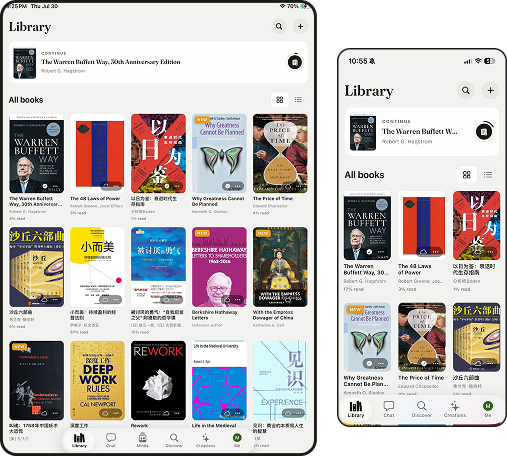
Prioritize returning to a book, reading, and listening on the go.
Use the extra space for browsing the library and creations.
Keep reading and understanding tools visible in one workspace.
Support web reading and shareable highlights.
On a smaller screen, the experience prioritizes one task at a time: return to a book, read or listen, then open AI tools when needed.
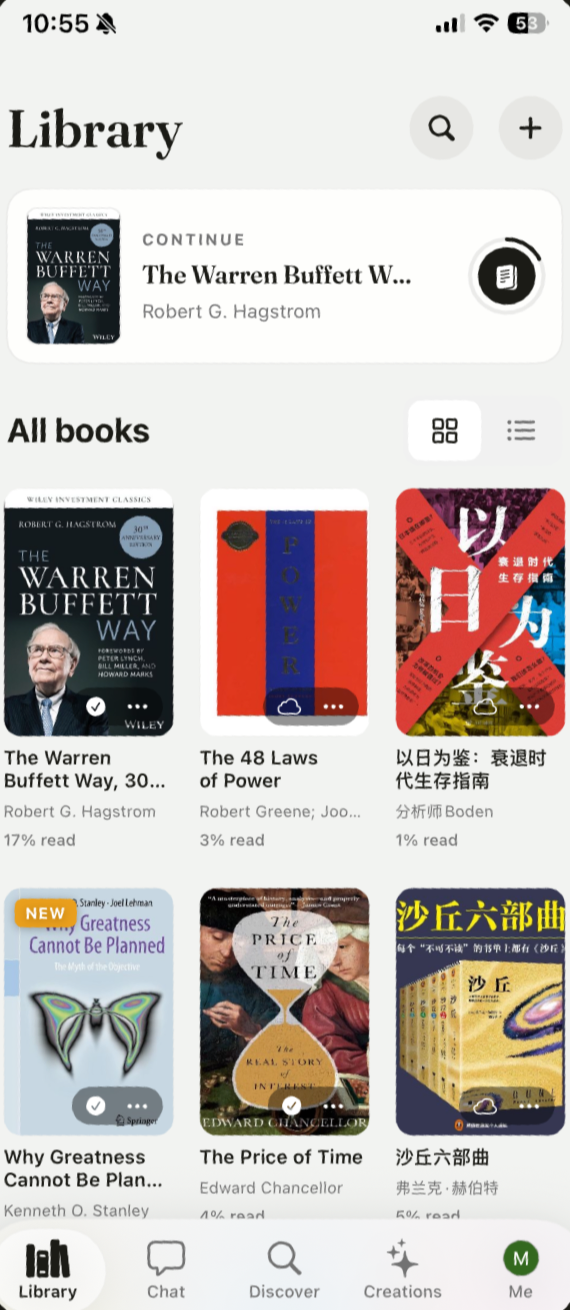
A compact collection view keeps books and the current reading session close at hand.
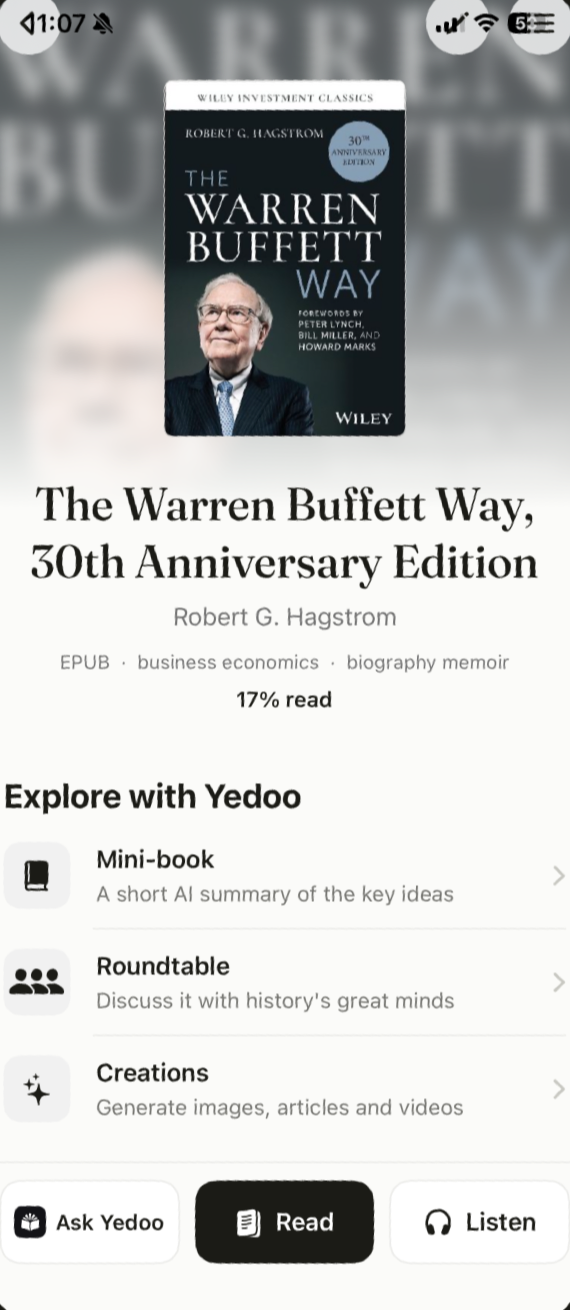
Book information and reading actions share one focused view.
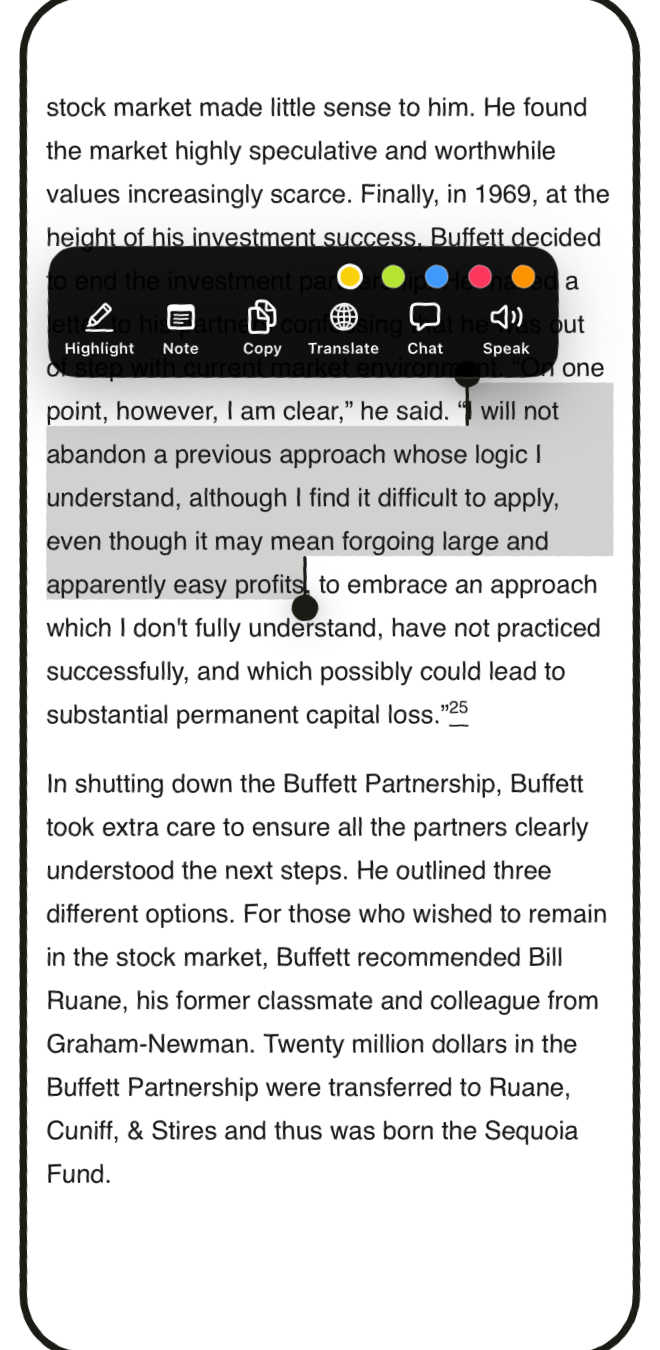
Reading stays primary, with tools available without a persistent desktop sidebar.
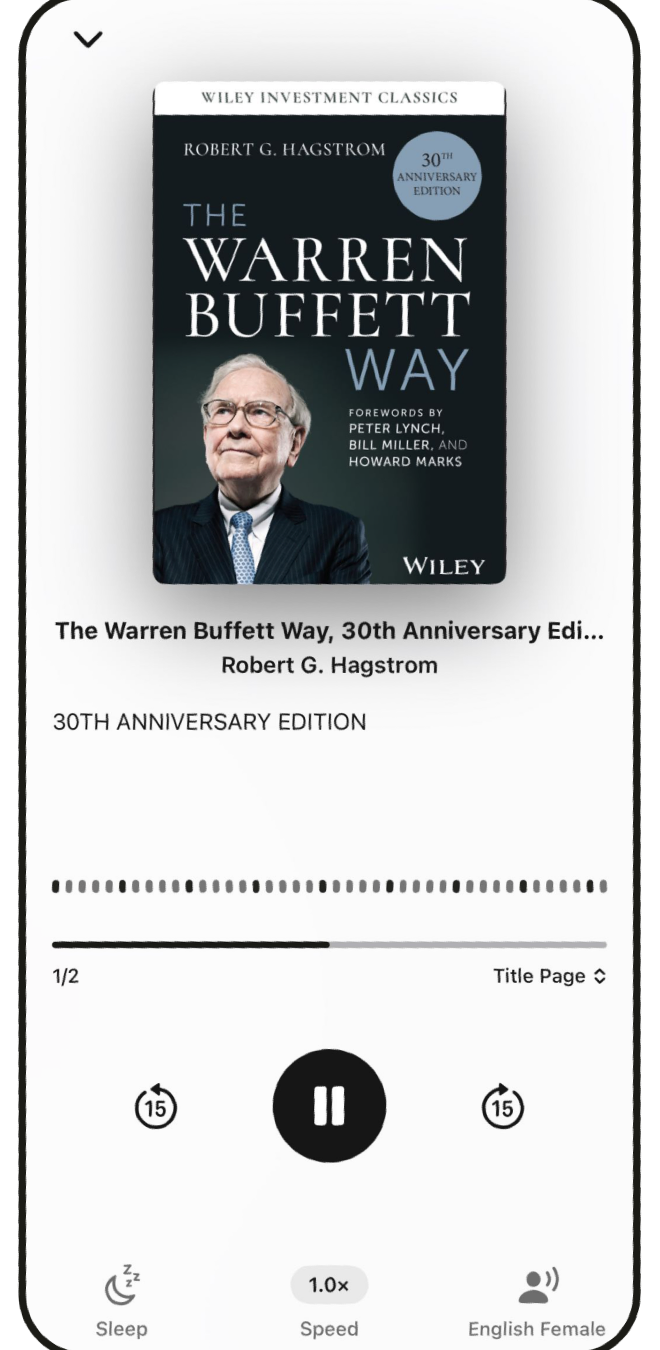
A dedicated listening view adapts the book to an on-the-go reading context.
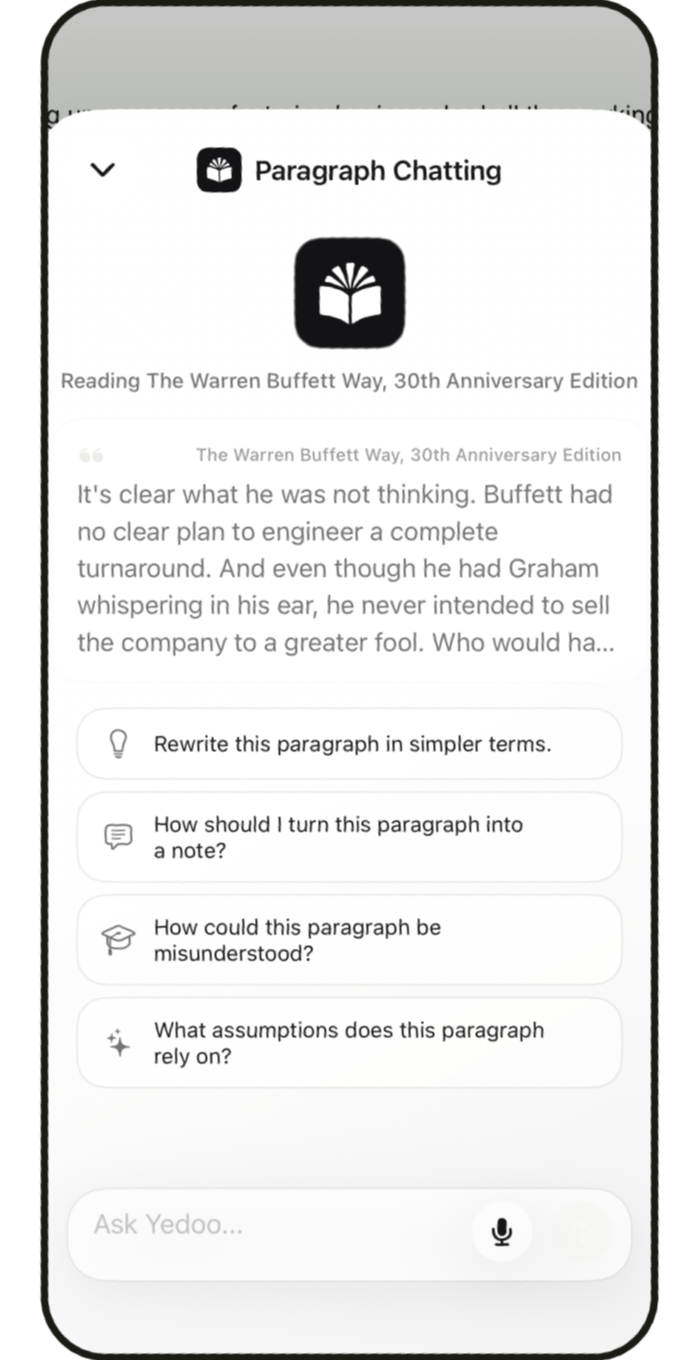
Book chat brings AI into the mobile experience as a distinct task.
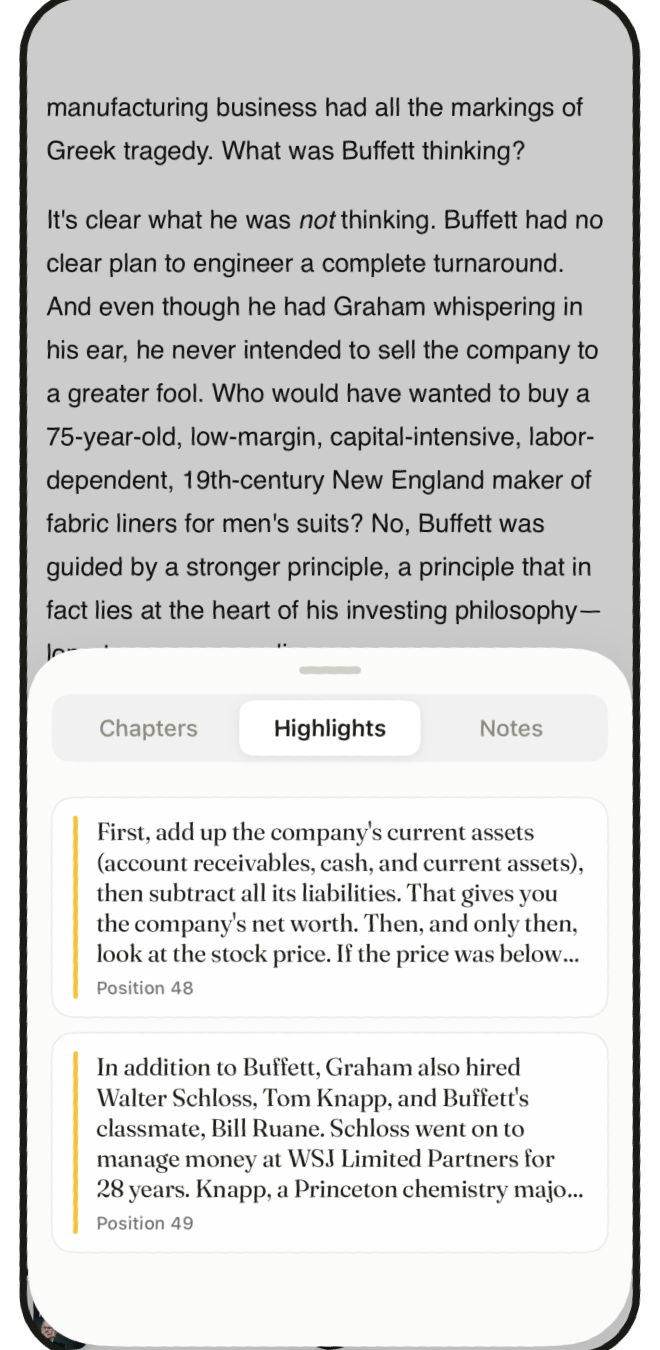
Highlights provide a focused route back to ideas captured while reading.
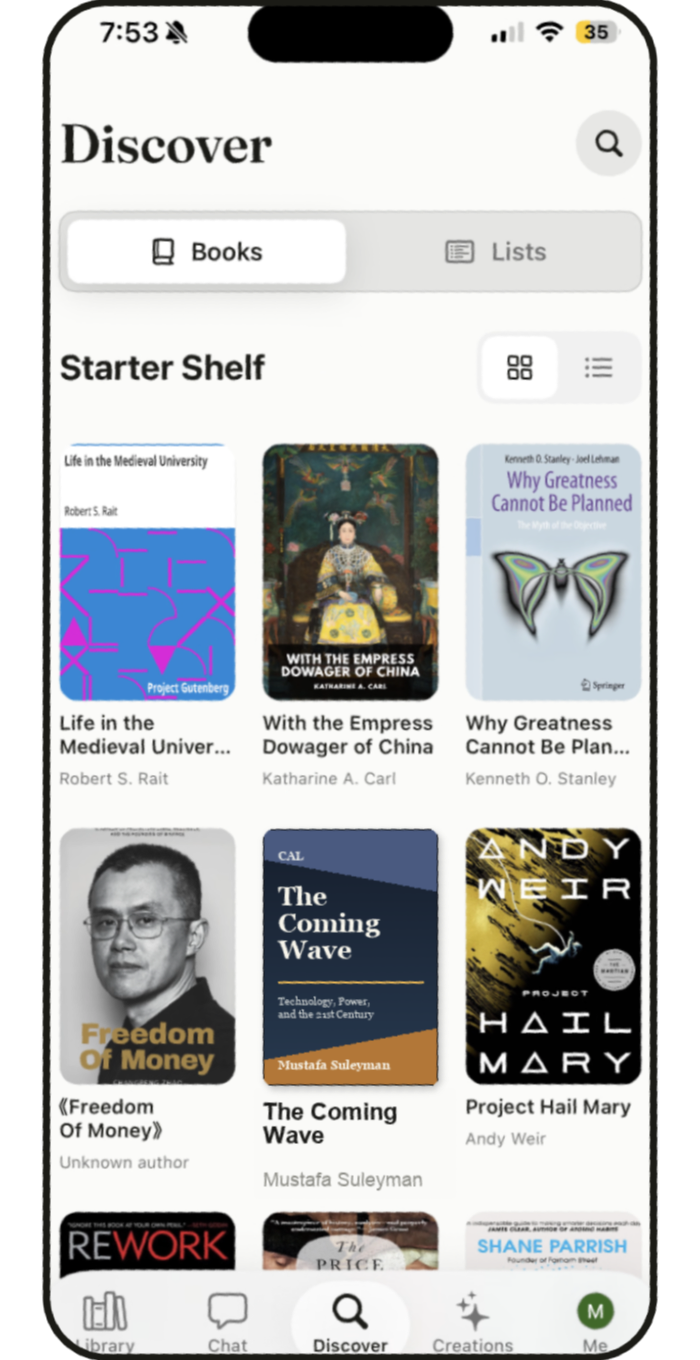
Discover adapts browsing and recommendations to the phone's narrower view.
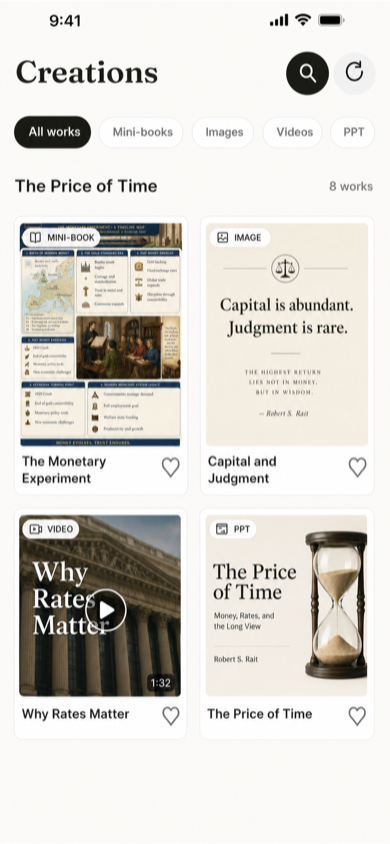
Generated work remains accessible within the same mobile product.
Results
I designed and built Yedoo, then launched the iOS app in one month. It is still early: I have not yet measured whether it improves understanding or brings readers back.
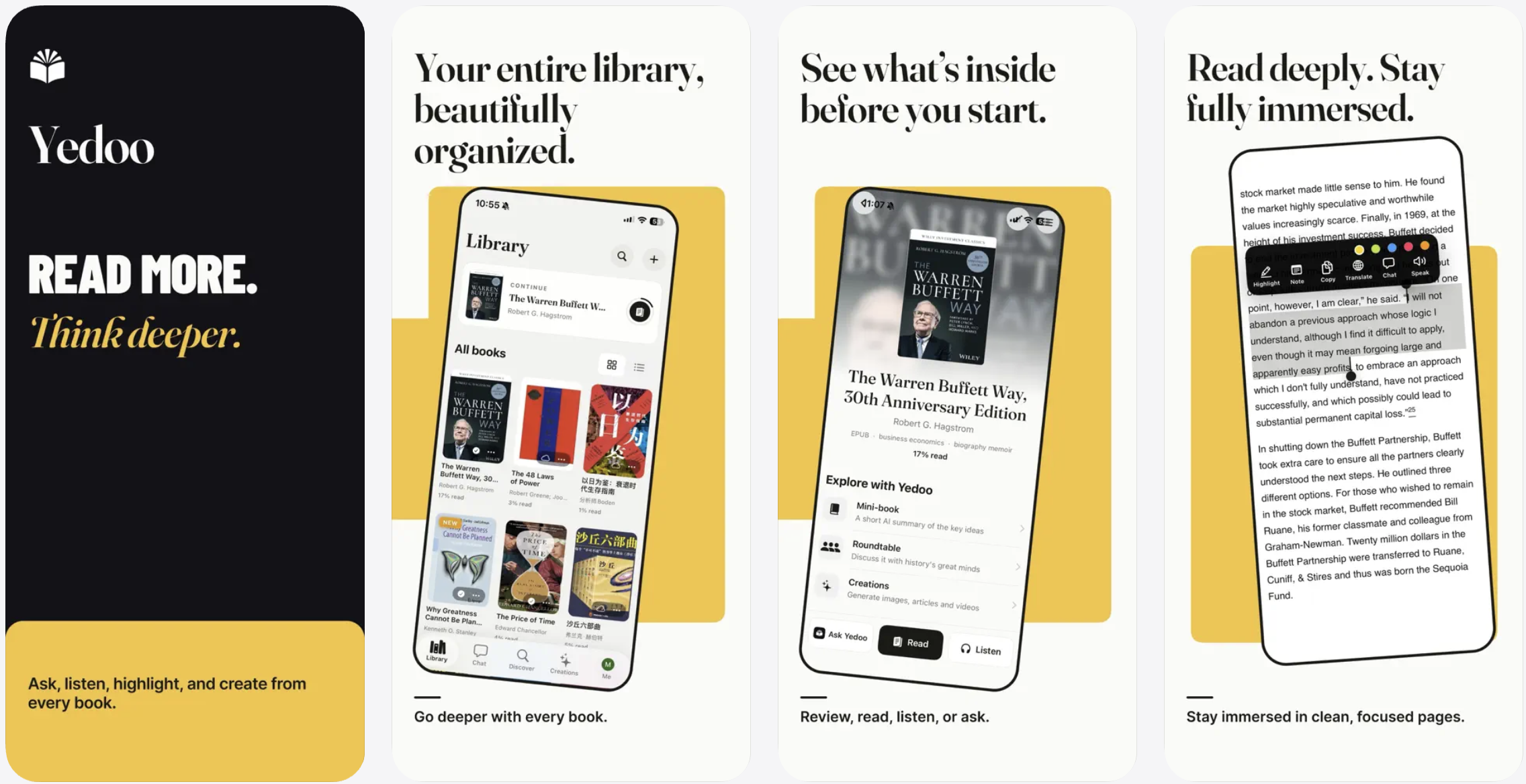

Logo, product design, and launch assets by me.
Next case study