Sign up
Only Google sign-in, no questions about reading habits, and no clear Free versus Pro. Nothing guided readers to upload their first book.
Selected work, by invitation.
Enter the portfolio password to view this project.
Back to selected workProduct design · 0 → 1
An AI reading app that helps people understand a book in depth. Readers ask, discuss, and create with AI, and pick up the same book on iPhone, iPad, Mac, or the web.

I led the product from strategy and interaction design through implementation, brand, and launch assets. I defined the design system, wrote the copy, and reviewed and refined the experience.
Problem
Yedoo is my own product, an AI reading app I designed and built. It began with a design question: how could a reading app help people work through a difficult idea while keeping the book in focus?
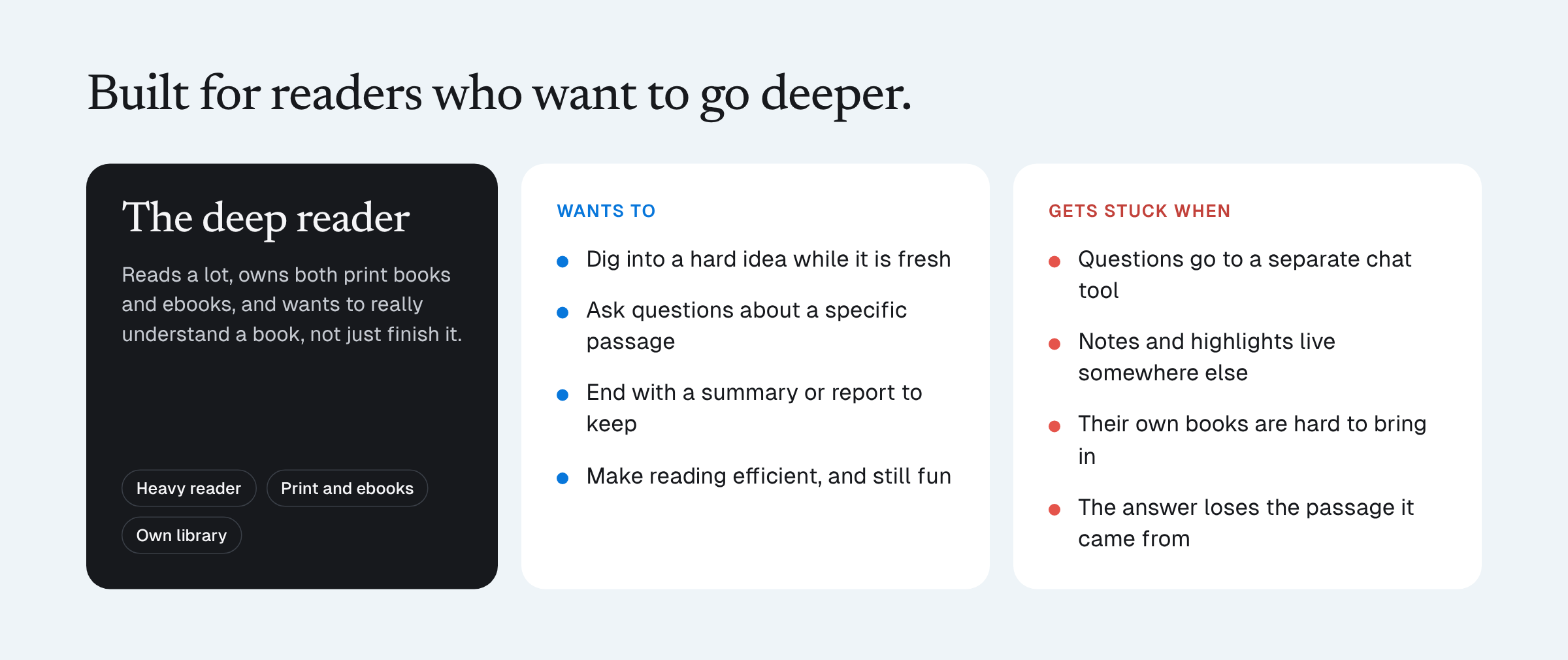
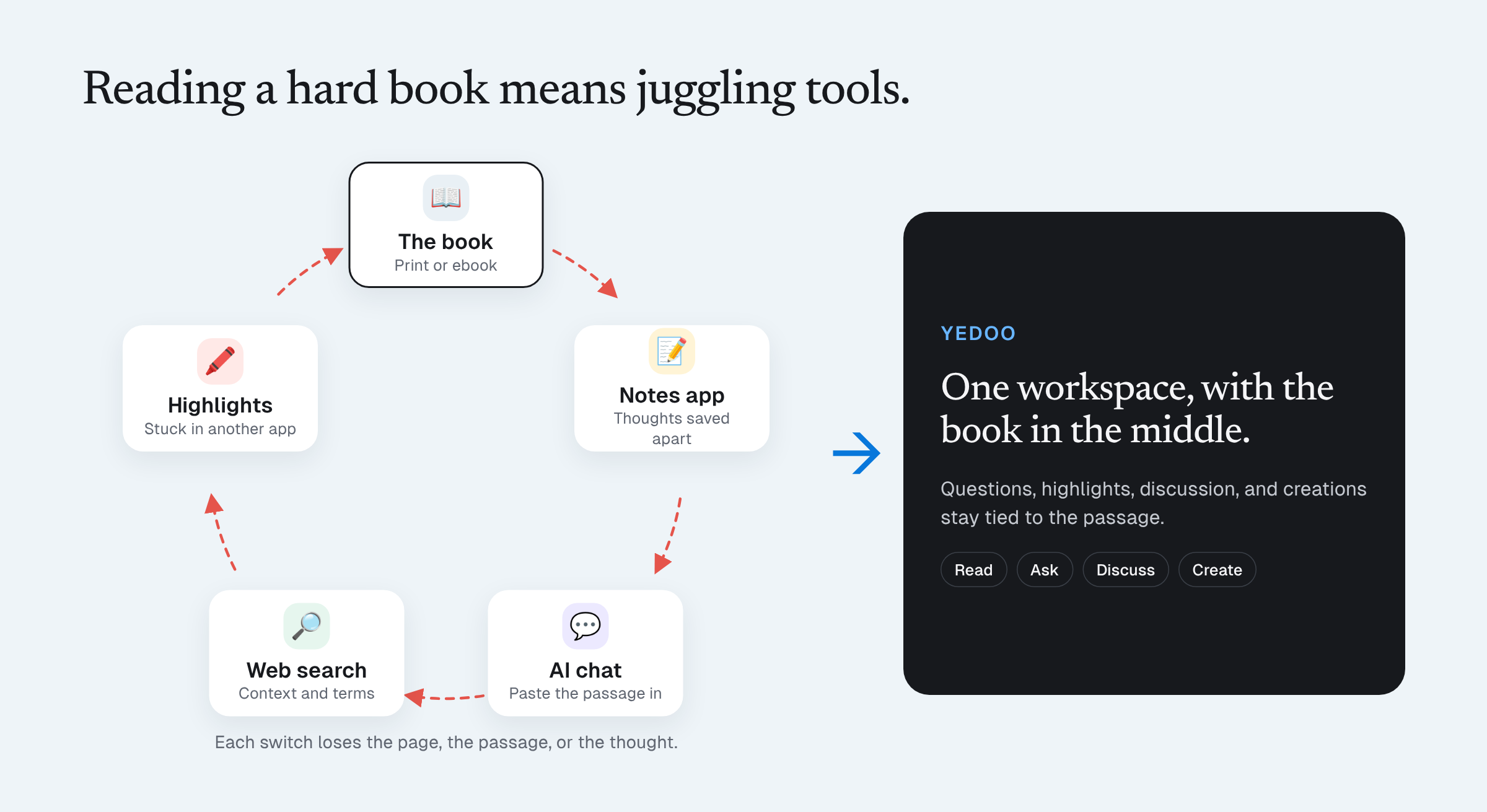
The questionHow might we help readers work through a difficult idea while keeping the book in focus?
Go deeper with AI. Readers talk ideas through with AI, turn them into images and videos, and in Round Table, invite AI versions of thinkers like Confucius, Benjamin Franklin, or Steve Jobs, each set up with their own worldview, to discuss the book together.
Read anywhere. The same book, highlights, and conversations carry across iPhone, iPad, Mac, and the web, so reading never starts over.
Inspiration
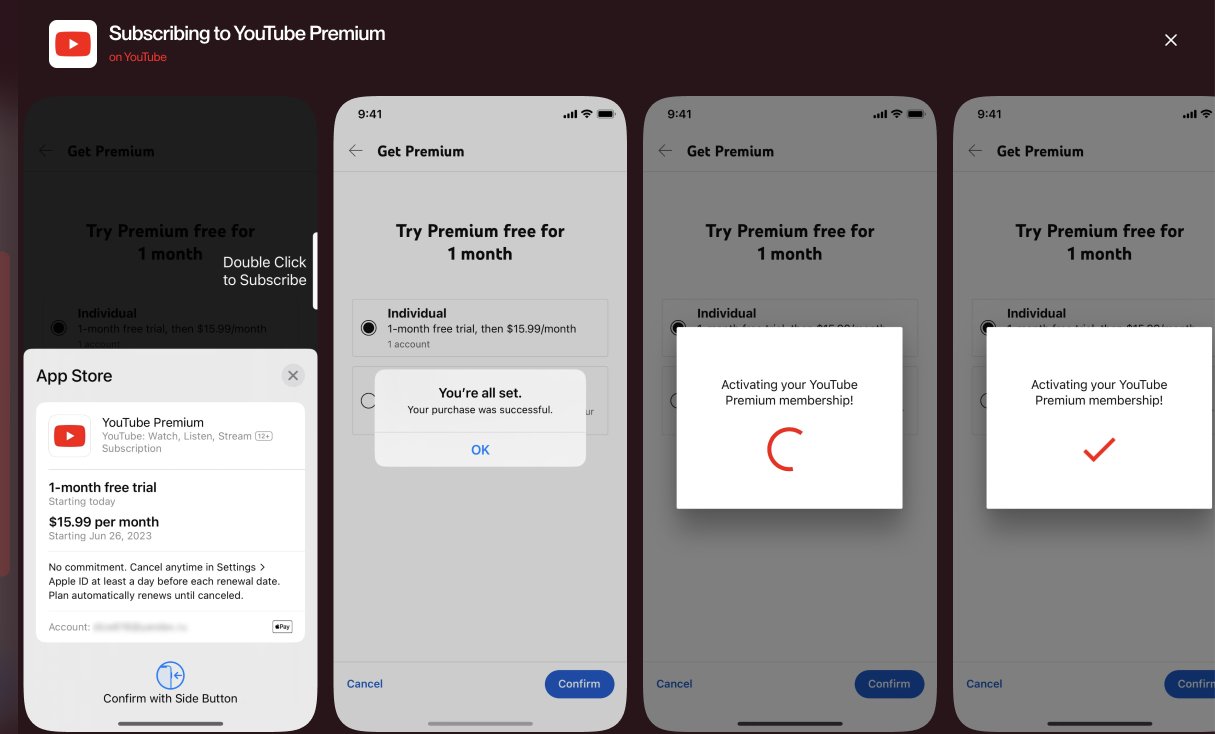
Before designing, I collected flows from reading apps and from apps that do onboarding, upgrades, and purchase confirmation well, to learn the patterns first.
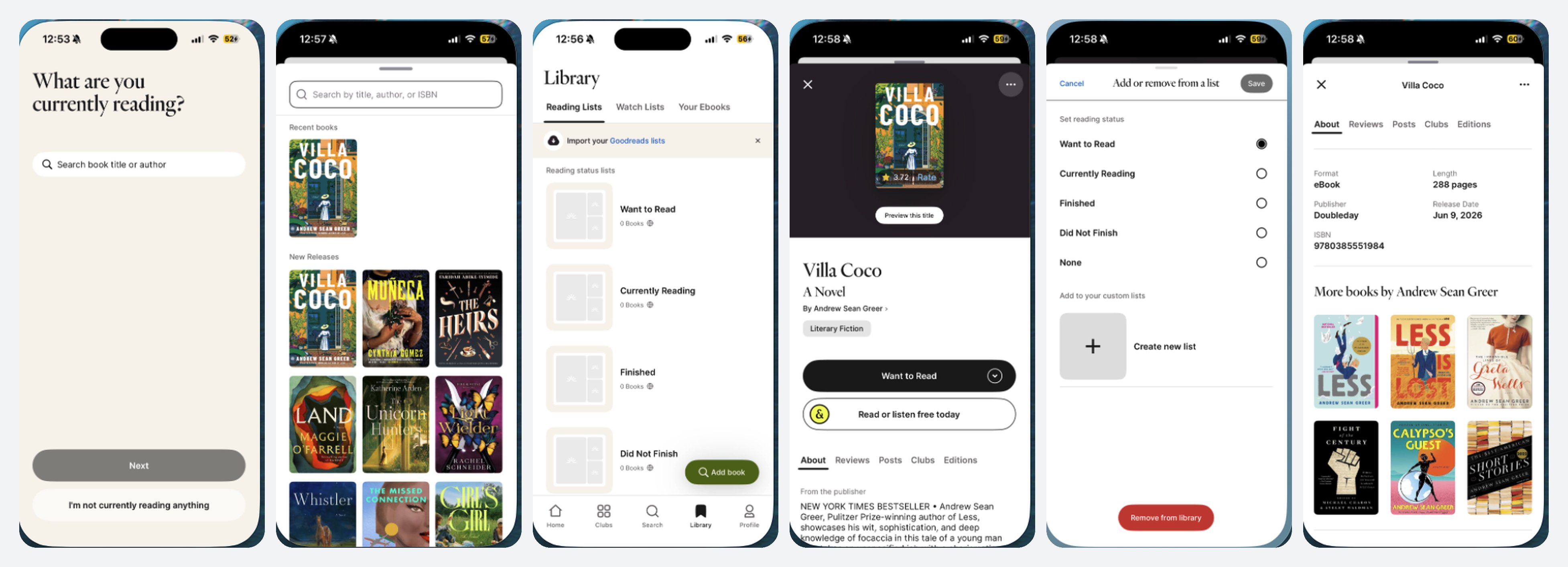
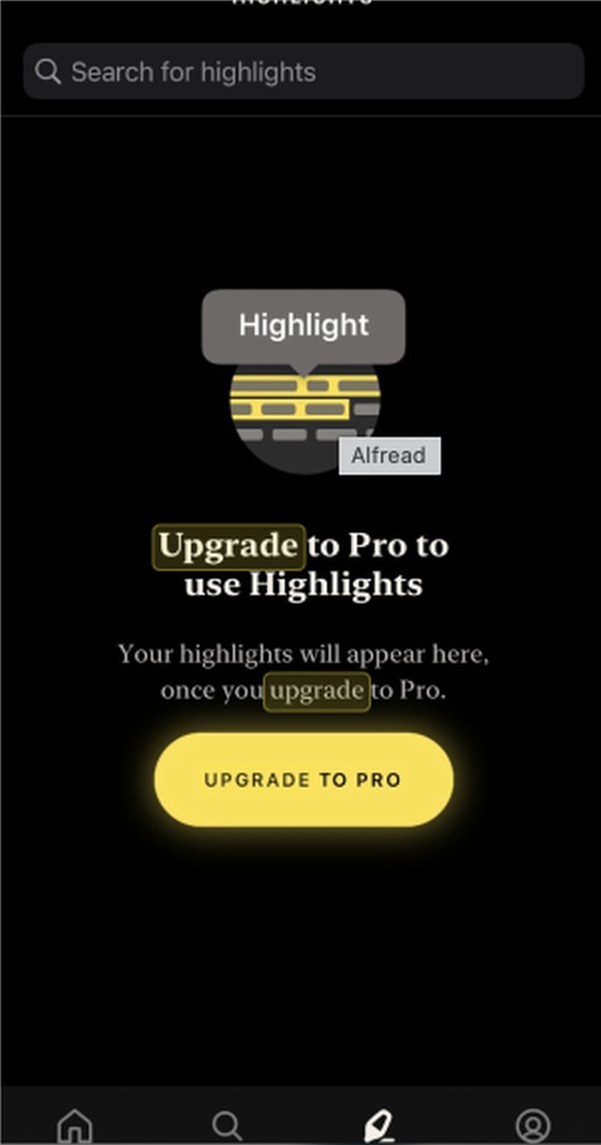
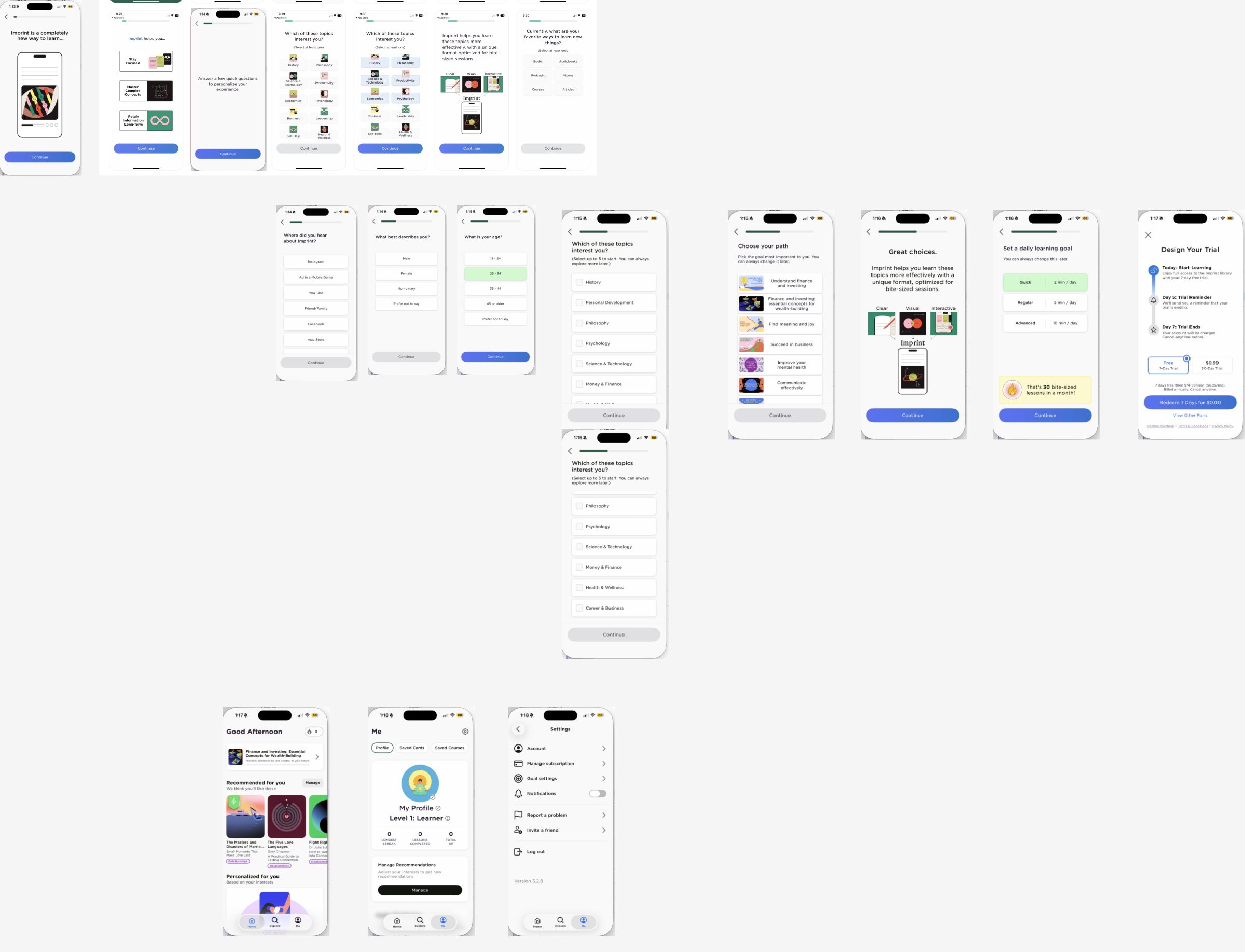
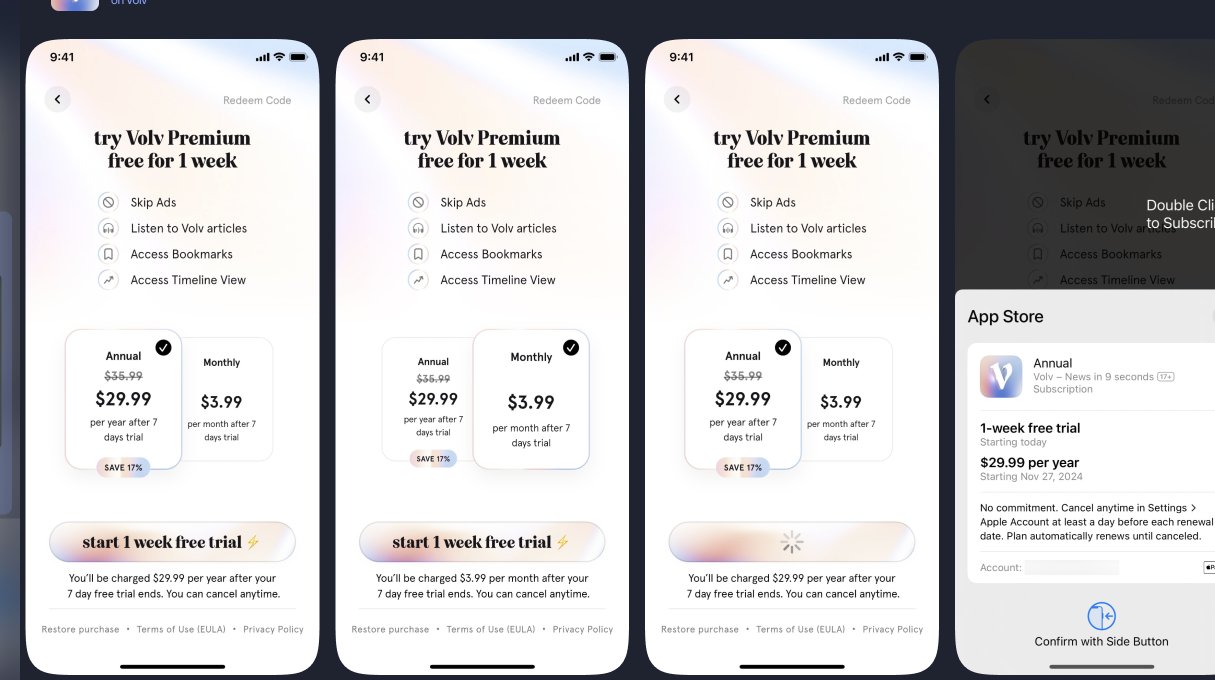
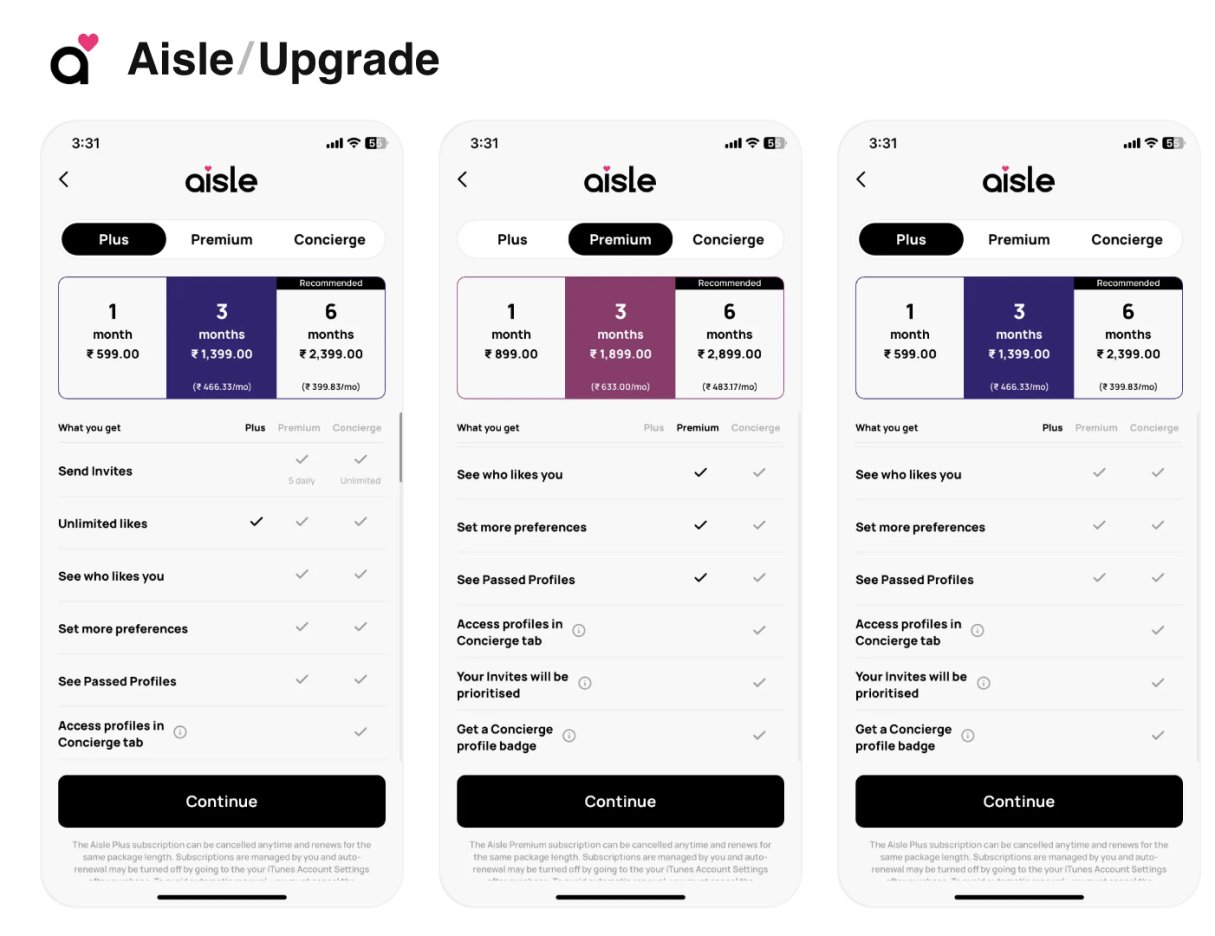
App audit
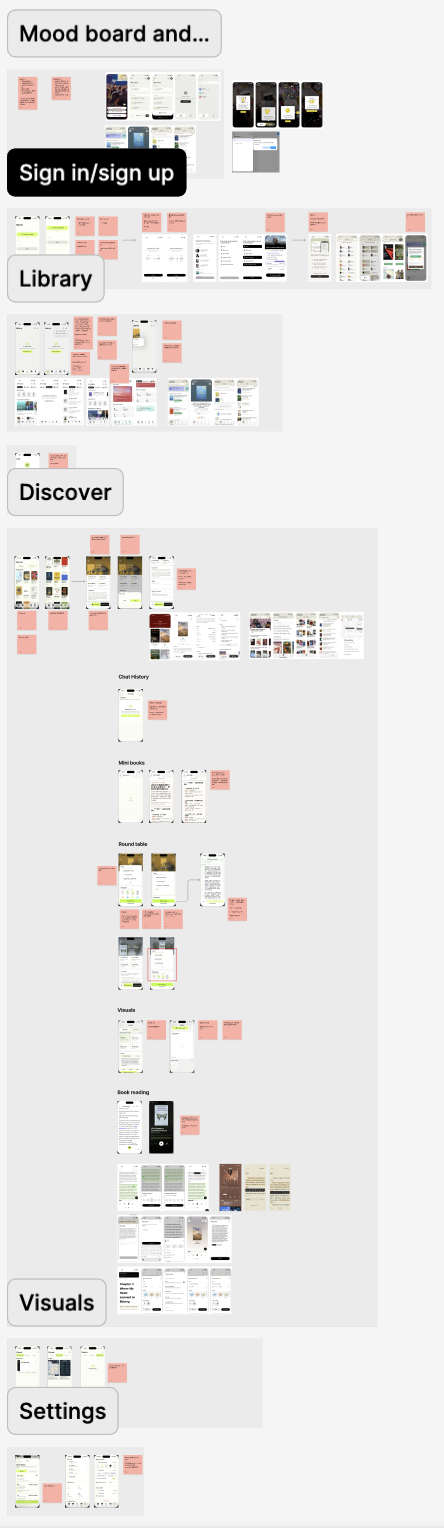
I walked through every flow of the early build, then called Lumo, and noted what a heavy reader would trip over.
Only Google sign-in, no questions about reading habits, and no clear Free versus Pro. Nothing guided readers to upload their first book.
Target readers already own books, so upload should come first. There was no way to organize, sort, or archive, and the tab icons and colors needed work.
Discover is where readers browse books outside their own library, grouped into sections. There was no search and no language or category filter, and the sections had no labels saying why a book was there.
Round Table lets readers pick a topic from a book and watch several AI voices discuss it. The feature was never explained, readers could not see who the participants were, and the discussion ended with no way to join in or keep it going.
Empty Chat and Visuals did not say what to do next. Settings needed a close button, a way to report a problem, and contact support.
Process
AI help needed to be easy to reach without interrupting reading. I kept the book at the center, placed questions beside the passage, and gave discussion and creation their own entry points.
The library and reader prioritize returning to the book. Chat, Minds, and Creations remain available as a separate layer, balancing access to AI with a focused reading experience.
I made questions contextual to a passage, so readers can move between the book and an explanation without losing their place.
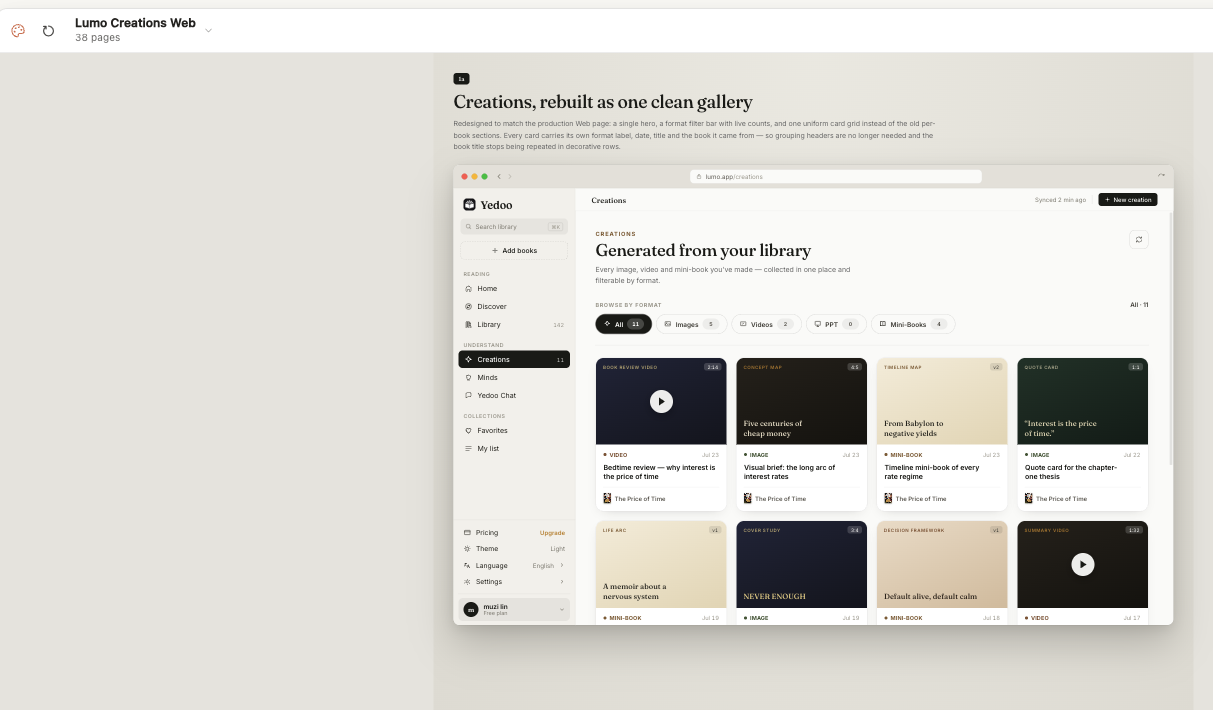
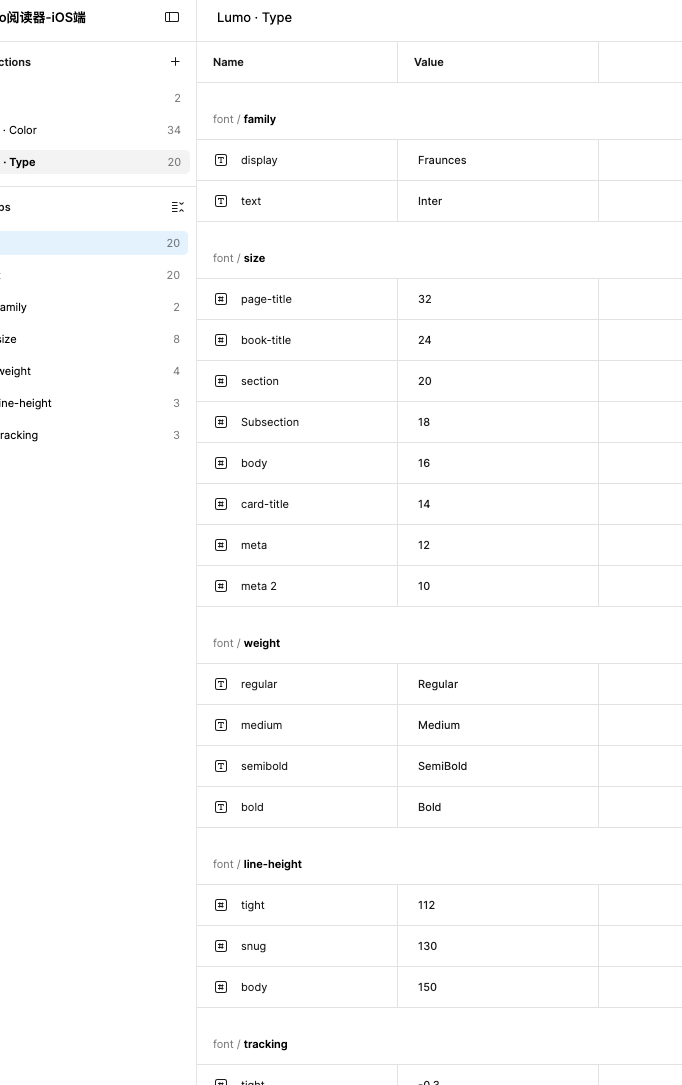
I connected type, components, and interaction rules through a shared design system, then adapted the layout to each platform's space and reading context.
Product Design
Readers can ask about a passage, explore other perspectives, or create something from the book without starting over elsewhere.
I adapted the same reading workflow to each device, changing density and navigation while keeping the product language consistent.
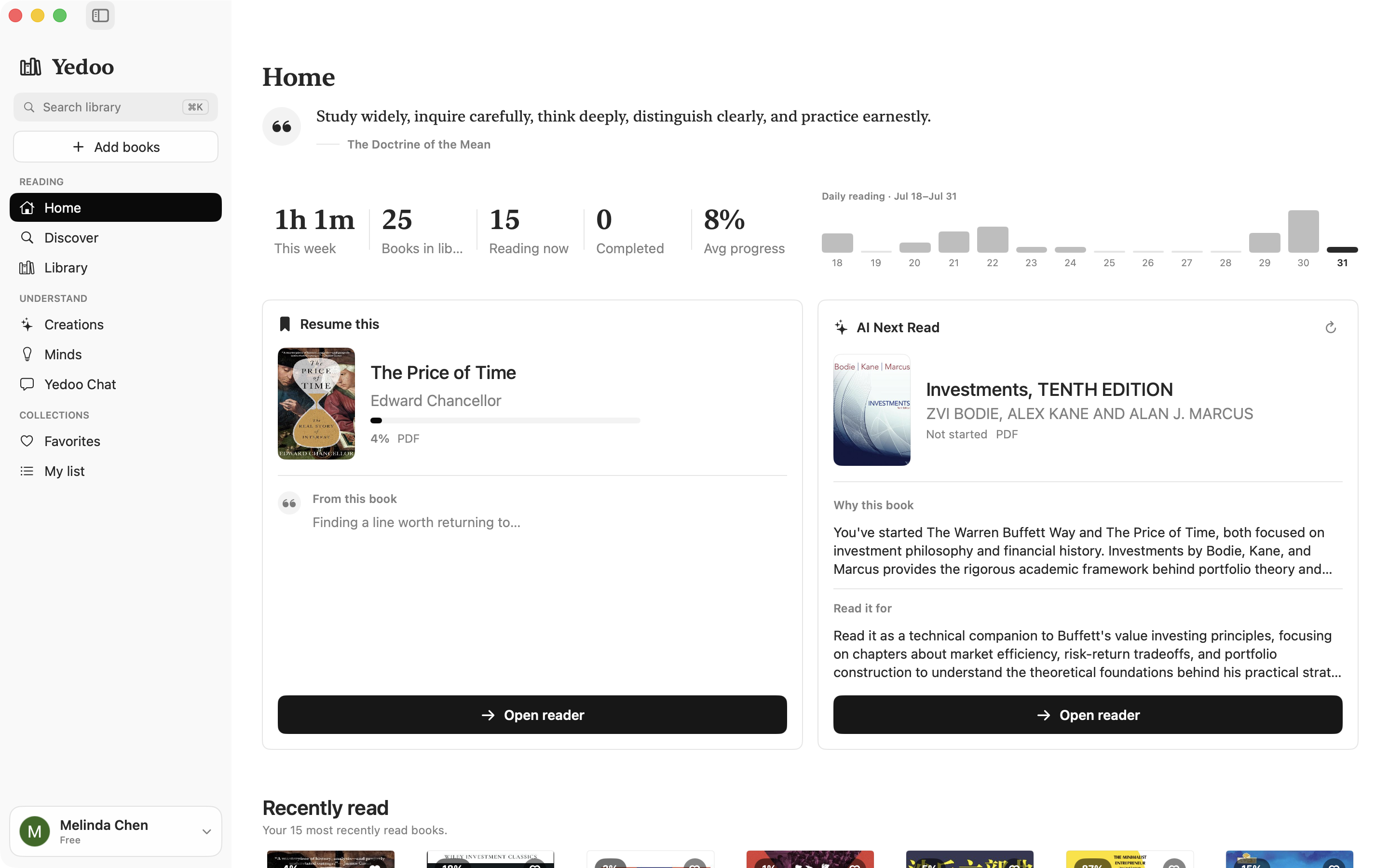
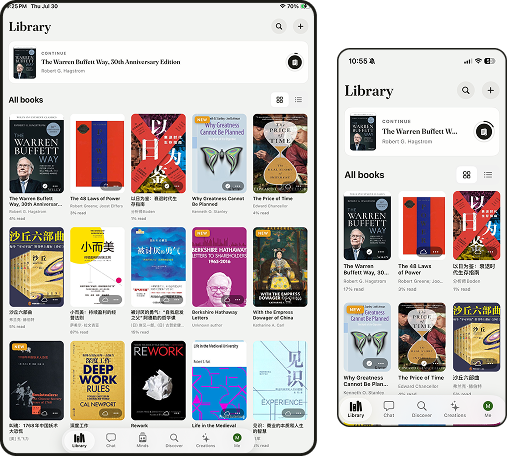
Prioritize returning to a book, reading, and listening on the go.
Use the extra space for browsing the library and creations.
Keep reading and understanding tools visible in one workspace.
Support web reading and shareable highlights.
Four flows cover the reading journey. Pick a flow, then step through it from start to finish.
The reader keeps the text first. Marking and navigation tools appear only when needed.
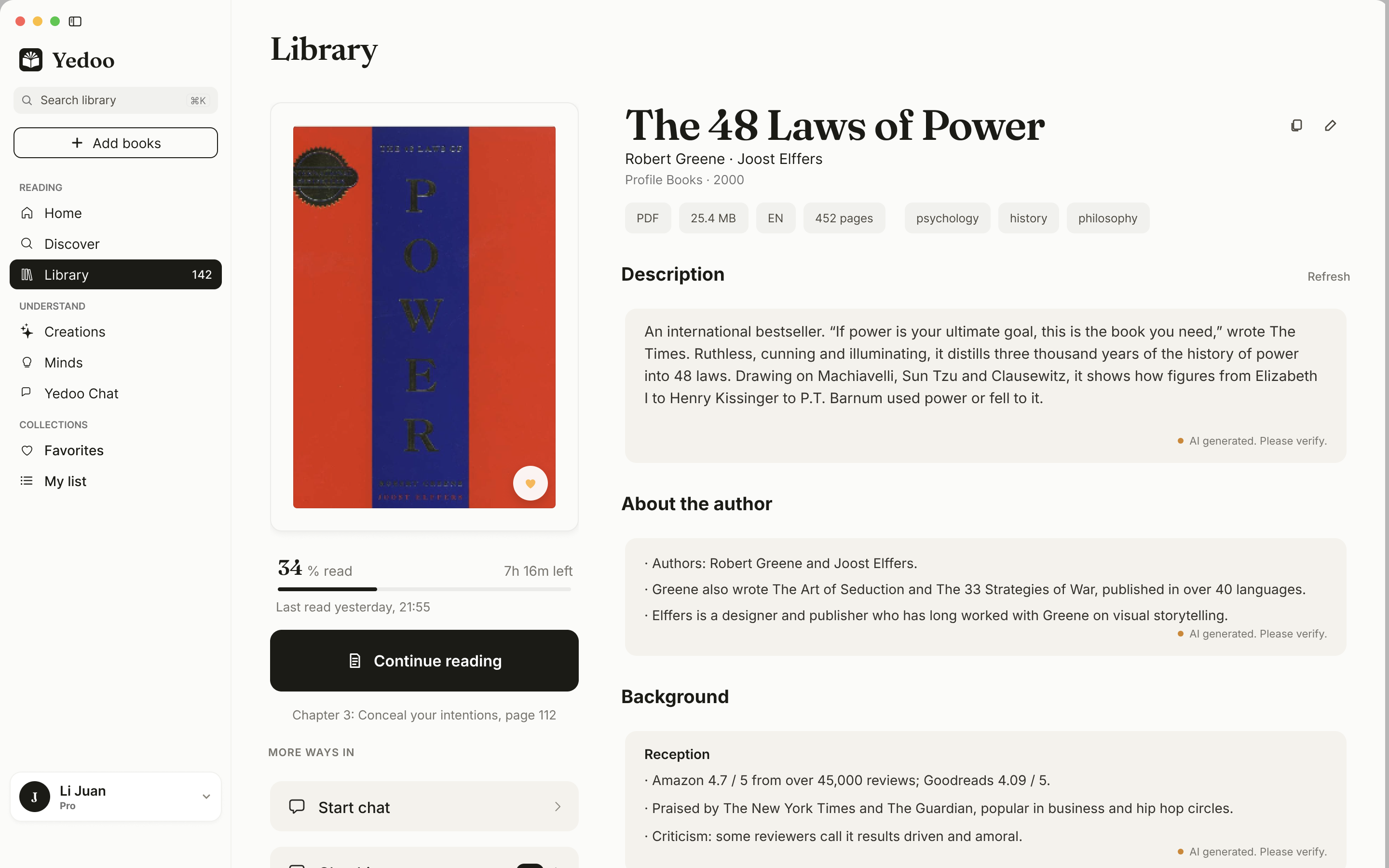
Continue reading picks up where the reader left off, and the tools for understanding the book sit right below it.
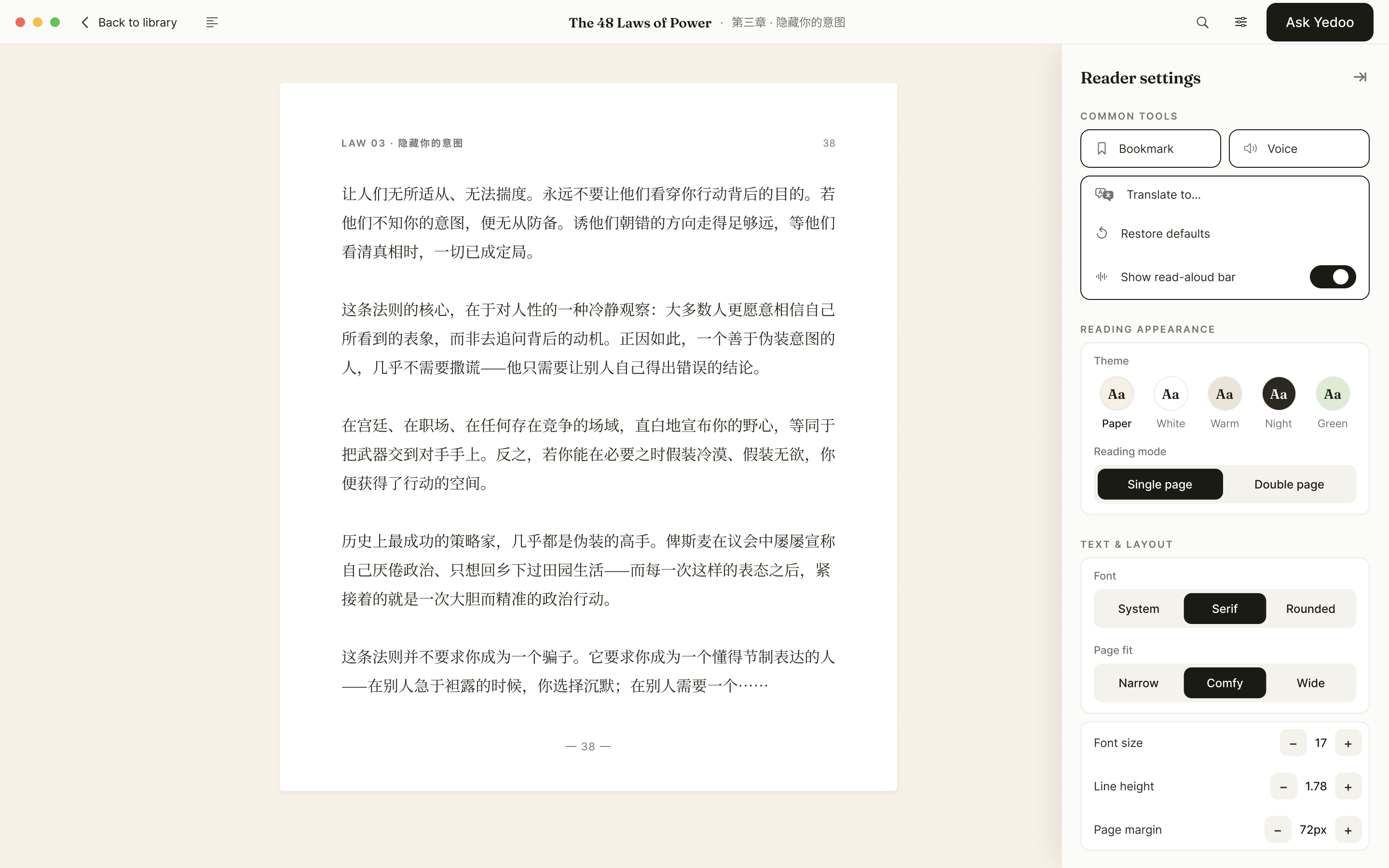
Theme, font, line height and page width sit in one panel beside the page, so readers adjust without leaving it.
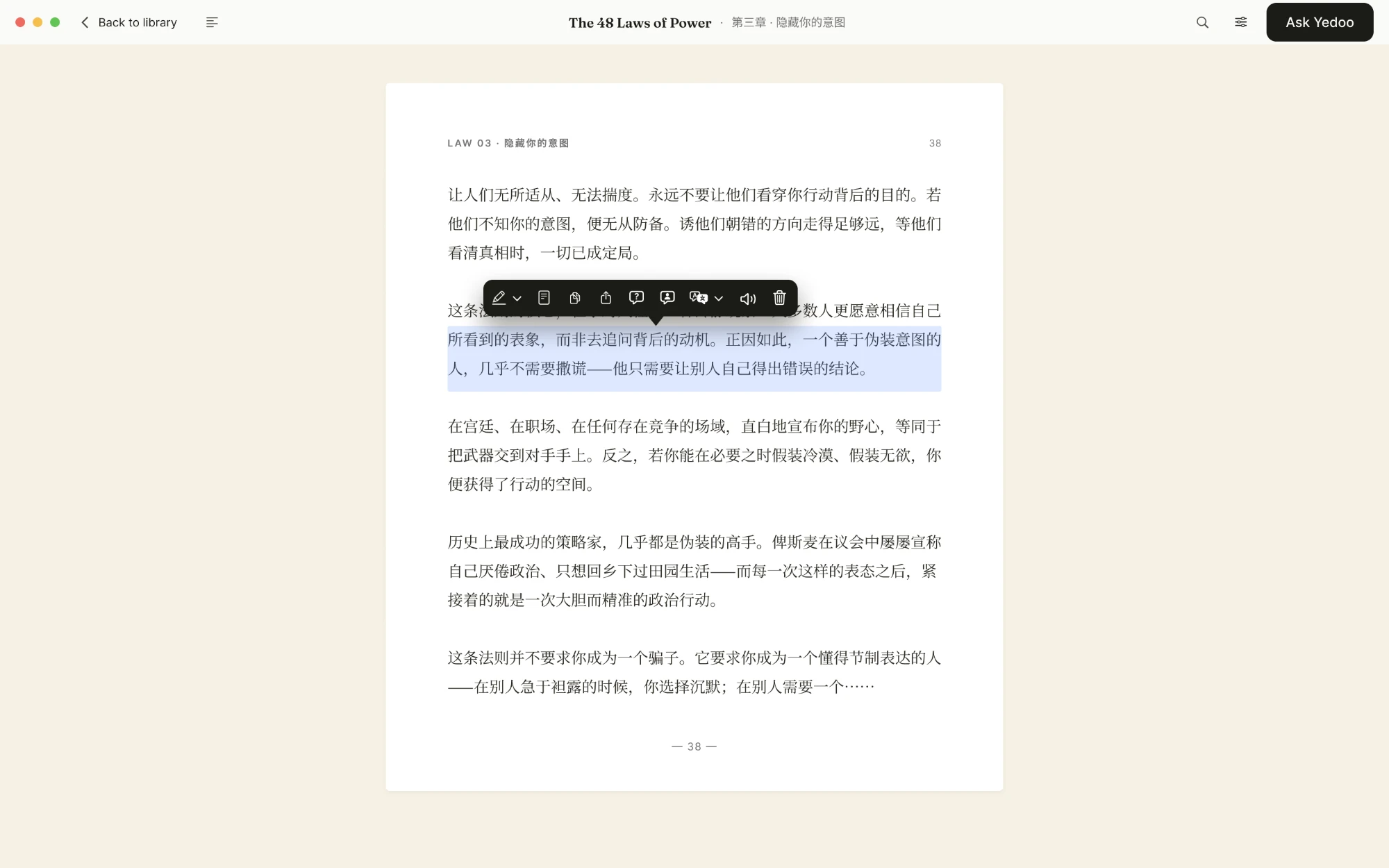
Selecting text opens one bar for highlight, note, copy, translate, chat, and speak.
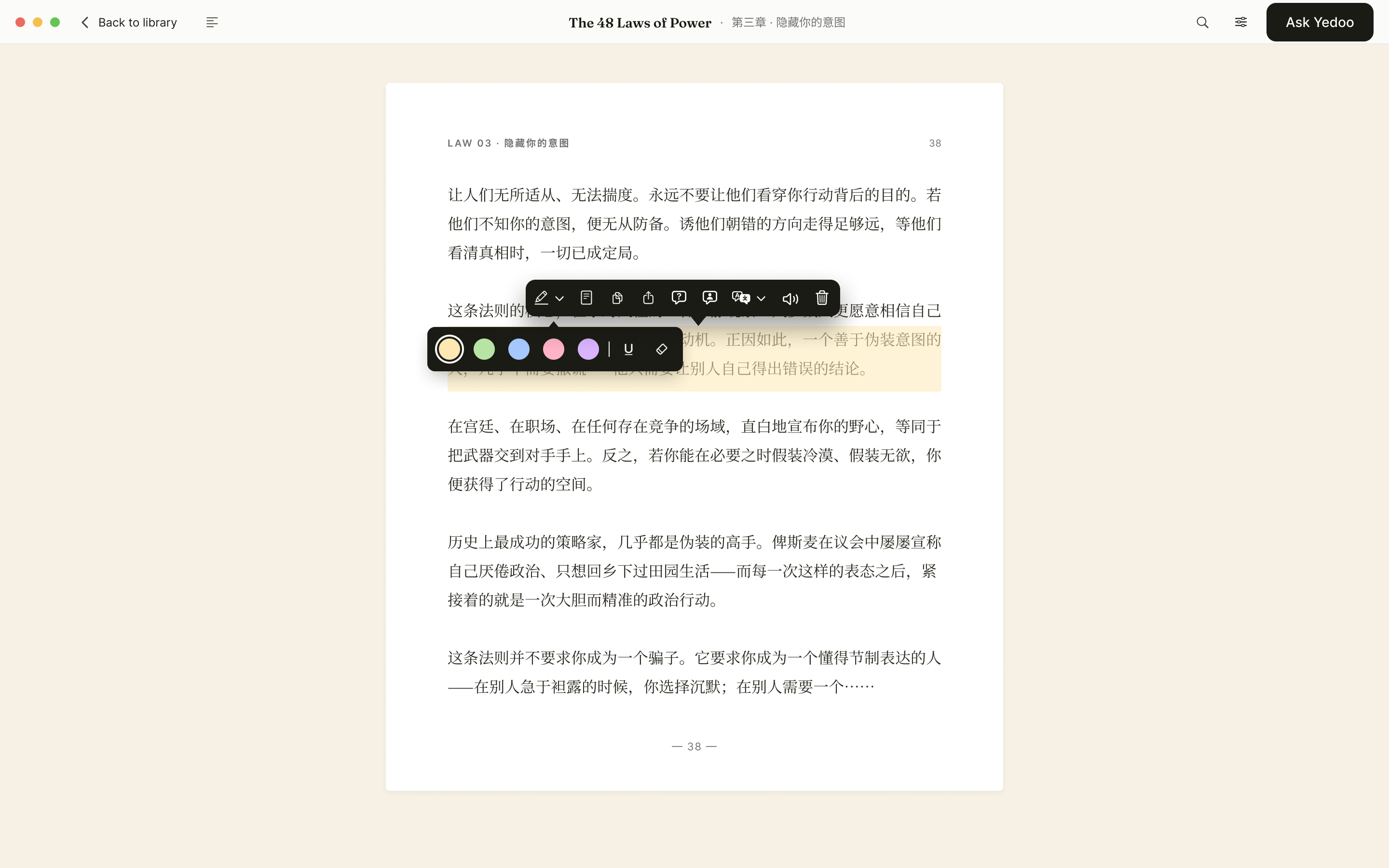
Highlights come in several colors and underline styles, so readers can sort as they go.
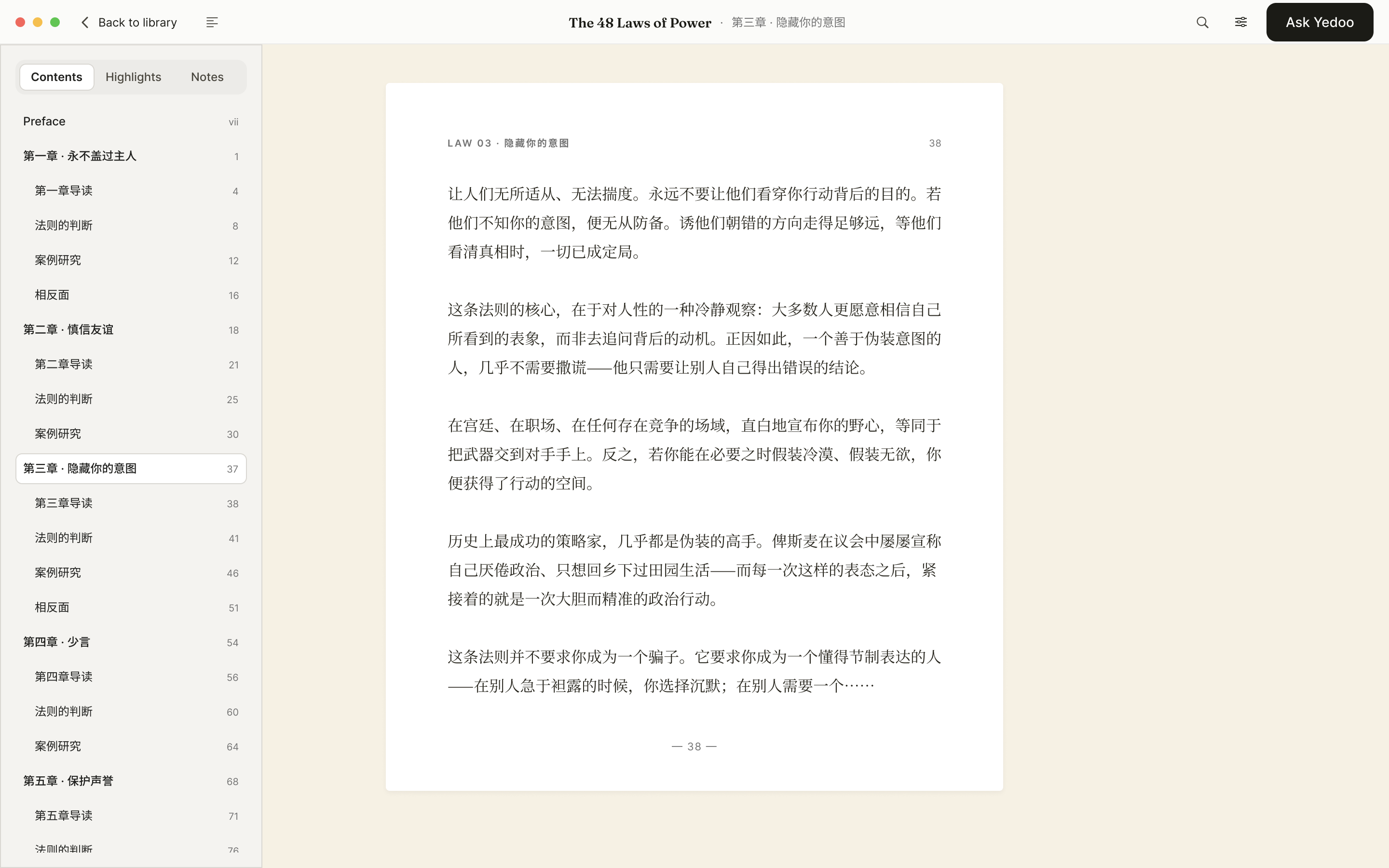
The contents panel lists every chapter and section, so readers can go straight to the part they want.
Book chat answers from the book itself. Readers choose the scope, the whole book or one paragraph, and every thread is saved with it.
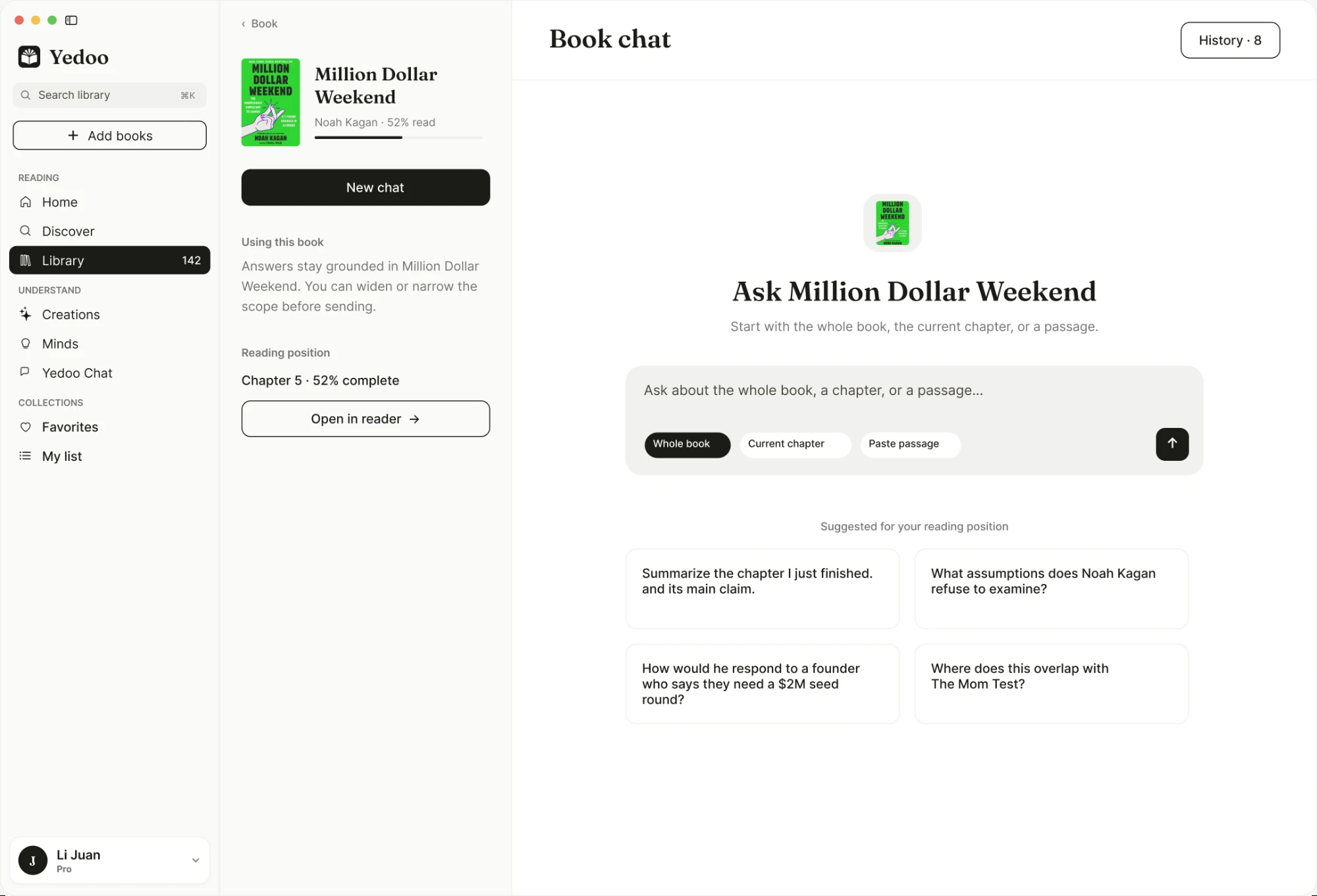
Readers choose the scope first: the whole book, the current chapter, or a passage, with suggested questions for where they are.
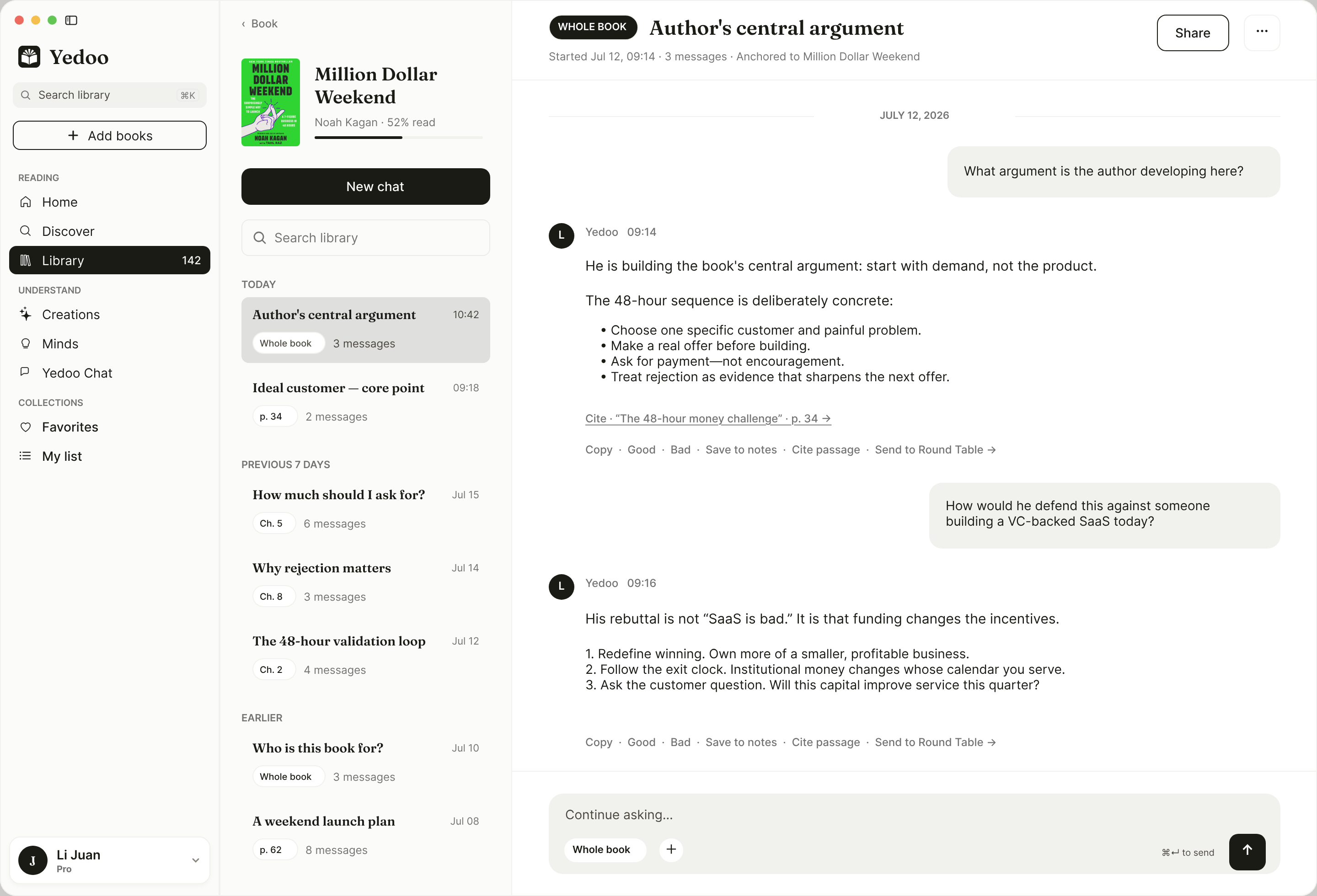
Saved threads sit in the left column, grouped by date and labeled with their scope.
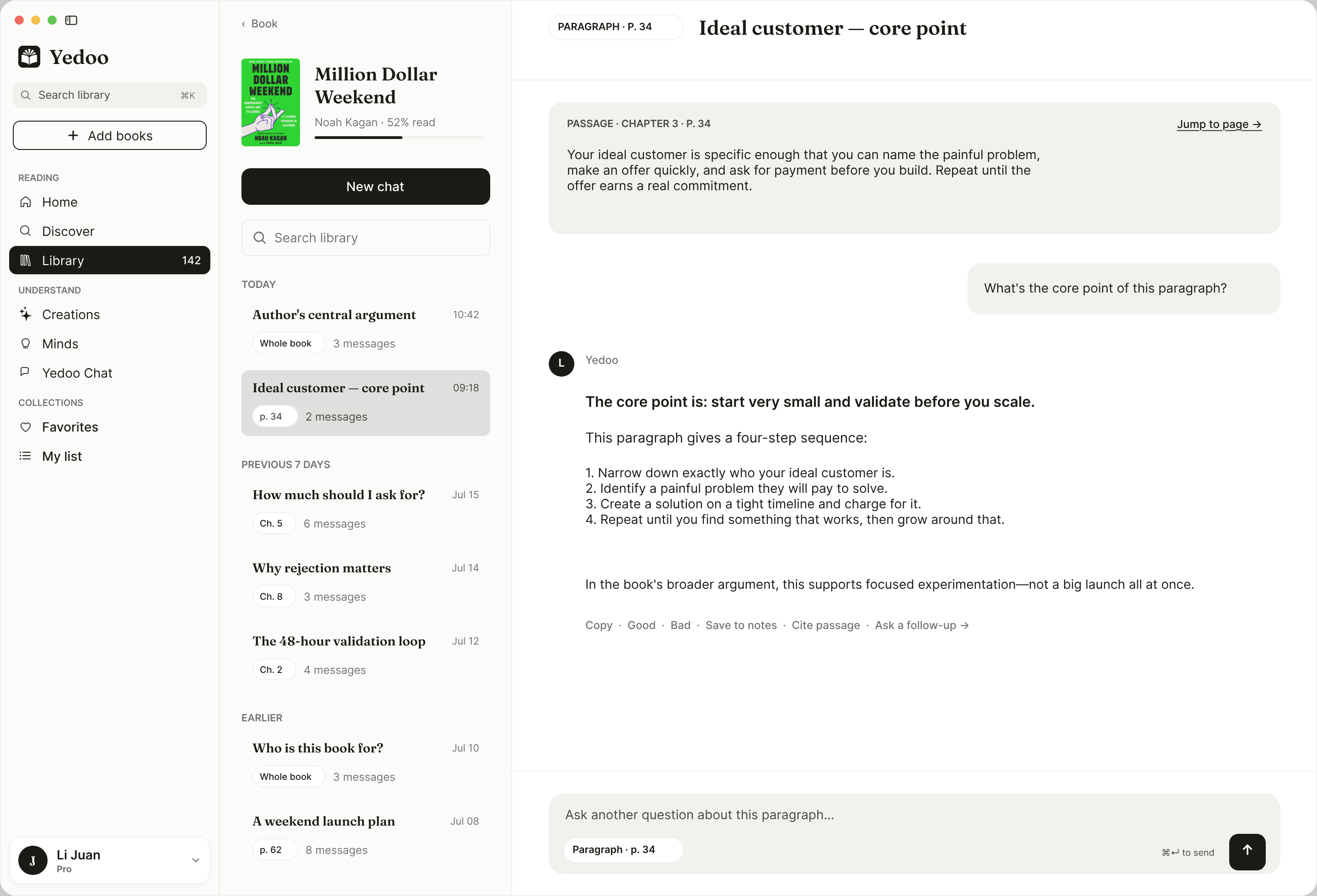
A passage thread keeps the quoted text on top, with a link back to the page.
Round Table turns one question from the book into a discussion between several minds.
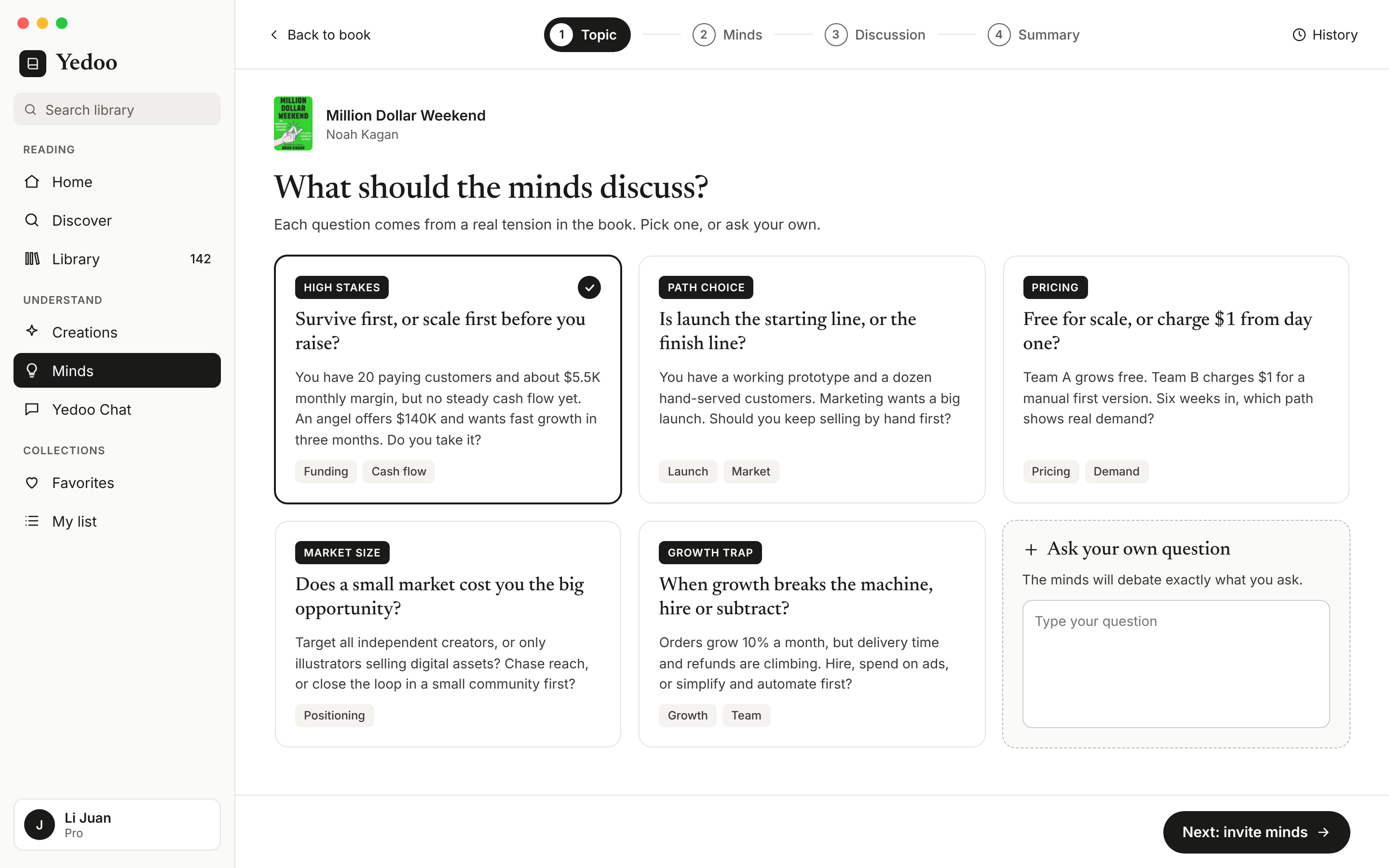
Topics come from real tensions in the book, or readers write their own.
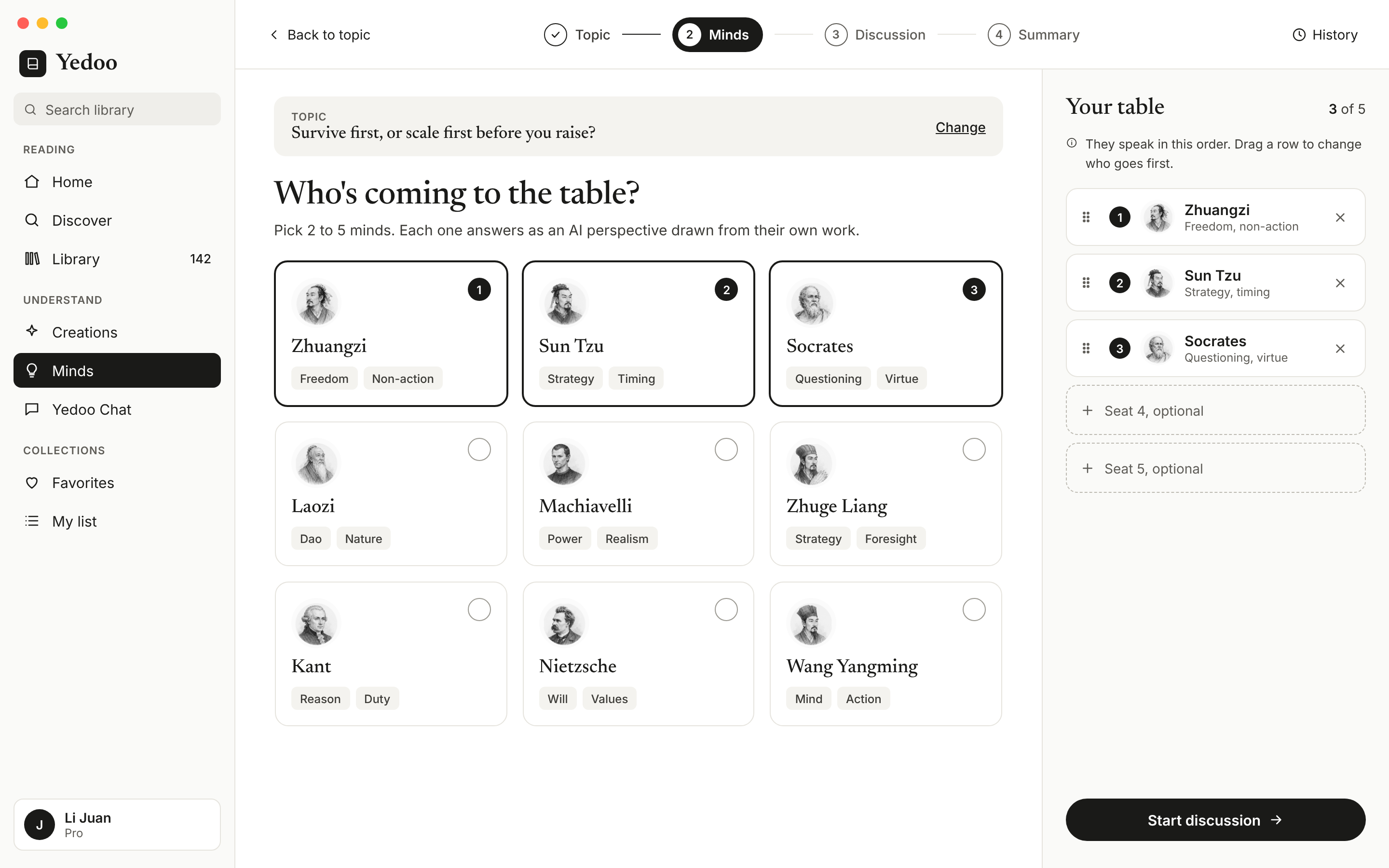
Readers pick two to five minds. The table on the right shows who speaks first, and they can drag to reorder.
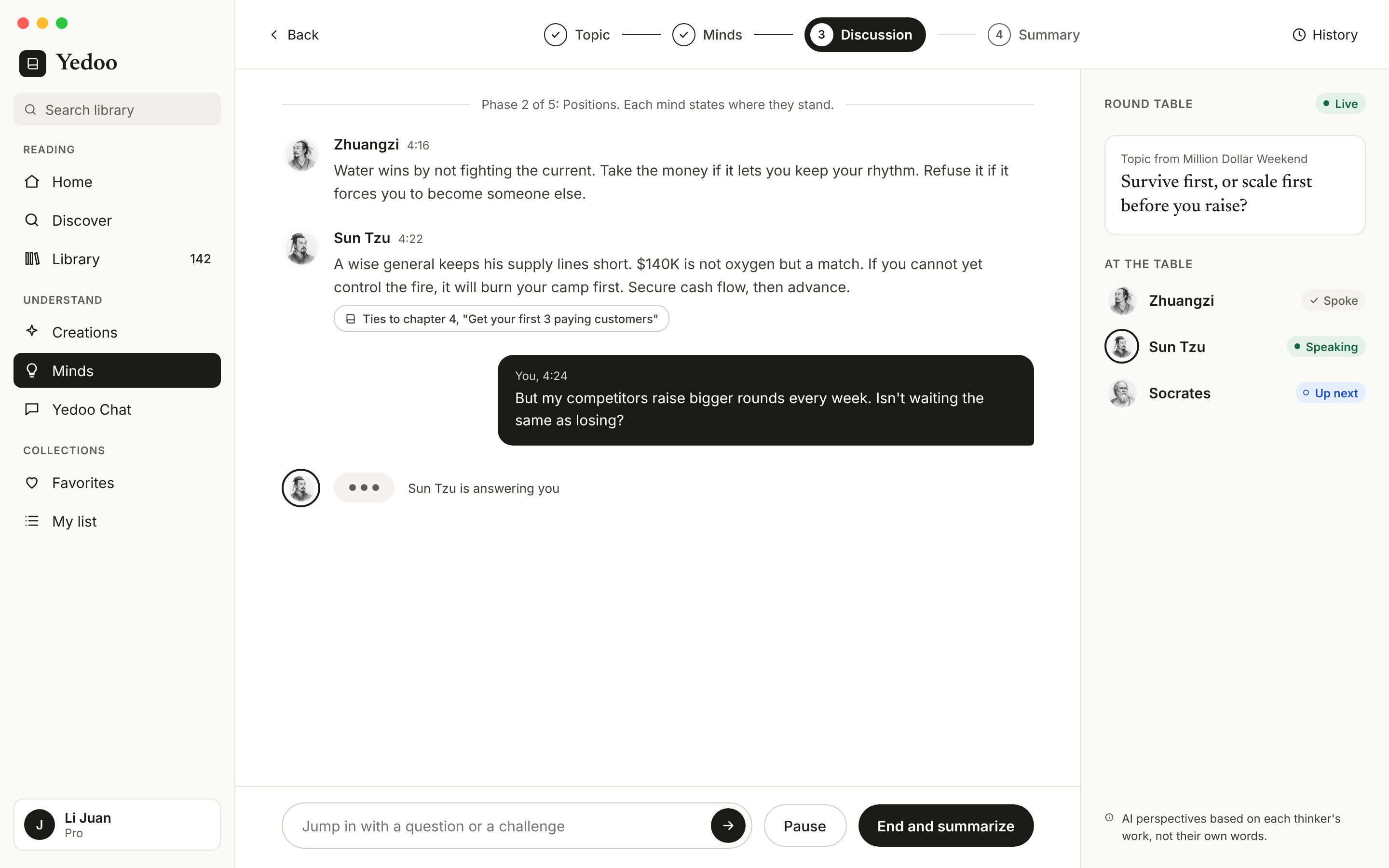
Each mind shows whether they spoke, are speaking, or are up next. Answers point back to the book, and readers can jump in, pause, or end.
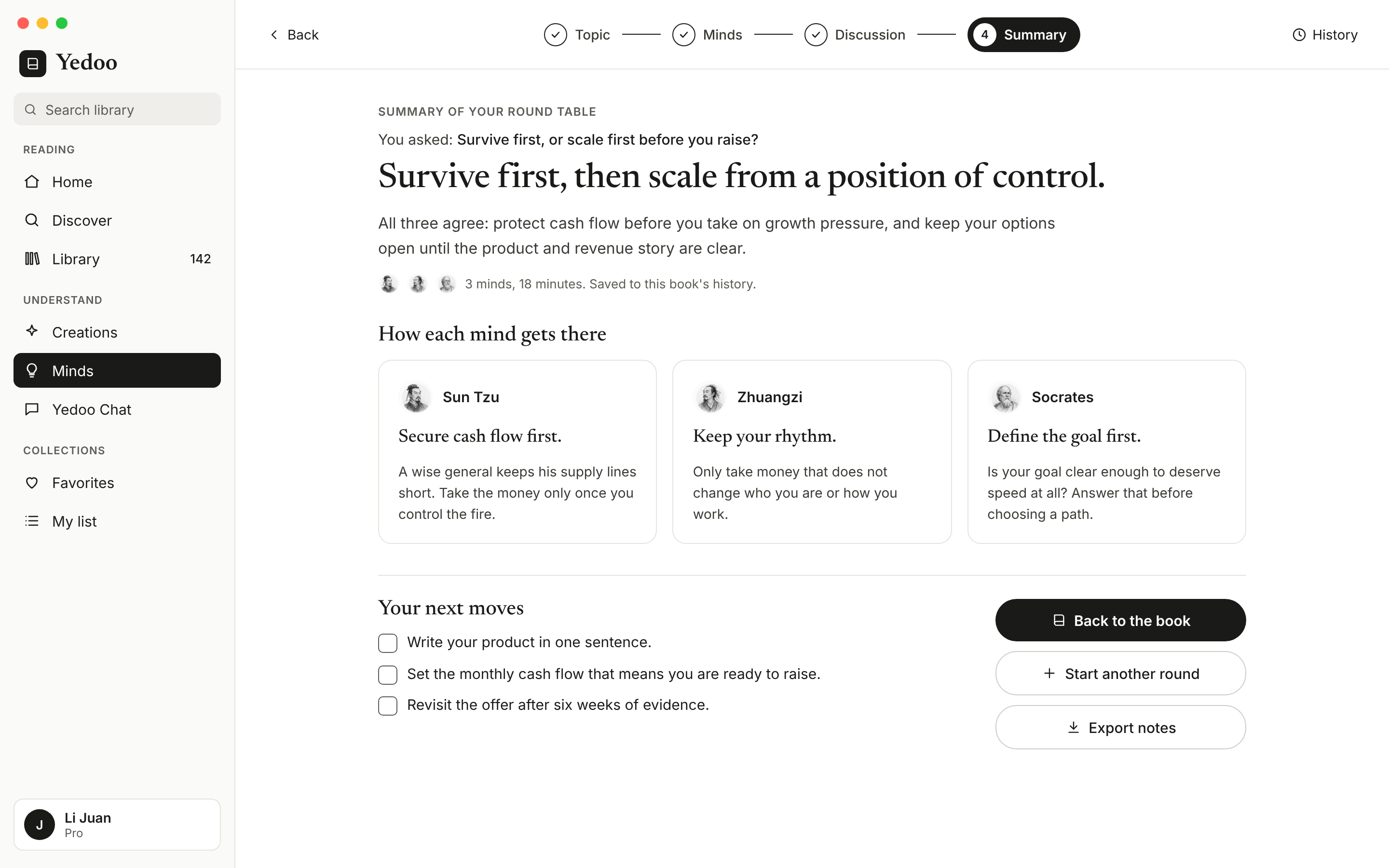
The summary leads with one answer, then how each mind got there, then next moves the reader can check off.
Creations turns the book into a visual, a video, or a deck, starting from a template.
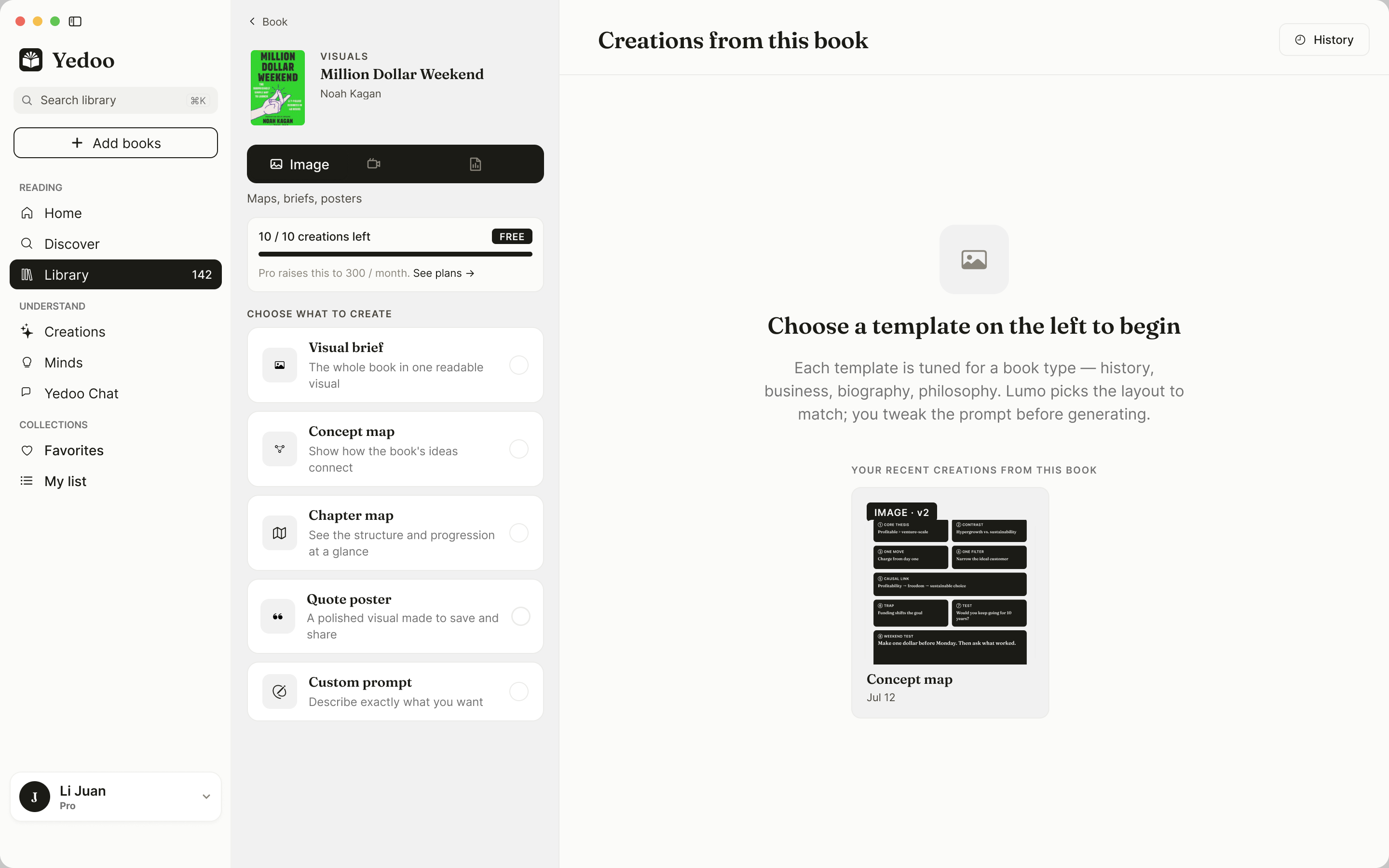
Templates are tuned to the kind of book, and the quota is shown up front.
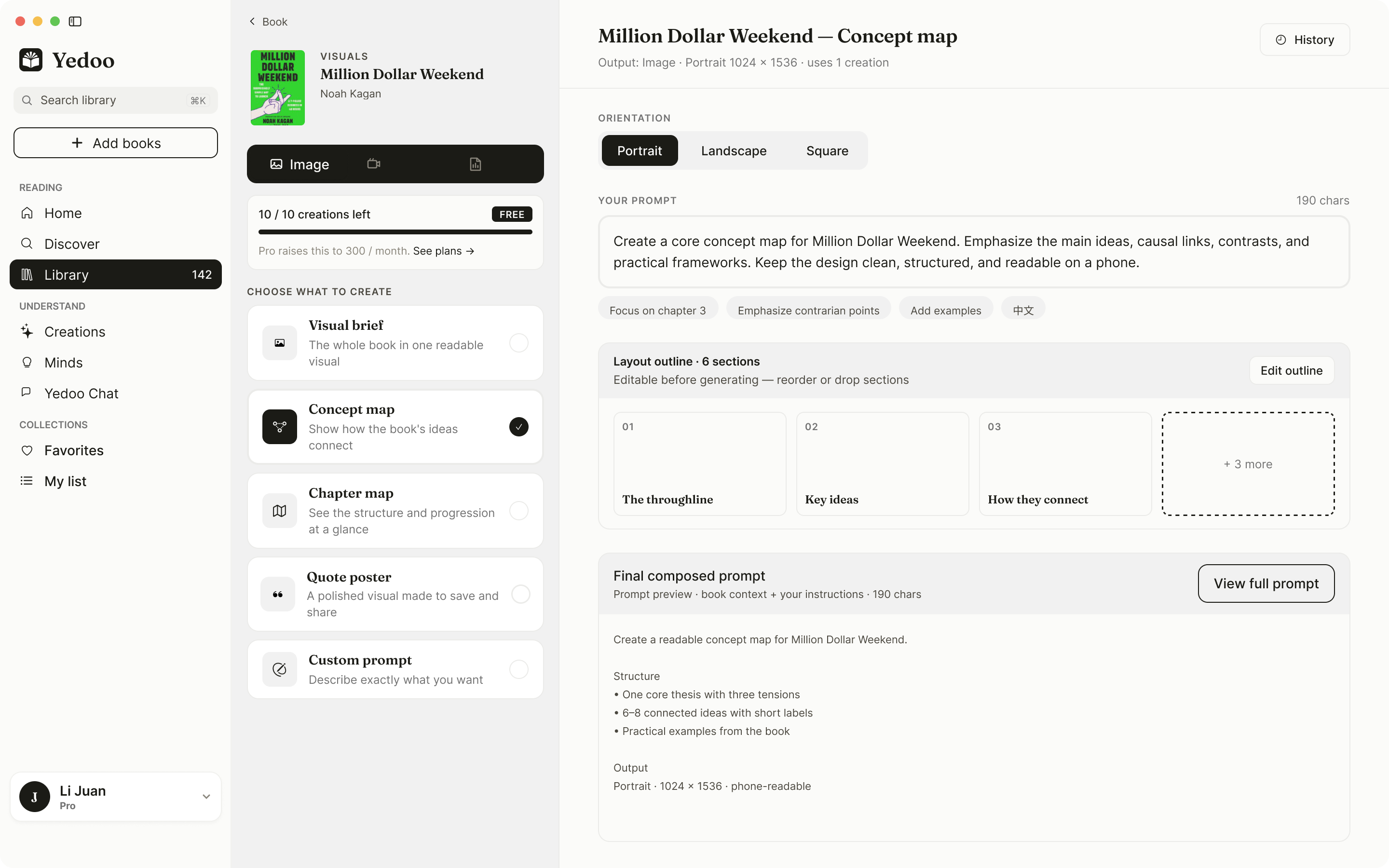
Readers pick a layout, review the outline, and see the full prompt before spending a credit.
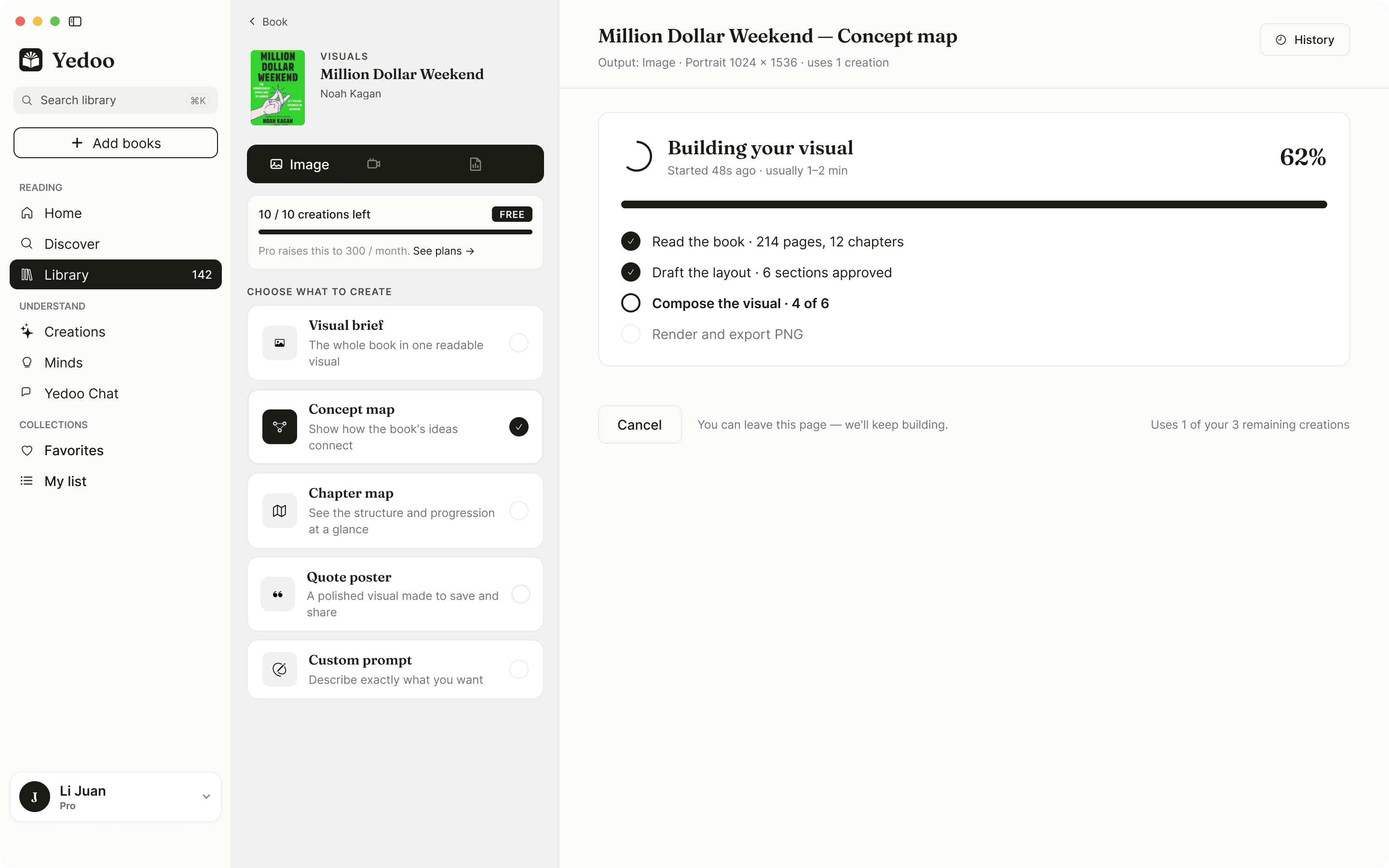
Each step is listed, and readers can leave while it keeps going.
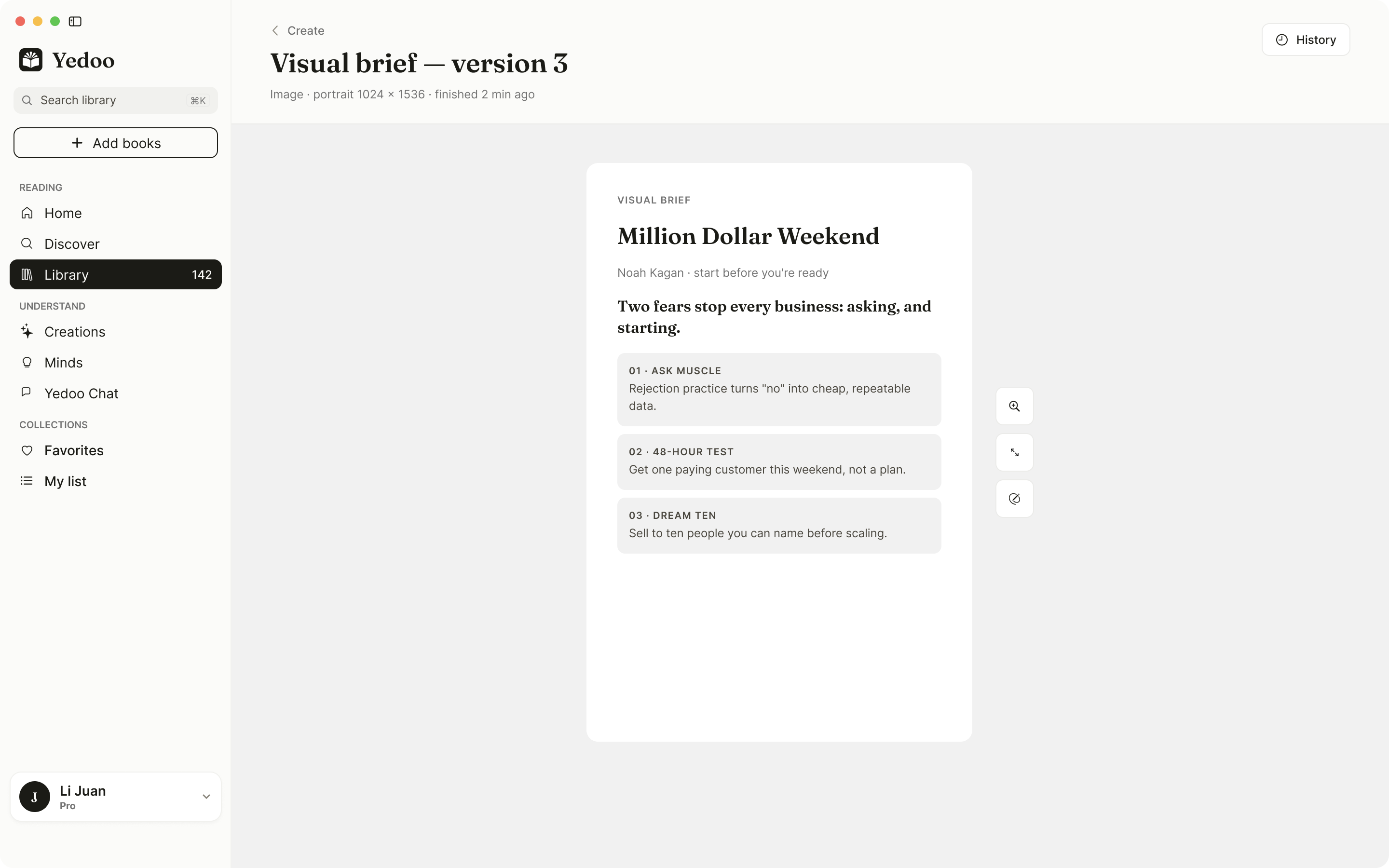
Results are saved as versions in the history, ready to export.
On a smaller screen, the experience prioritizes one task at a time: return to a book, read, then open AI tools when needed.
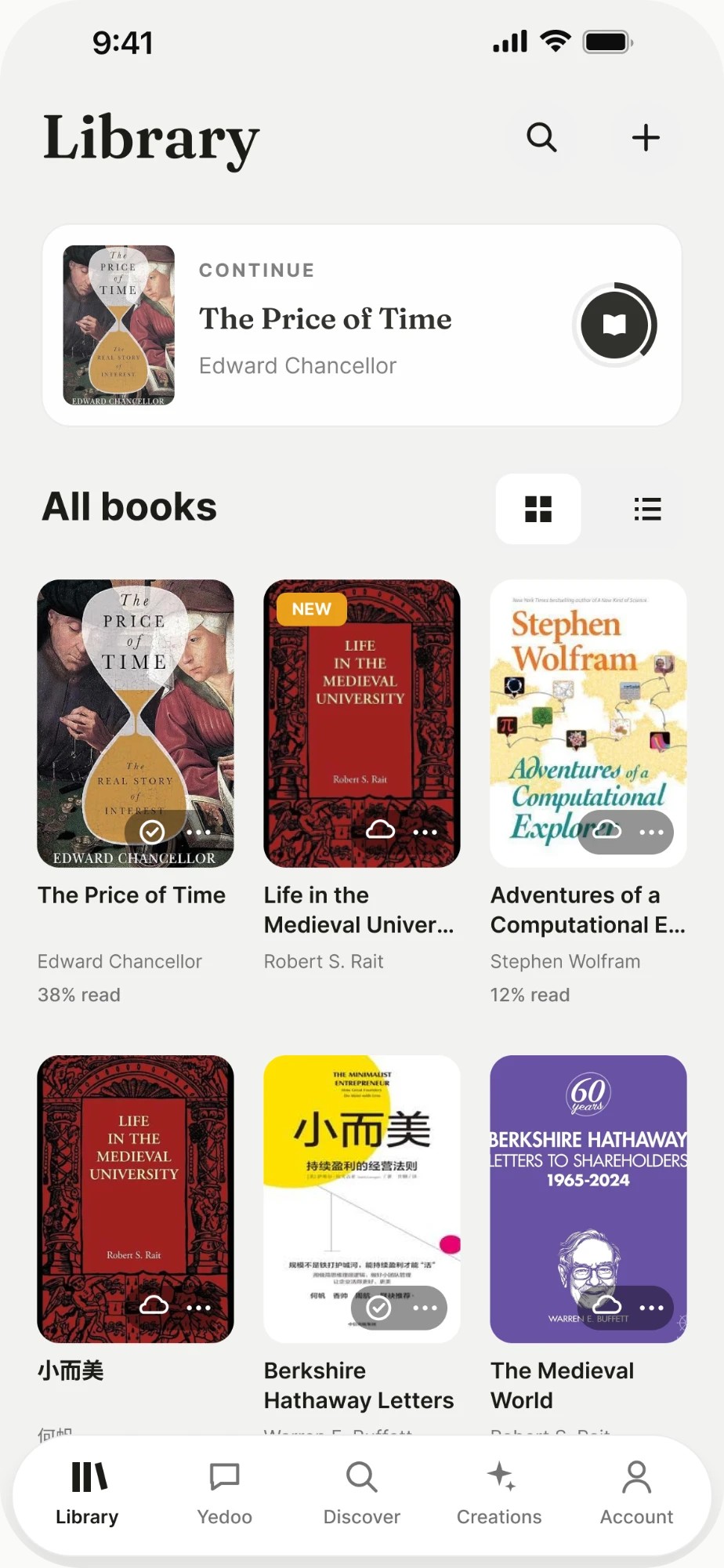
A compact collection view keeps books and the current reading session close at hand.
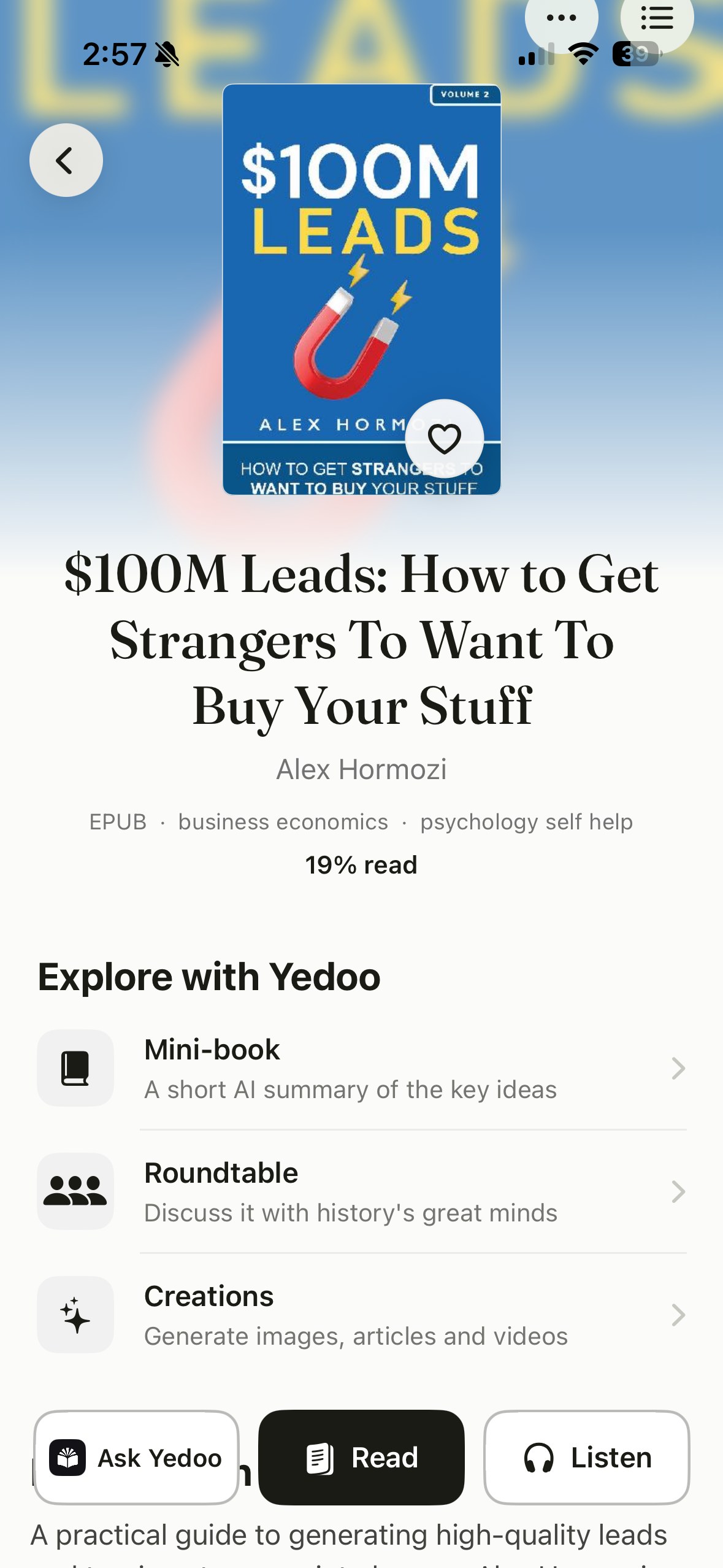
Book information and reading actions share one focused view.
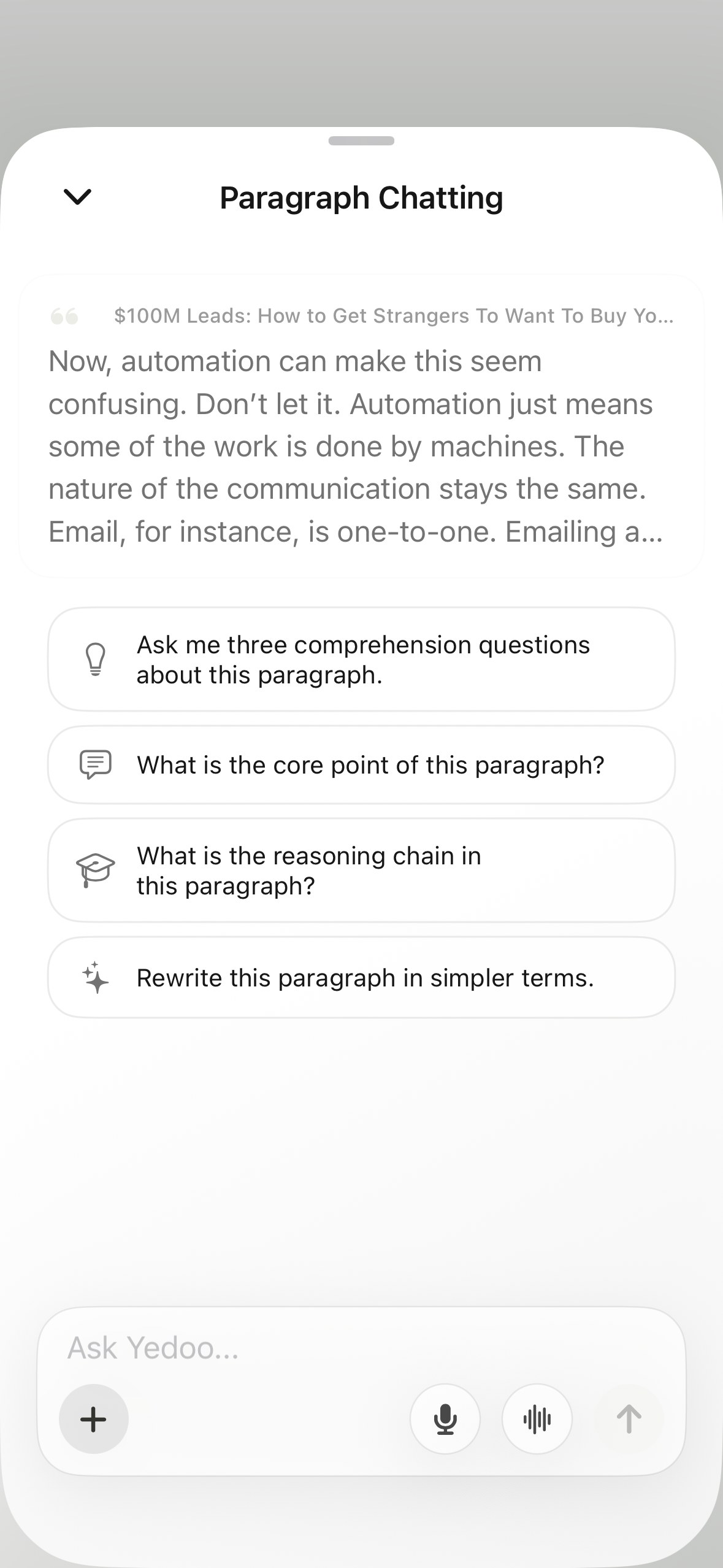
Chat starts from the passage the reader selected, with suggested questions to get going.
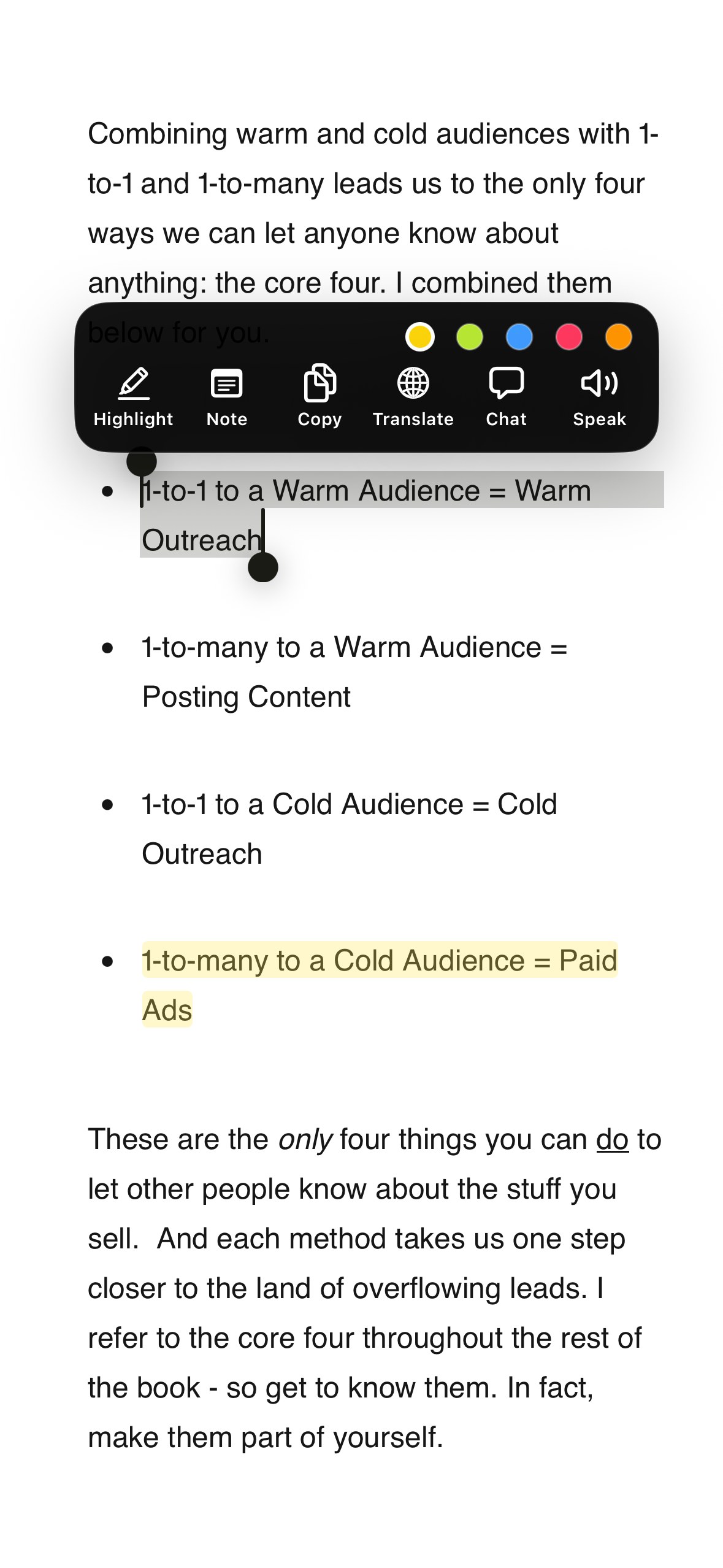
Select text to highlight it in a color, add a note, translate it, or ask about it.
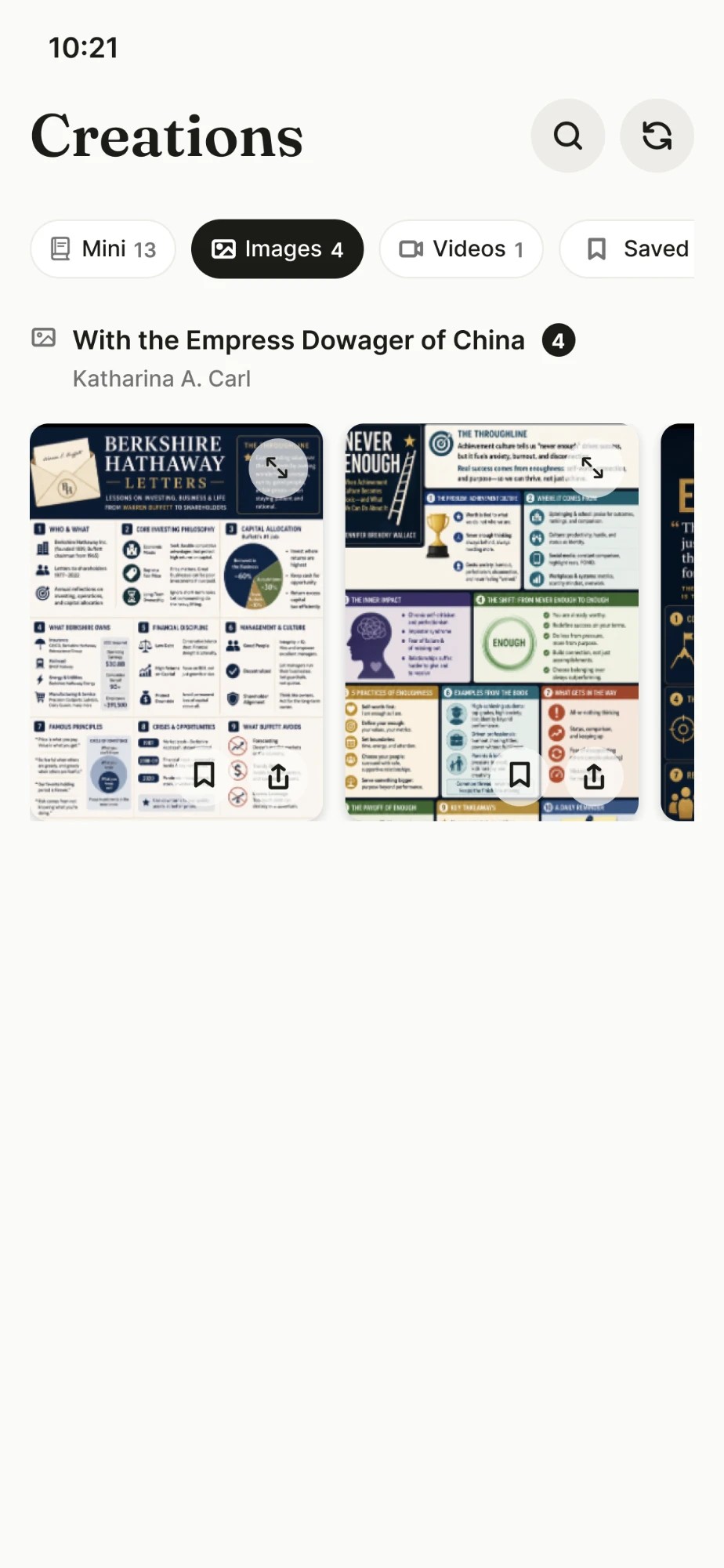
Generated work remains accessible within the same mobile product.
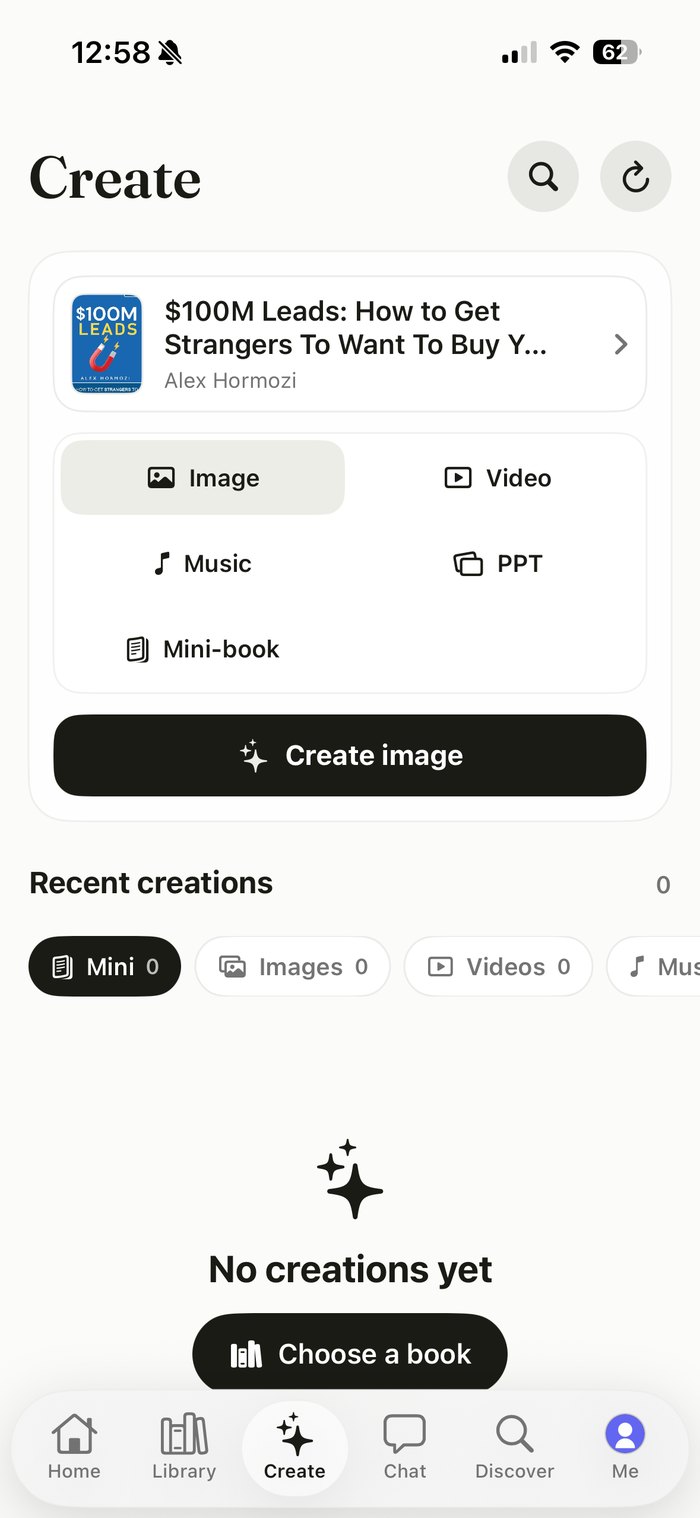
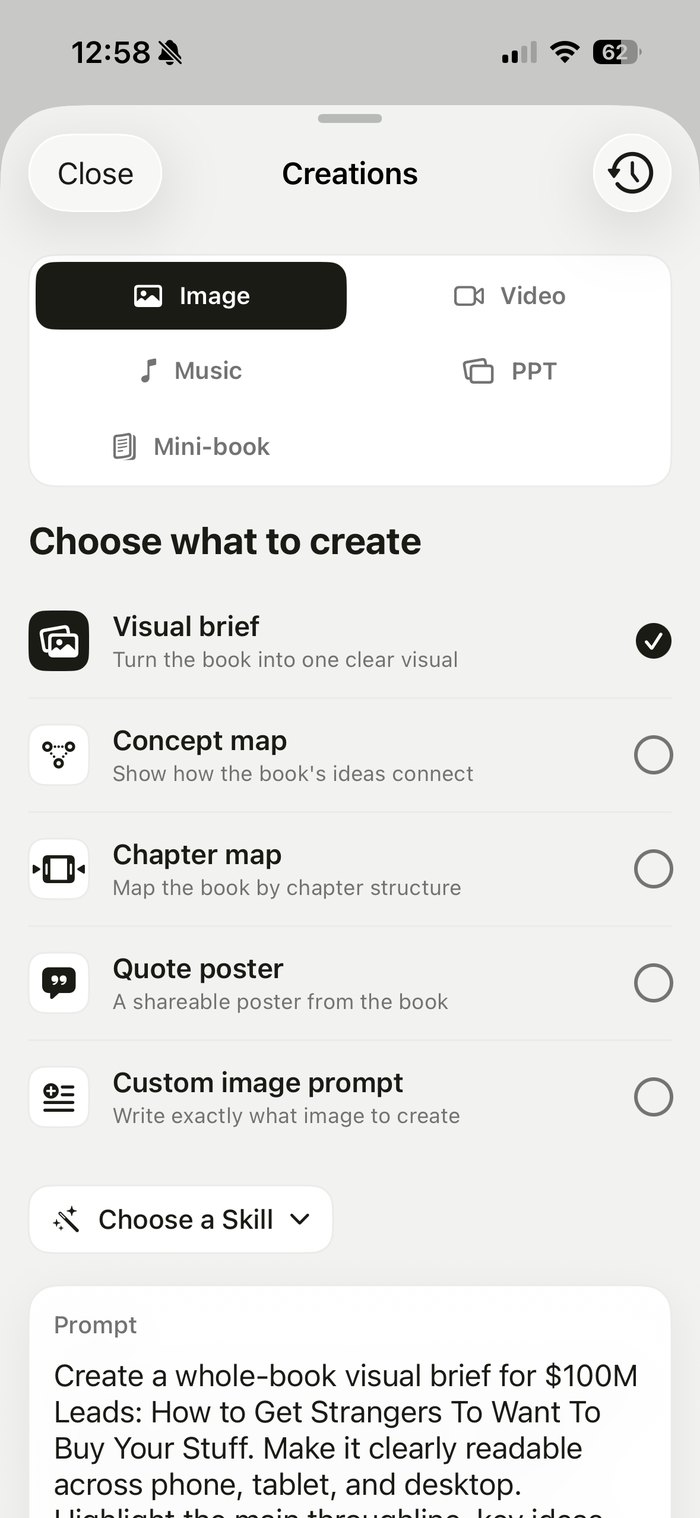
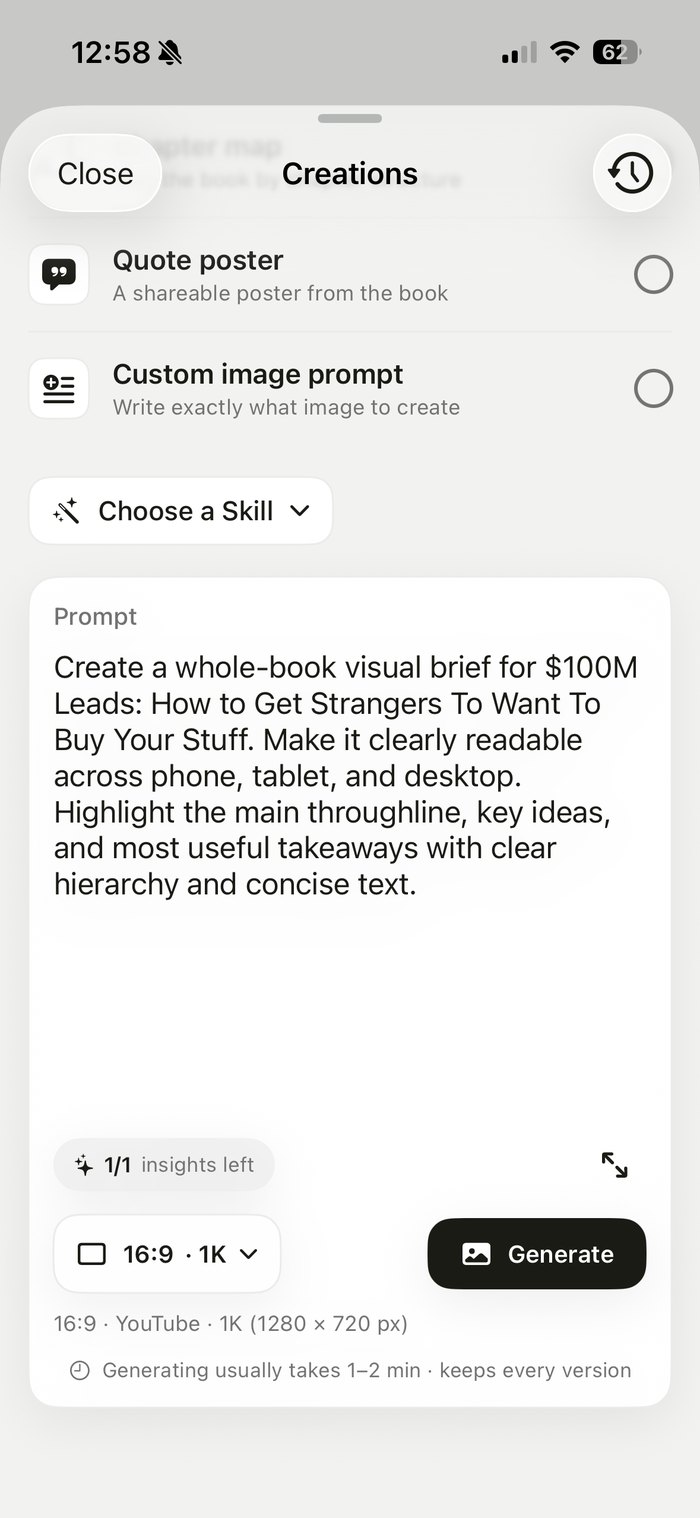
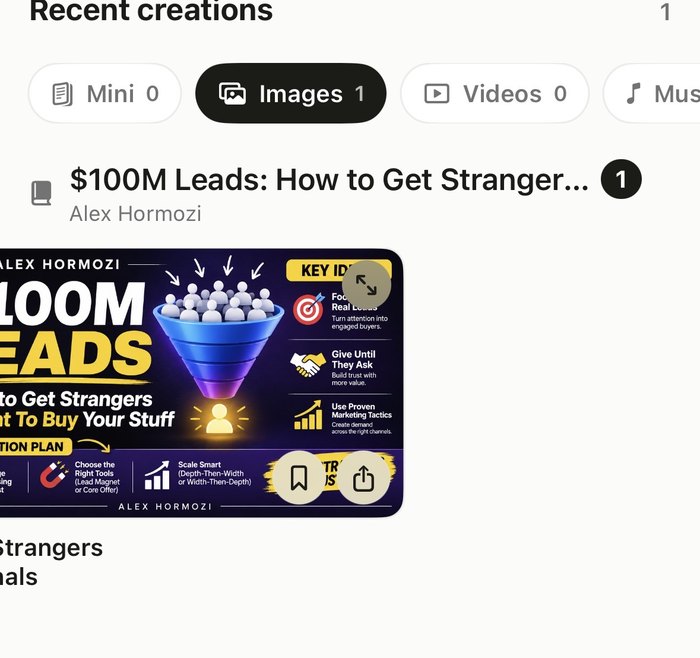
Image generation shipped and works, but the flow asks too much before anything happens. These are the issues I would fix first.
 13
 12
 35
 4
 4
Image is chosen on the Create page, then the sheet asks again.
Type, template, Skill, prompt, and size share one long sheet. Generate sits below the fold.
Mini-book becomes Mini, credits are called insights, and the empty state asks for a book that is already chosen.
Buttons sit on top of the image, and the full screen view offers only Close.
It takes one to two minutes, but nothing says whether readers can leave or will be notified.
A proposal I built in Claude Design. It is not shipped yet. Each step answers the issues above, and the fourth screen shows how step 3 holds up with many versions.
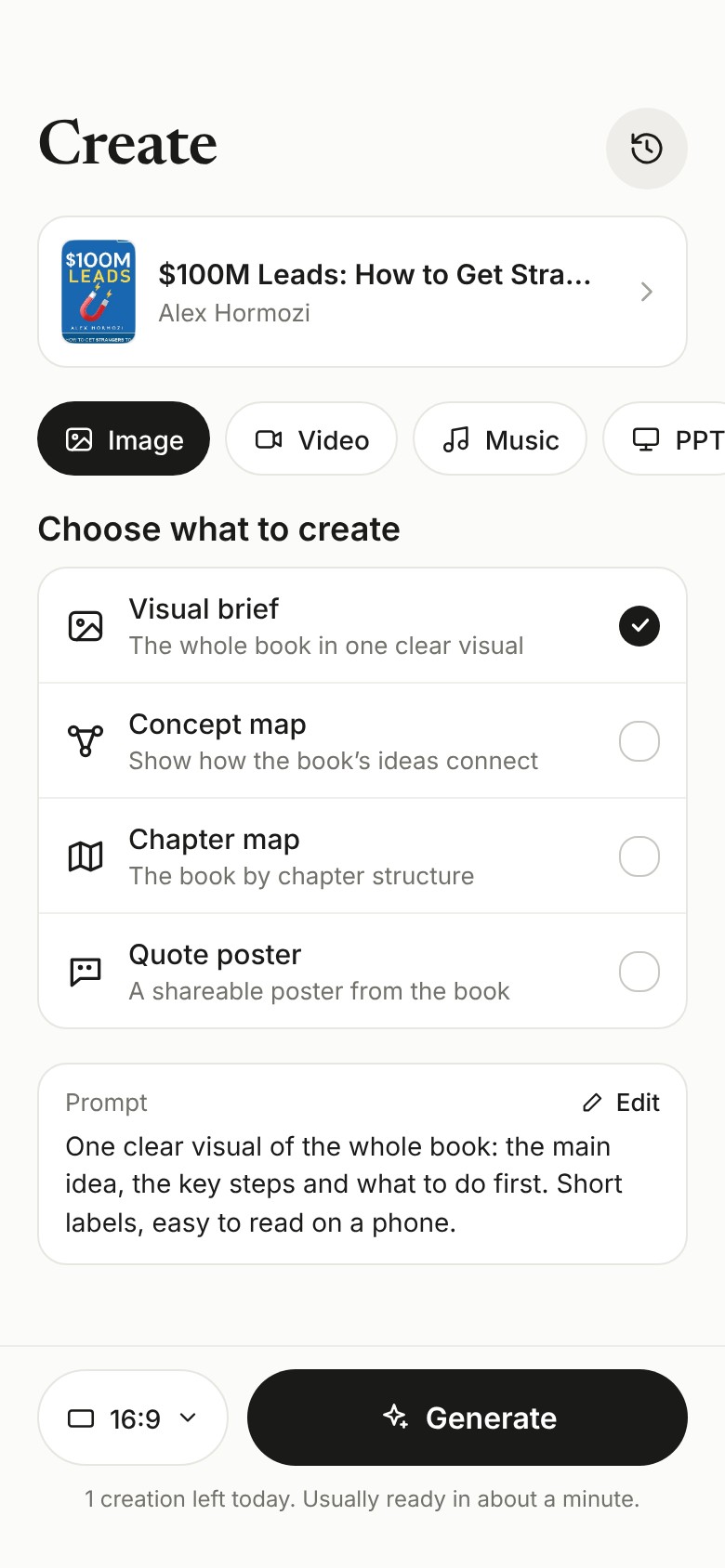
Book, type, template and prompt sit on one screen. The type is picked once, and size sits next to Generate.
Fixes 1 and 2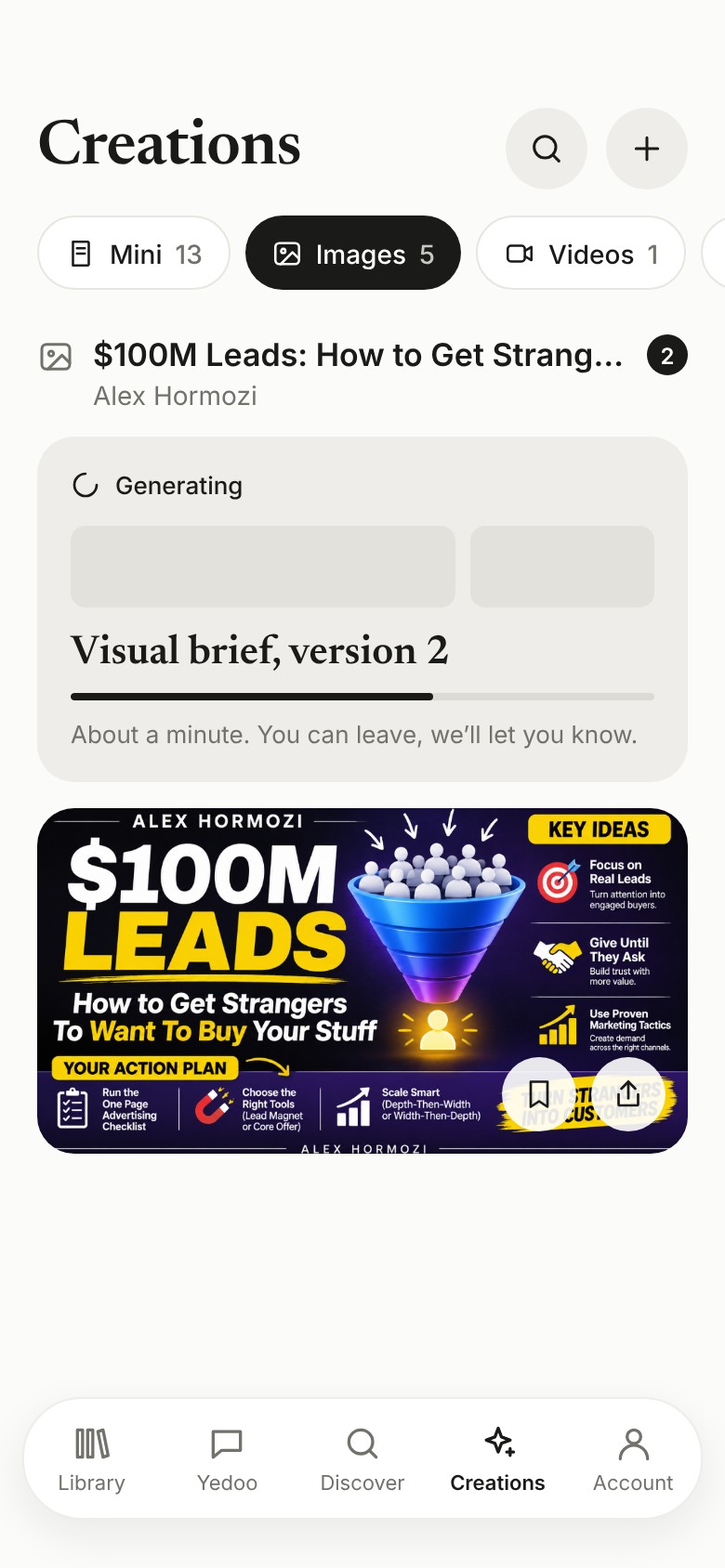
Generation runs in the background. A card in Creations shows the progress and tells readers they can leave. They get a notification when it is ready.
Fixes 5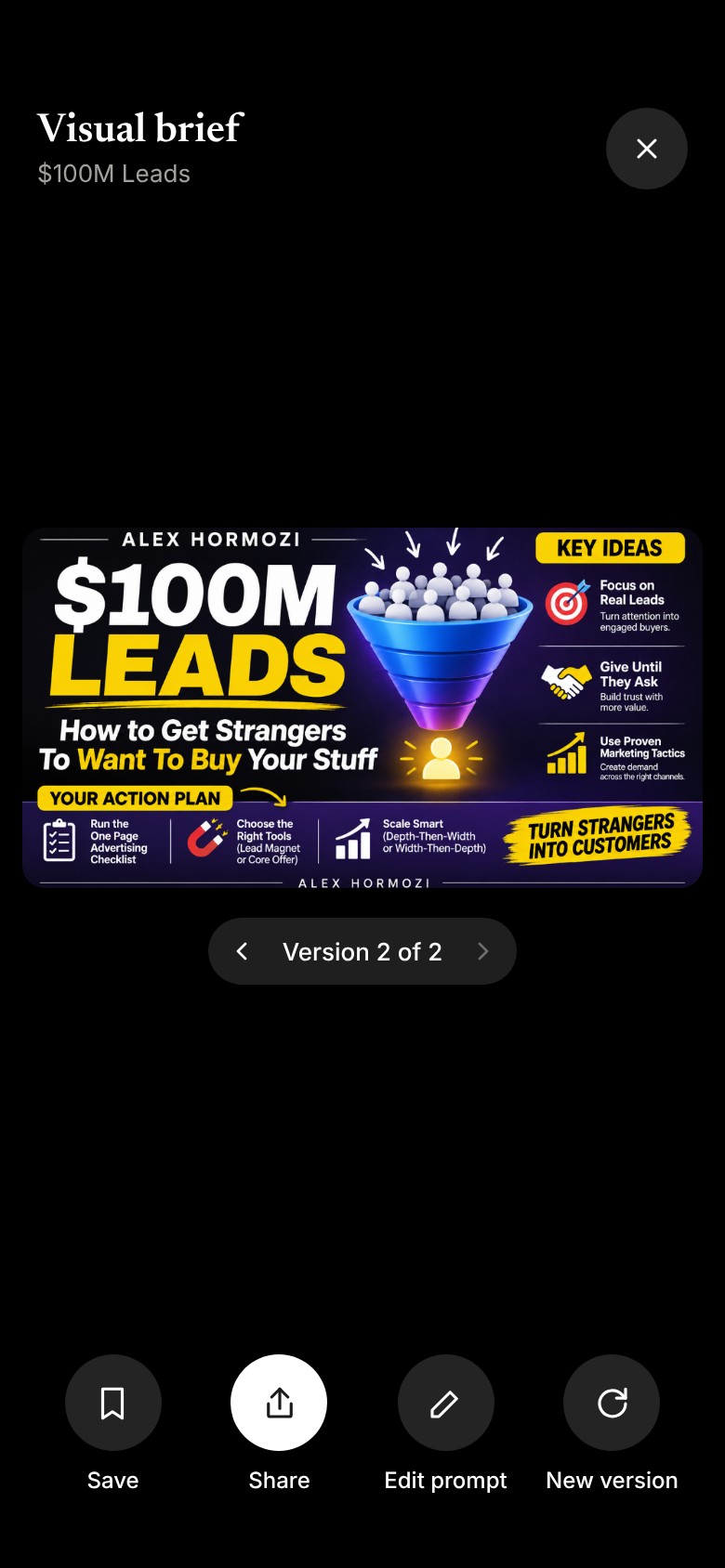
The image gets the screen. Versions and actions sit below it, and the name stays Visual brief from template to result.
Fixes 3 and 4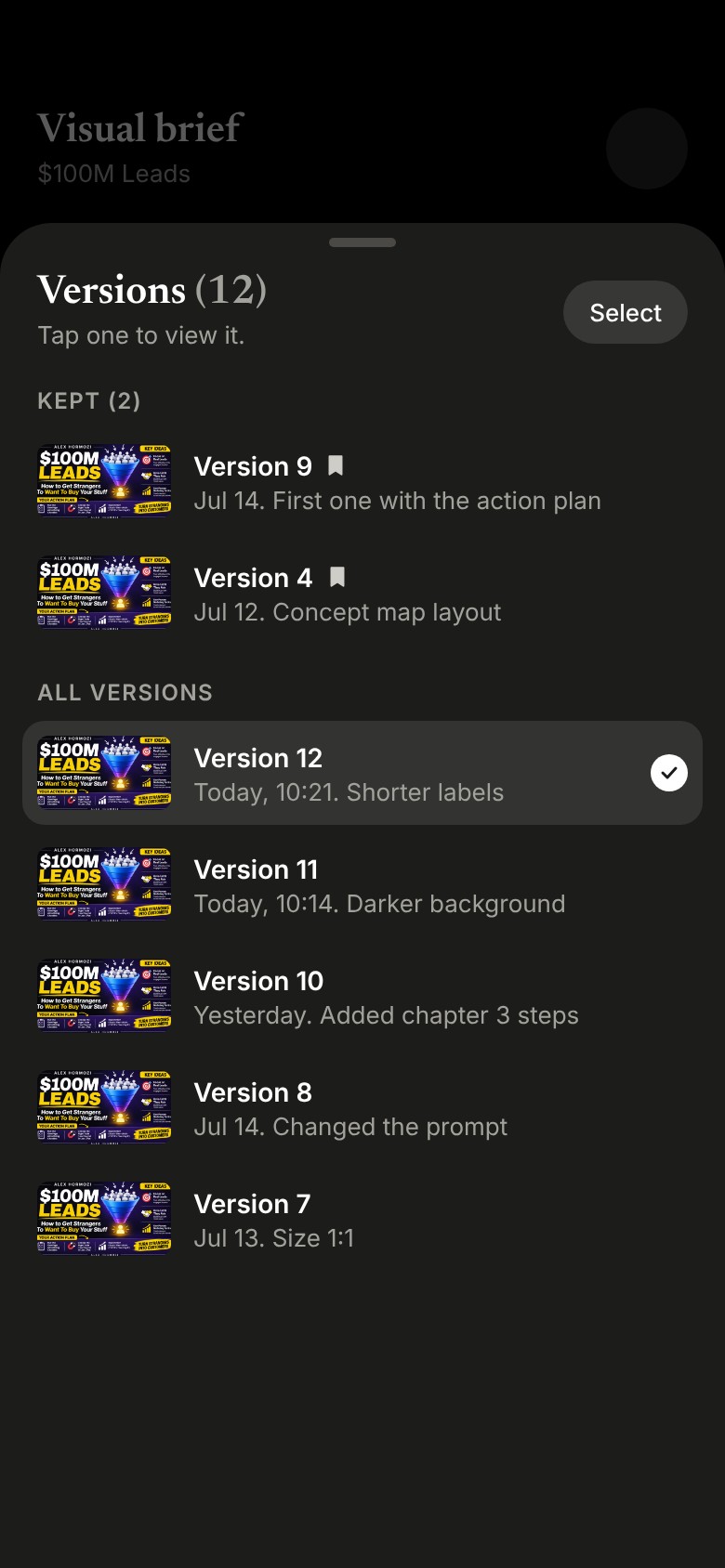
Tap the version label to see every version in one sheet. Each row says what changed, and kept versions stay at the top.
Scales step 3Three places where Yedoo breaks if nobody plans for them.
The AI has nothing to read. Import flags it, so the book still opens, and the AI tools say they are limited.
A reader asks in Chinese about an English book. The answer follows the reader, and quotes stay in the book’s language.
The reader may have left. The card says what failed, offers a retry, and the attempt does not use a credit.
Results
I designed and built Yedoo, then launched the iOS app in one month. It is now live on iOS, iPadOS, macOS, and the web. In the pilot, 80% of users completed sign-up, and paid users were about twice as active as free users.
Of pilot users completed sign-up.
About twice as active as free users.
Early ratings since launch.
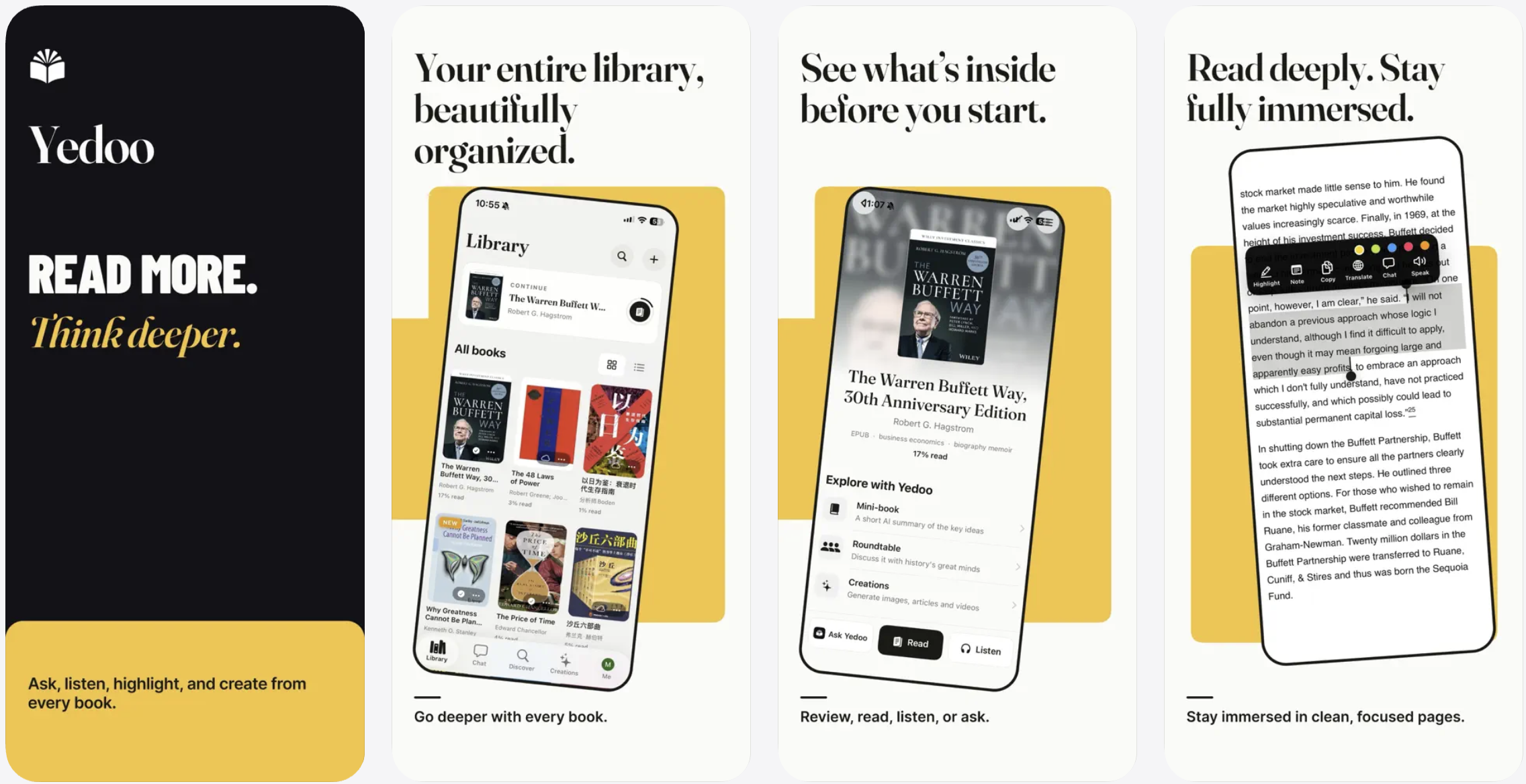

Logo, product design, and launch assets by me.
I want to know whether the AI helps people read, not just whether they use it.
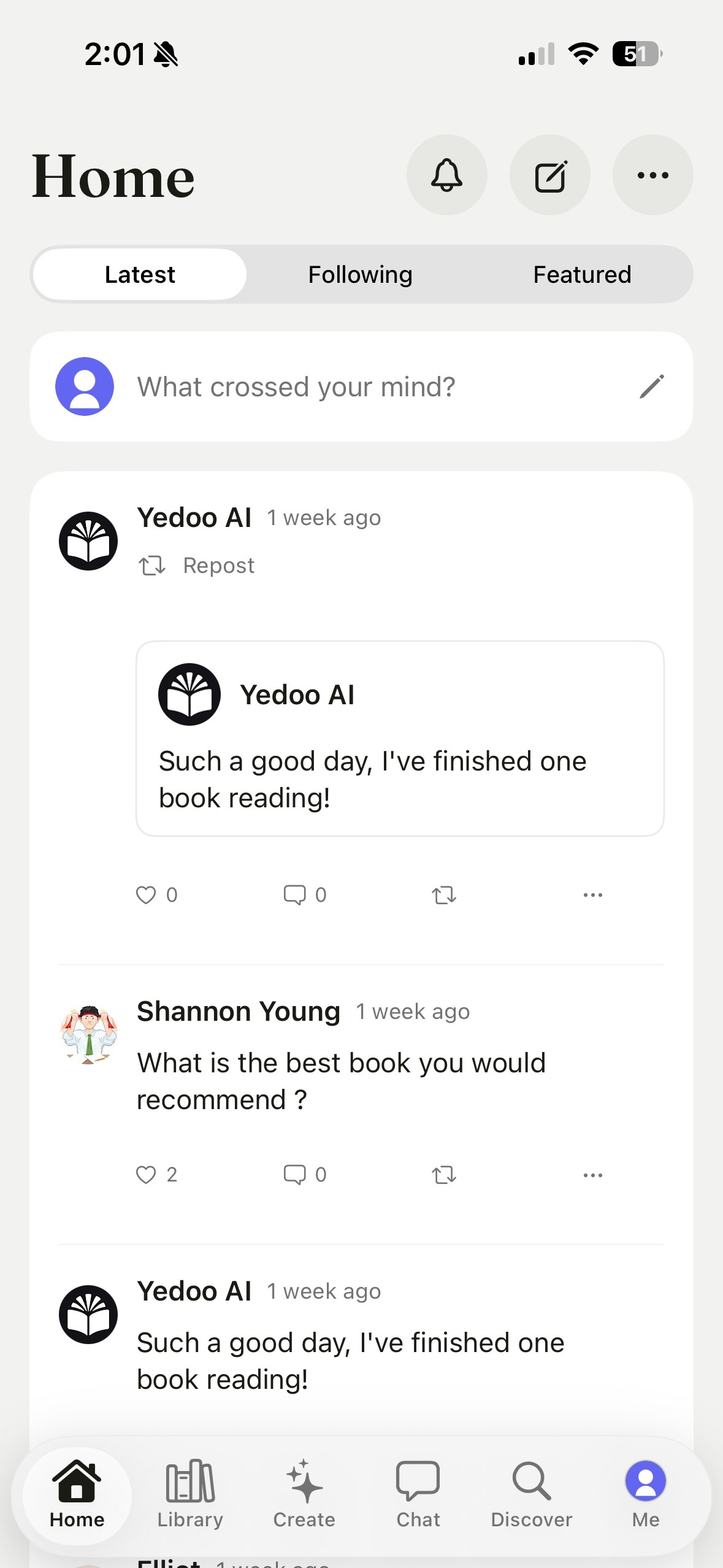
To test whether reading with others brings people back, v2 adds a Home feed. Readers can post a thought, follow other readers and repost. It is a small first step, so we can see whether people come back for each other before we build more.
What we measure: 7 day retention for readers who use the feed, compared with readers who only read.