No way to duplicate
“I can’t duplicate an invoice... I have to create an invoice from scratch and send it to another customer.” Catherine R.
Selected work, by invitation.
Enter the portfolio password to view this project.
Back to selected workKeap · Fintech
Helping small businesses send repeat invoices without rebuilding them. I designed a reusable template system inside Keap, balancing fast creation with control over details and branding.
I was the sole designer on a three month MVP, from research through two design versions, usability testing with six users, and handoff. I worked with engineering and product to fit templates into the existing invoice flow and design system.
Problem
Keap is an all in one CRM for small business owners, acquired by Thryv in October 2024, and many of them bill clients with Keap invoices. Users could not duplicate an invoice or save one to reuse, so they re-entered line items, prices, descriptions, and branding every time. Each invoice took 10 to 15 minutes of repeated work.
“I can’t duplicate an invoice... I have to create an invoice from scratch and send it to another customer.” Catherine R.
“There is no setting to change the invoice styling, and I want to customize the color on the invoice to match my brand.” Julie W.
“I’m looking for an invoice template that can conveniently store all my products along with their respective prices.” Michael D.
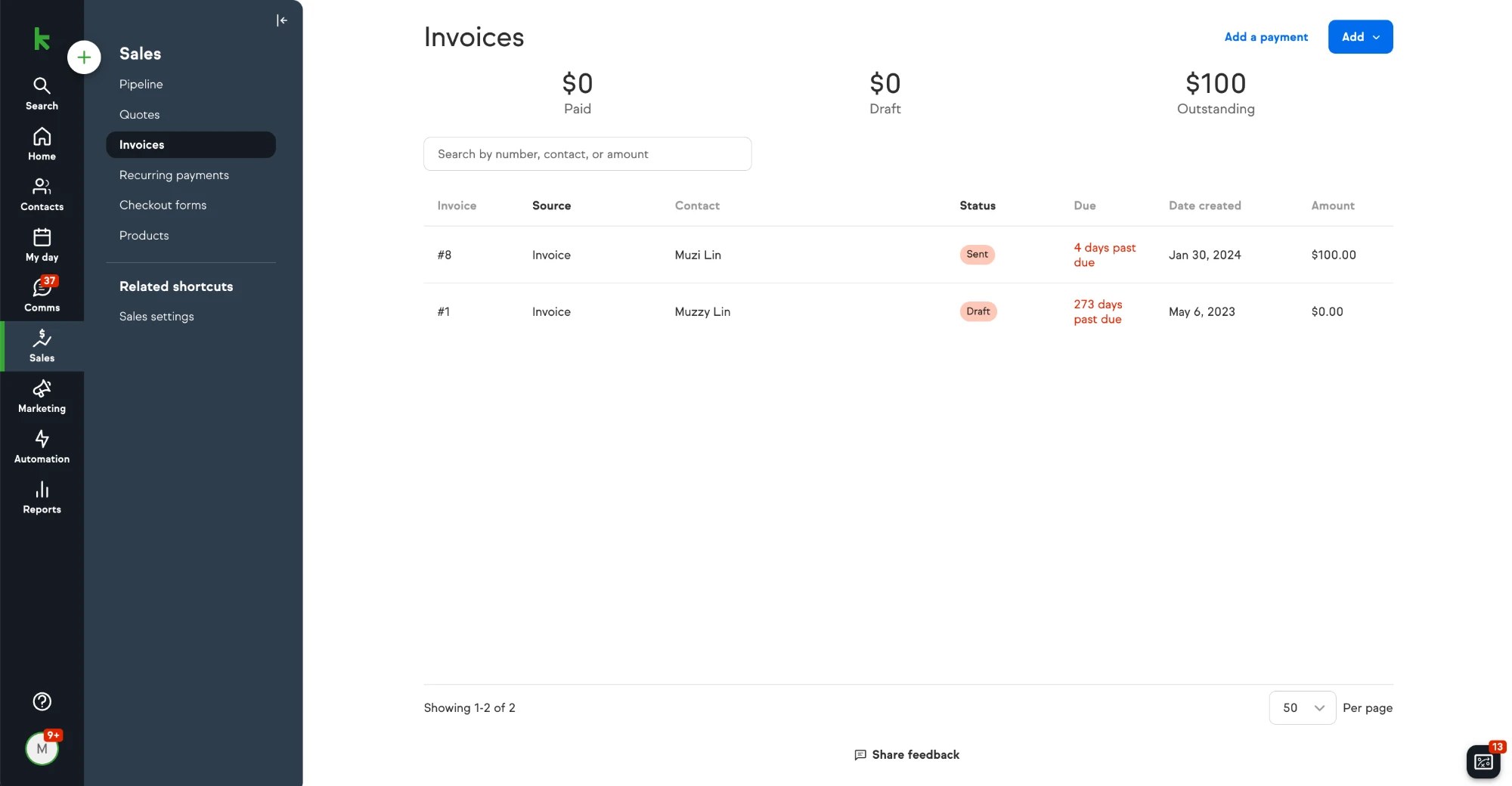
Before templates, every invoice was created one at a time.
 12
 534
“Add” only created a new, empty invoice.
The Sales menu had invoices, quotes, and products, but no templates.
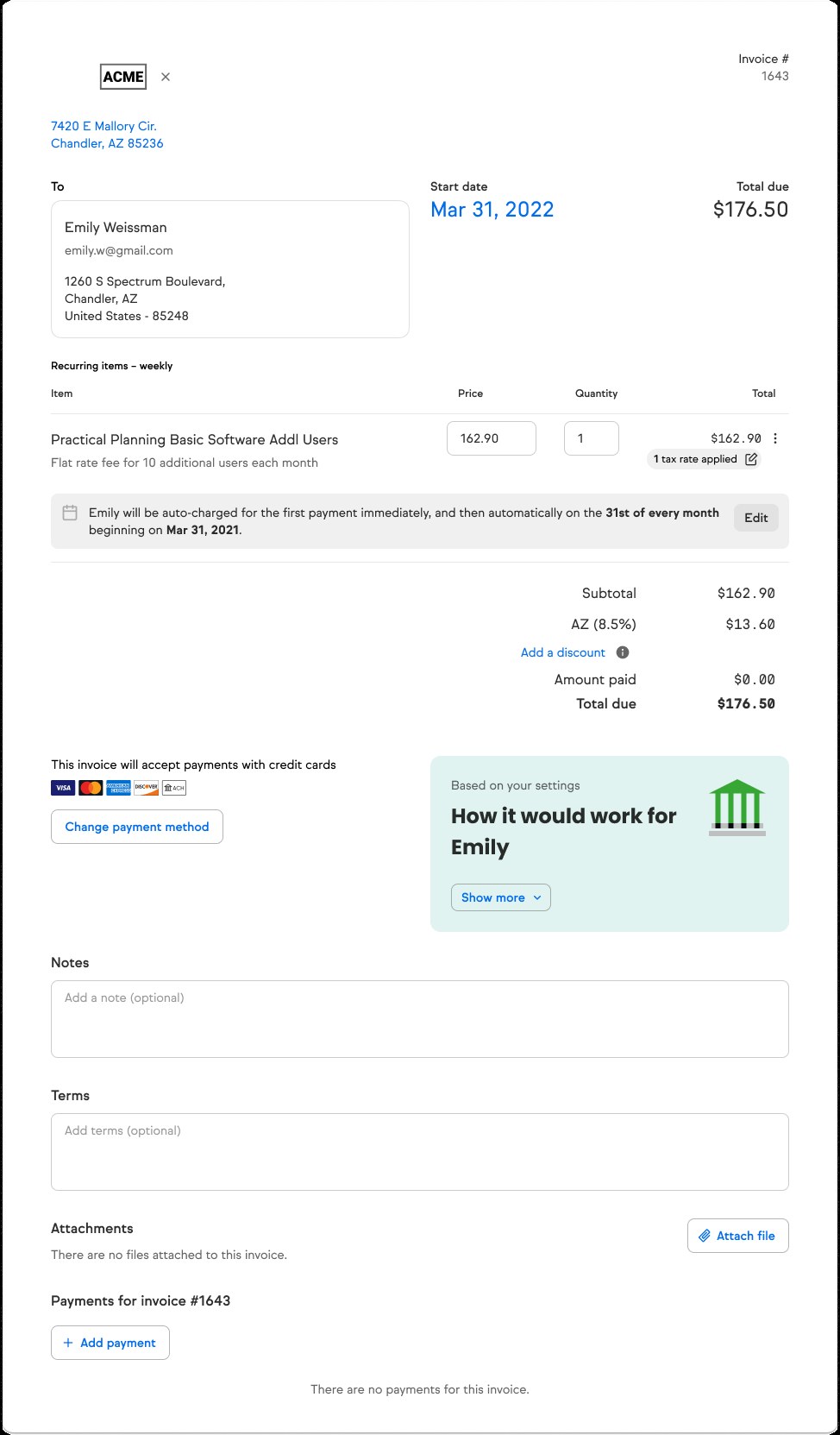
Line items and prices were entered by hand, even for the same service.
The same notes and terms had to be added to each invoice.
No way to set colors to match the brand.
Nearly half of user feedback mentioned invoice templates.
The invoice experience rated “good,” with clear room to improve.
Few invoices had payments attached, a sign of friction in billing.
Ship an MVP in three months, inside the existing invoice flow and design system.
Research
I compared four competitors and interviewed six users and three Keap partners, who coach other users on the product, in 30 minute sessions.
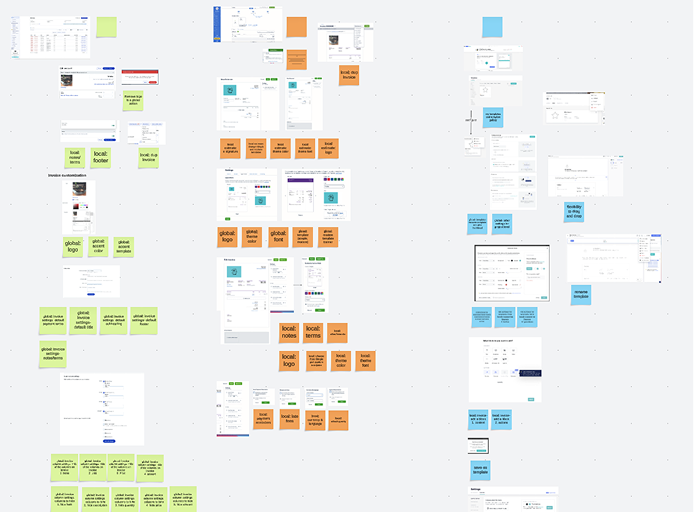
QuickBooks, FreshBooks, Wave, and Zoho Invoice all support duplication and template saving, offer several themes, and let users set colors, logos, and fonts. Few automate anything, which was an opening for Keap.

Users wanted to match their brand with color, font, and layout, duplicate invoices quickly, and reach templates right from the Invoices page.
The questionHow might we streamline invoice creation so users stop rebuilding the same invoice, while fitting the way Keap already works?
Save once, reuse every time, and keep it inside the invoice flow users already know.
To ship an MVP in three months, I split the work into two phases.
MVP
Advanced features
Iterations
I designed two versions and reviewed them with product, engineering, and users before testing a refined design.
How the template library looked in each version.
Users save any invoice as a template from More actions, then edit its title, description, and automations. Clear and organized, but patterns were inconsistent, user templates looked like Keap defaults, and key details like price were missing.
Every template sits in a panel next to a full preview, following Keap’s existing patterns. It showed all choices at once, but felt overwhelming, the text was small, and search was unclear.
What workedA clean, organized way to save and browse templates.
What didn’tInconsistent patterns, no difference between user and Keap templates, and no price.
What workedAll templates in view, using patterns users already knew.
What didn’tDense and overwhelming, with small text and unclear search.
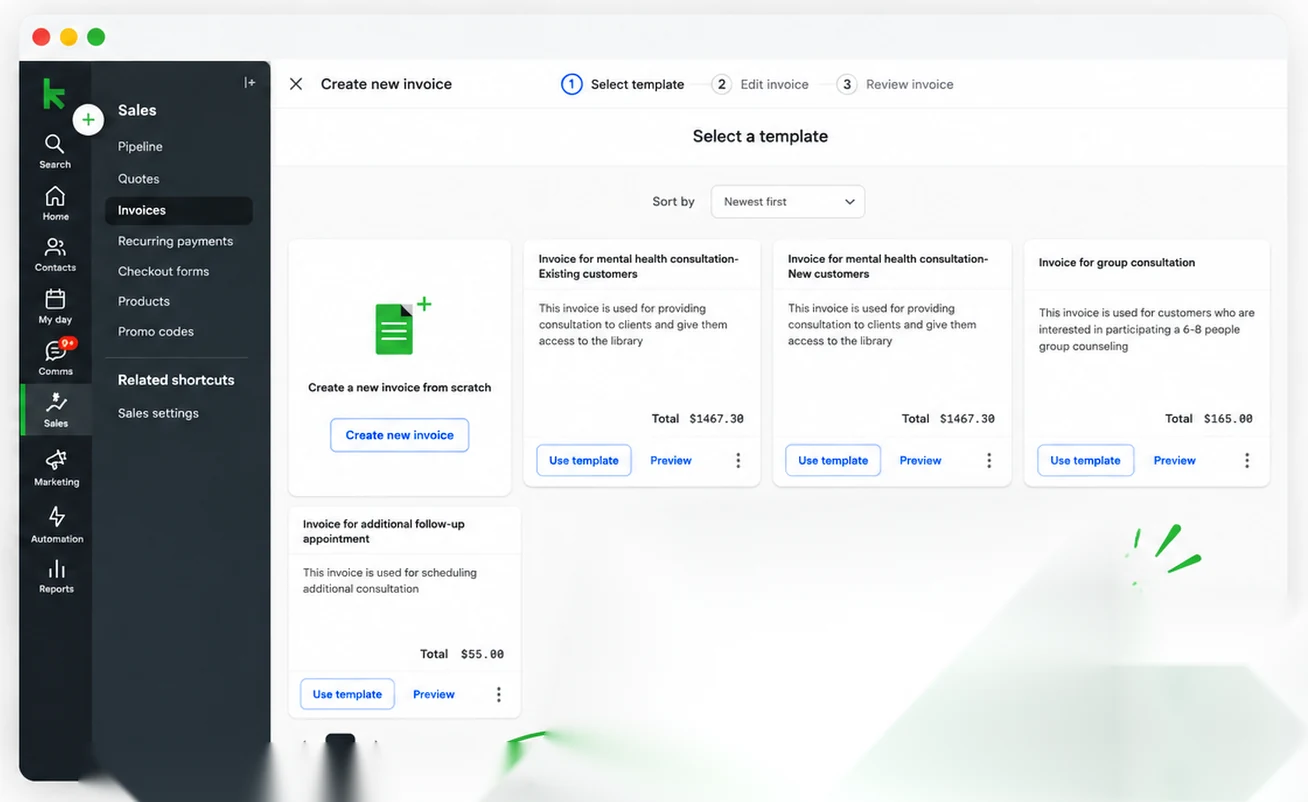
A card layout that shows each template’s name, description, and total, with Use template and Preview on every card, inside the same Create new invoice flow.
I ran 1 hour sessions with 6 users on the refined design to check selecting, saving, reviewing, and reusing a template.
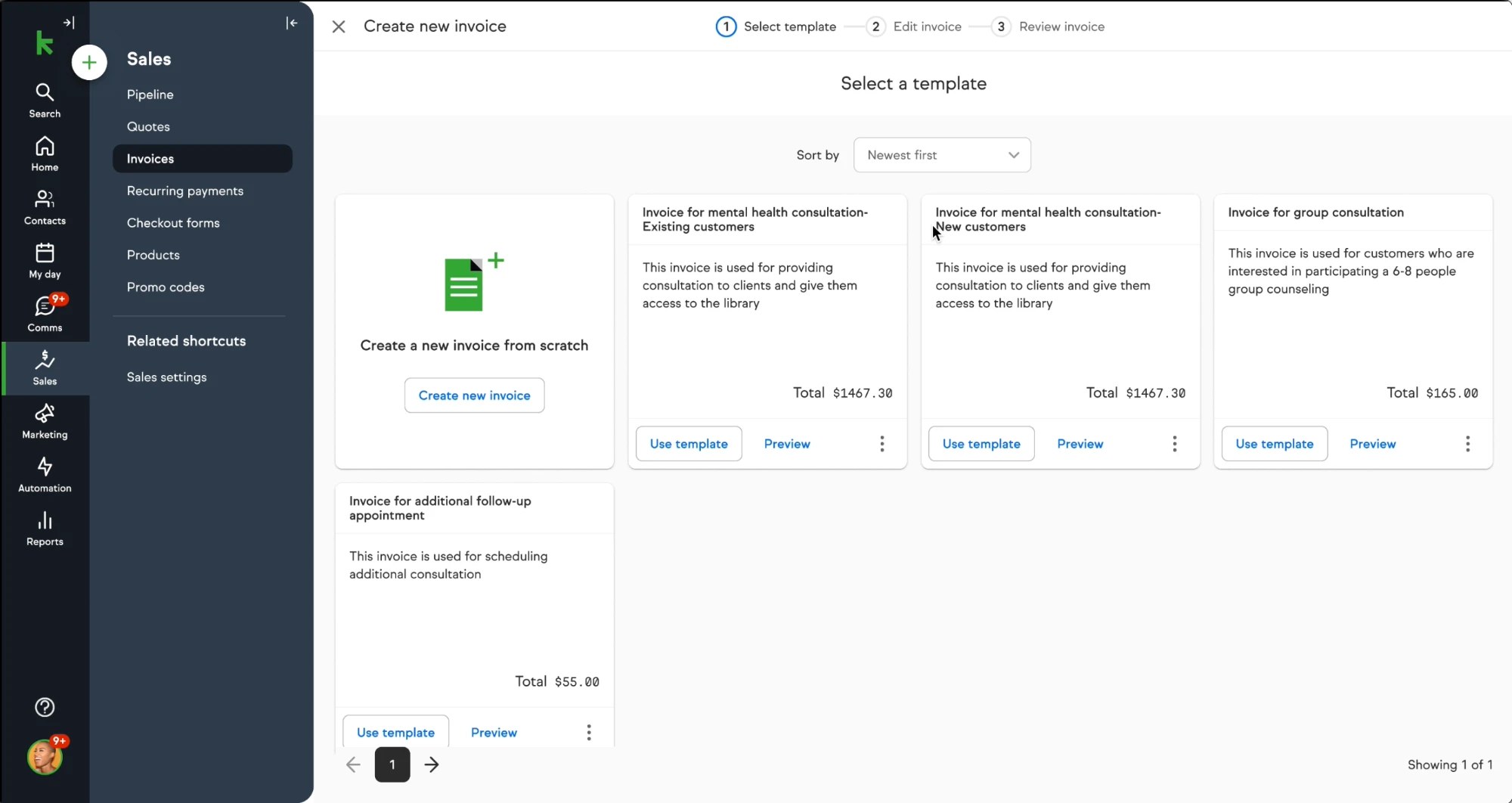
The three step flow and the cards with a description and total made it easy to pick the right template.
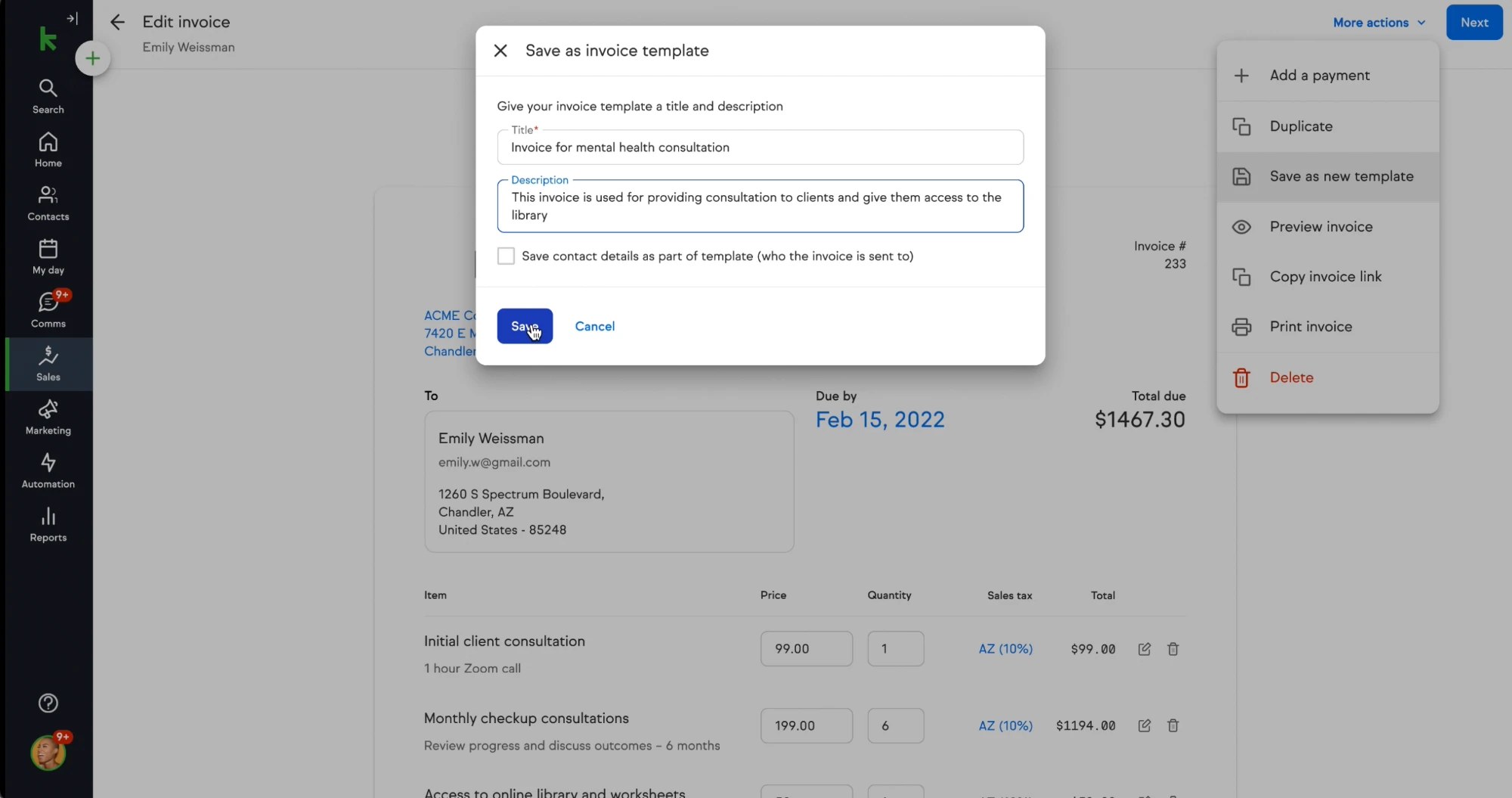
Users praised the “Save as invoice template” modal for its simplicity. Naming and describing a template took seconds.
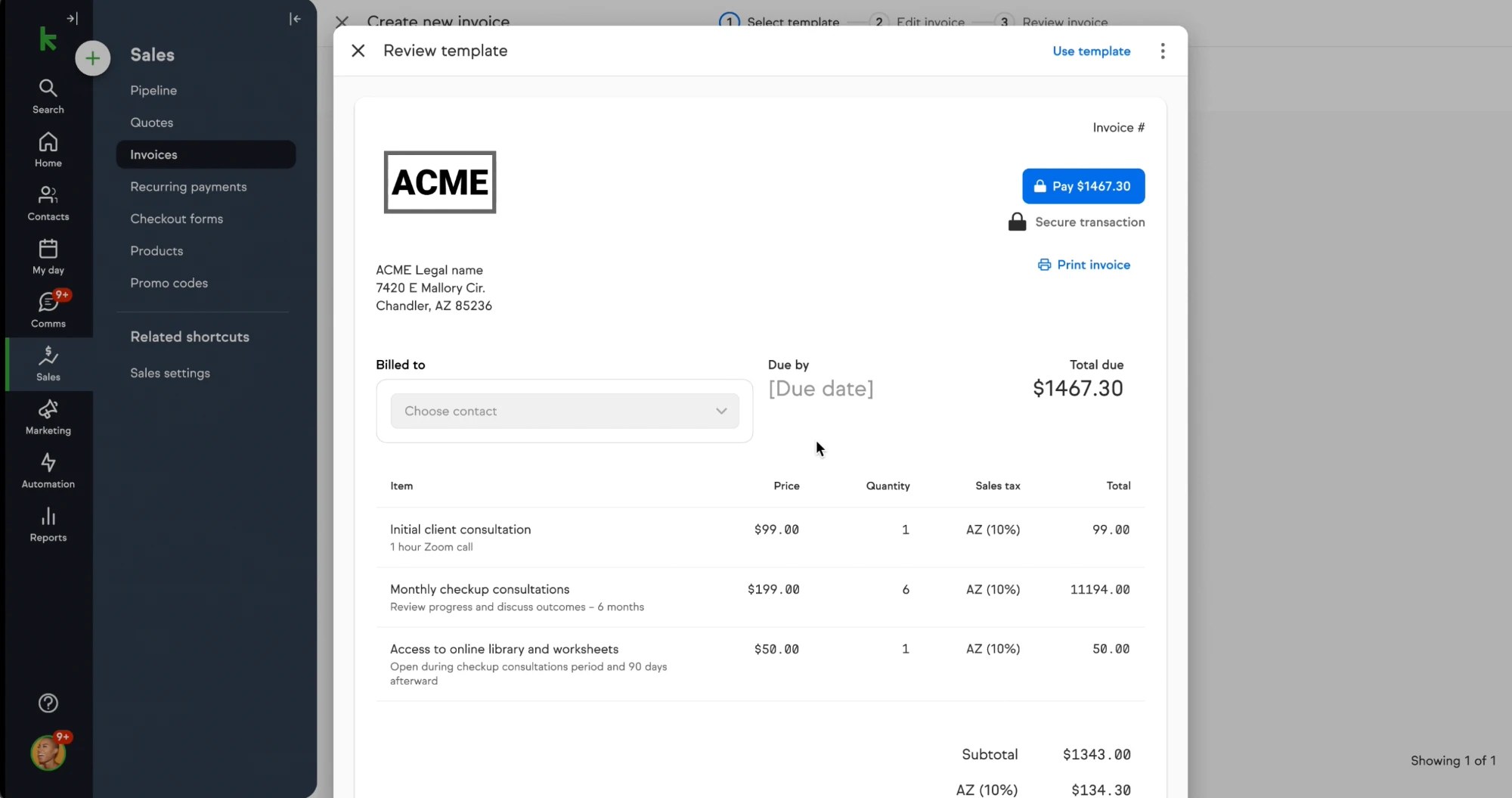
The full preview gave users confidence the template was right before it became a client invoice.
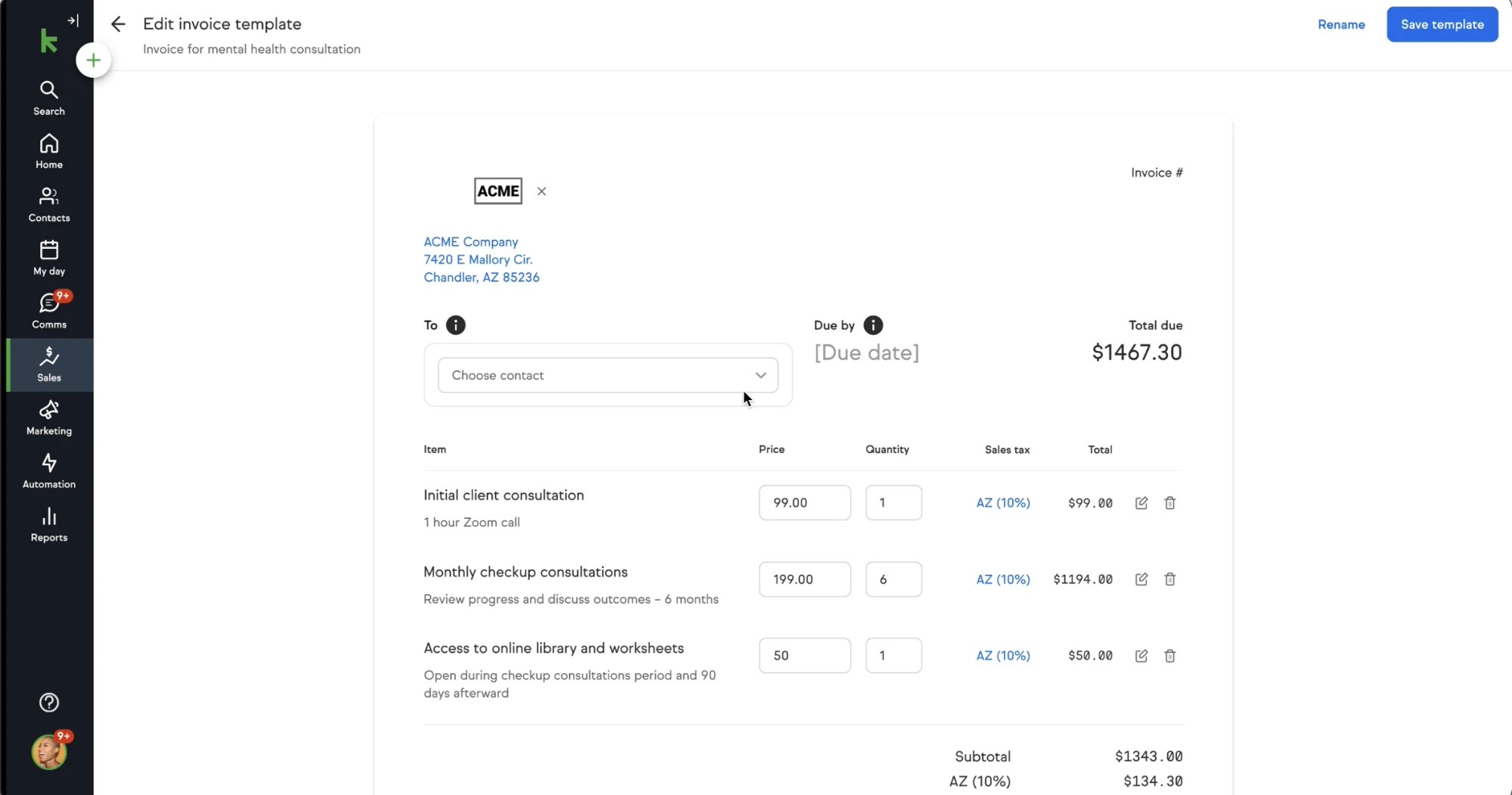
Line items, prices, and the logo carried over. The contact and due date stayed open, with info icons explaining why.
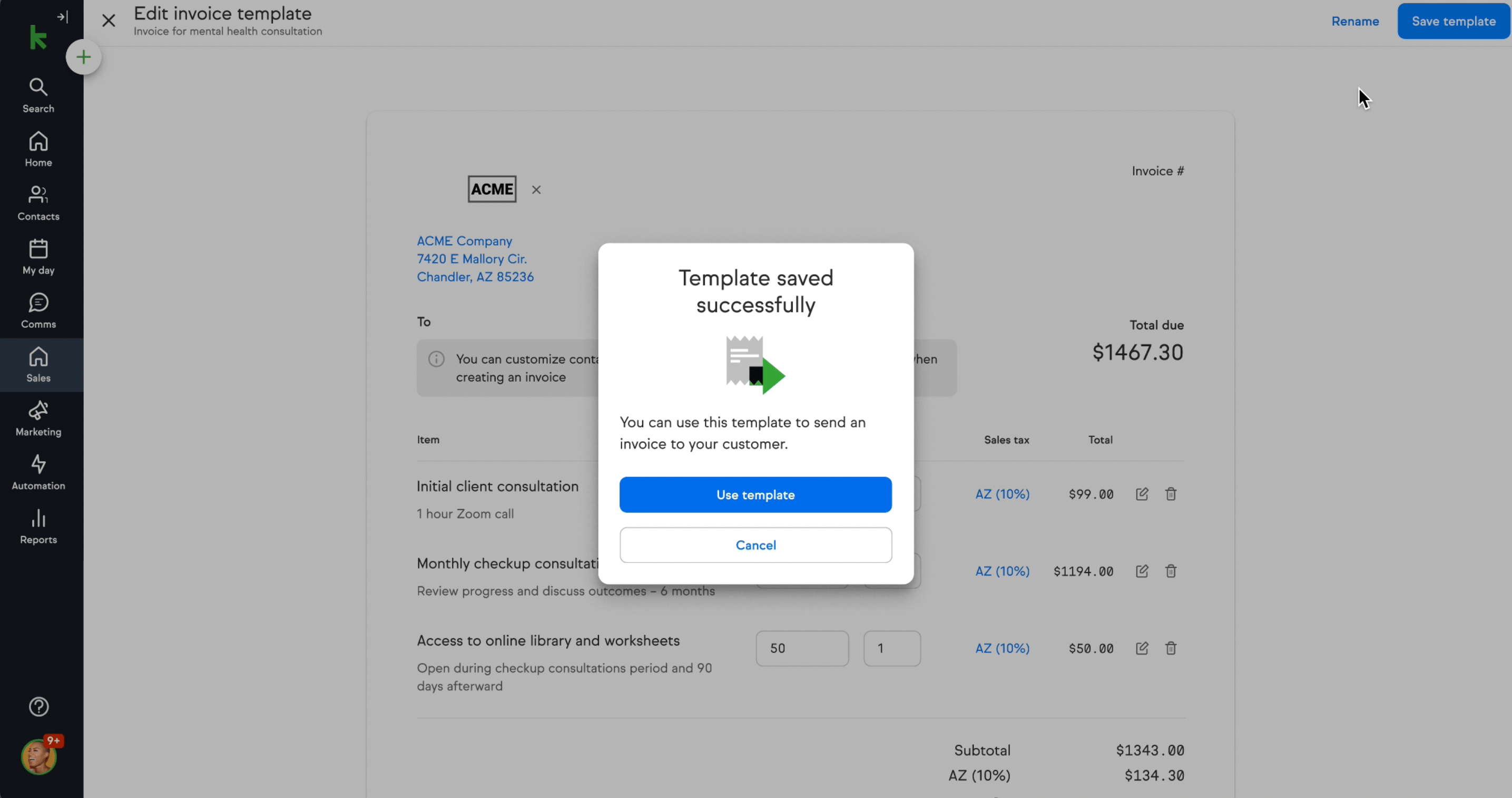
After saving, users wanted to go straight to using the template, so the confirmation leads with Use template.
Product Design
Three connected actions, without leaving the invoice workflow or learning a separate template tool.
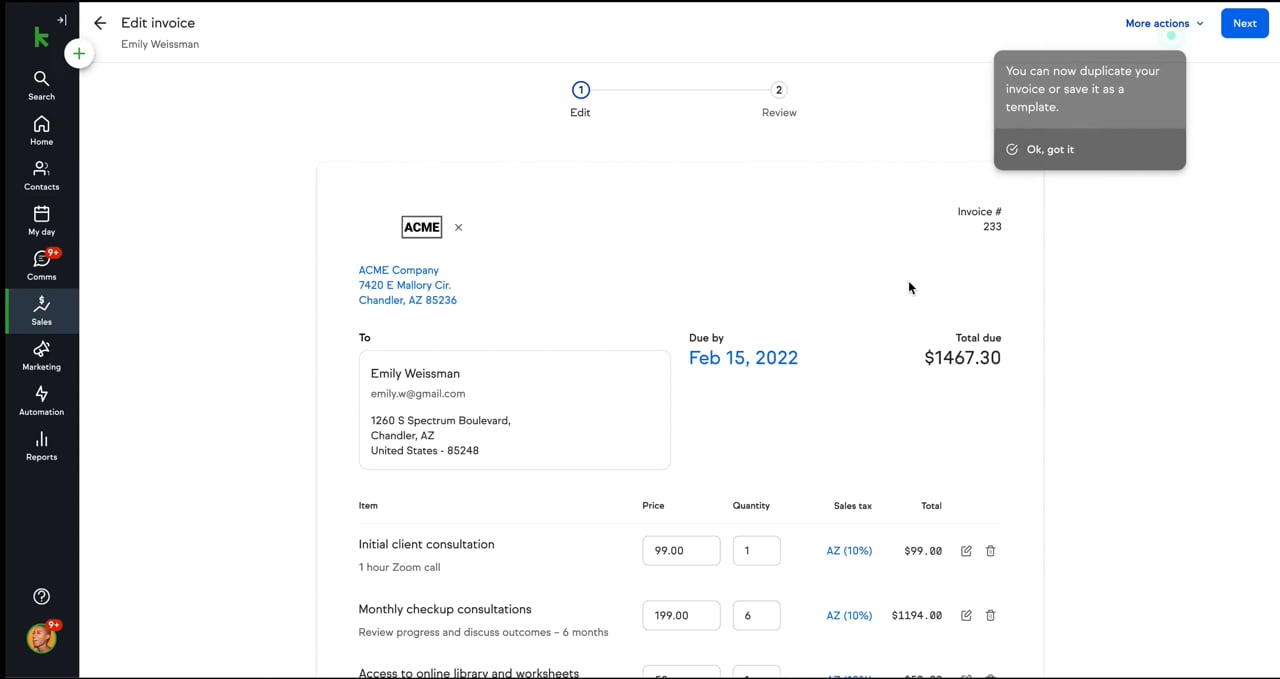
Duplicate for a one off need or save a named template for repeated use, keeping line items and details.
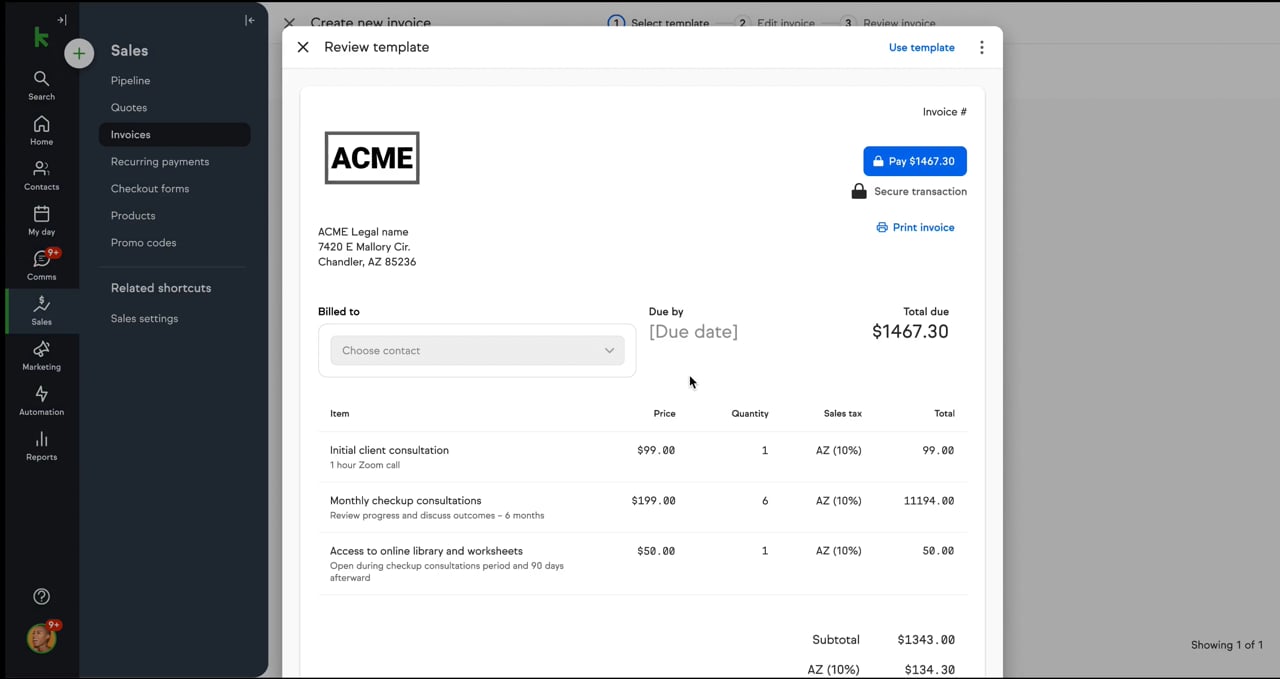
Browse the library, review the preview and pricing, then edit the details where needed.
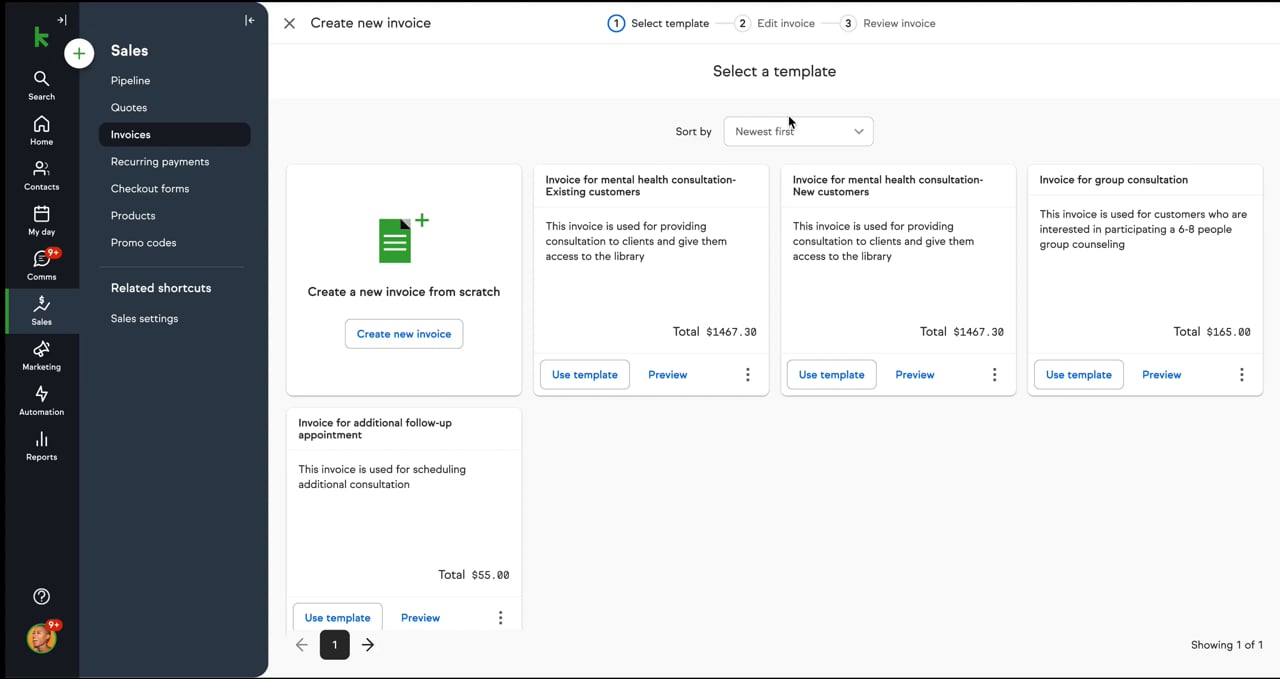
Selecting a template fills in line items, pricing, and settings. Users add the client details and review before sending.
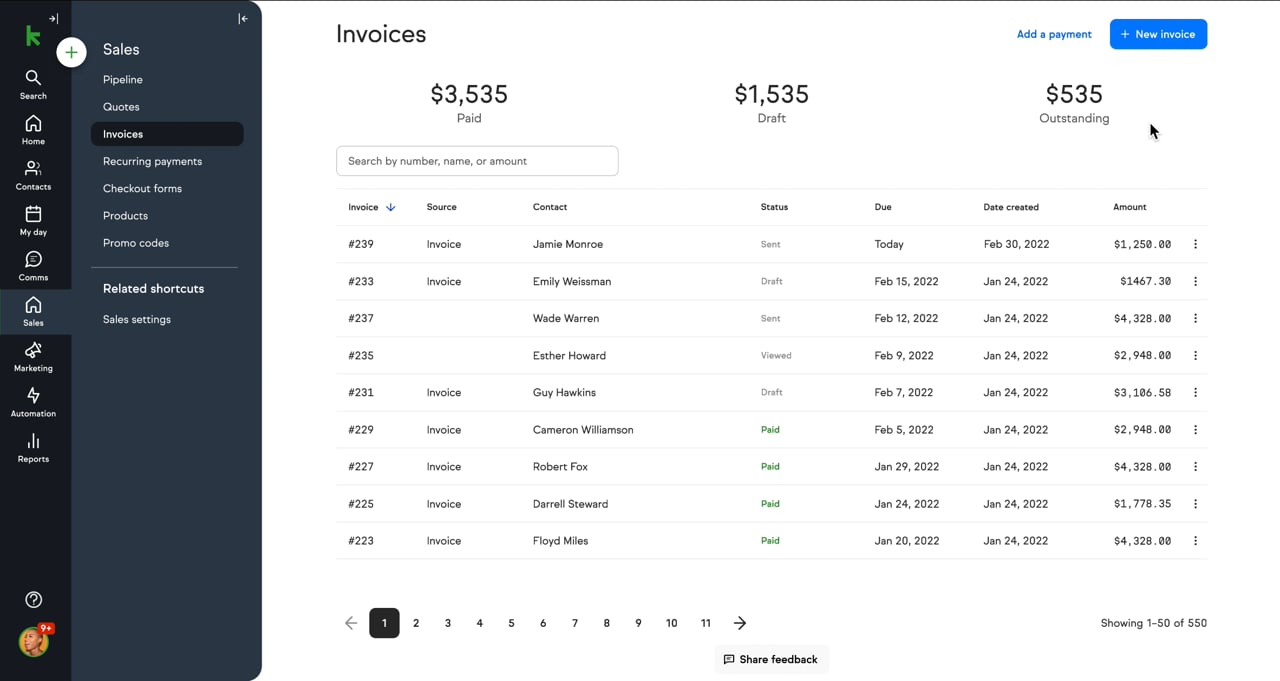
The validated prototype connects template management to Keap’s existing invoice flow.
Results
After launch, invoices took far less time to create, users were more satisfied, and more invoices had payments attached.
From about 15 minutes to under 4.
Of users creating invoices used a template.
Increase after launch.
More invoices with a payment attached.