What users needed
Fast duplication, reusable product and price information, and professional output that reflected their business.
Selected work, by invitation.
Enter the portfolio password to view this project.
Back to selected workKeap / Fintech / Workflow design
Helping small businesses send repeat invoices without rebuilding them. I designed a reusable template system inside Keap, balancing fast creation with control over details and branding.
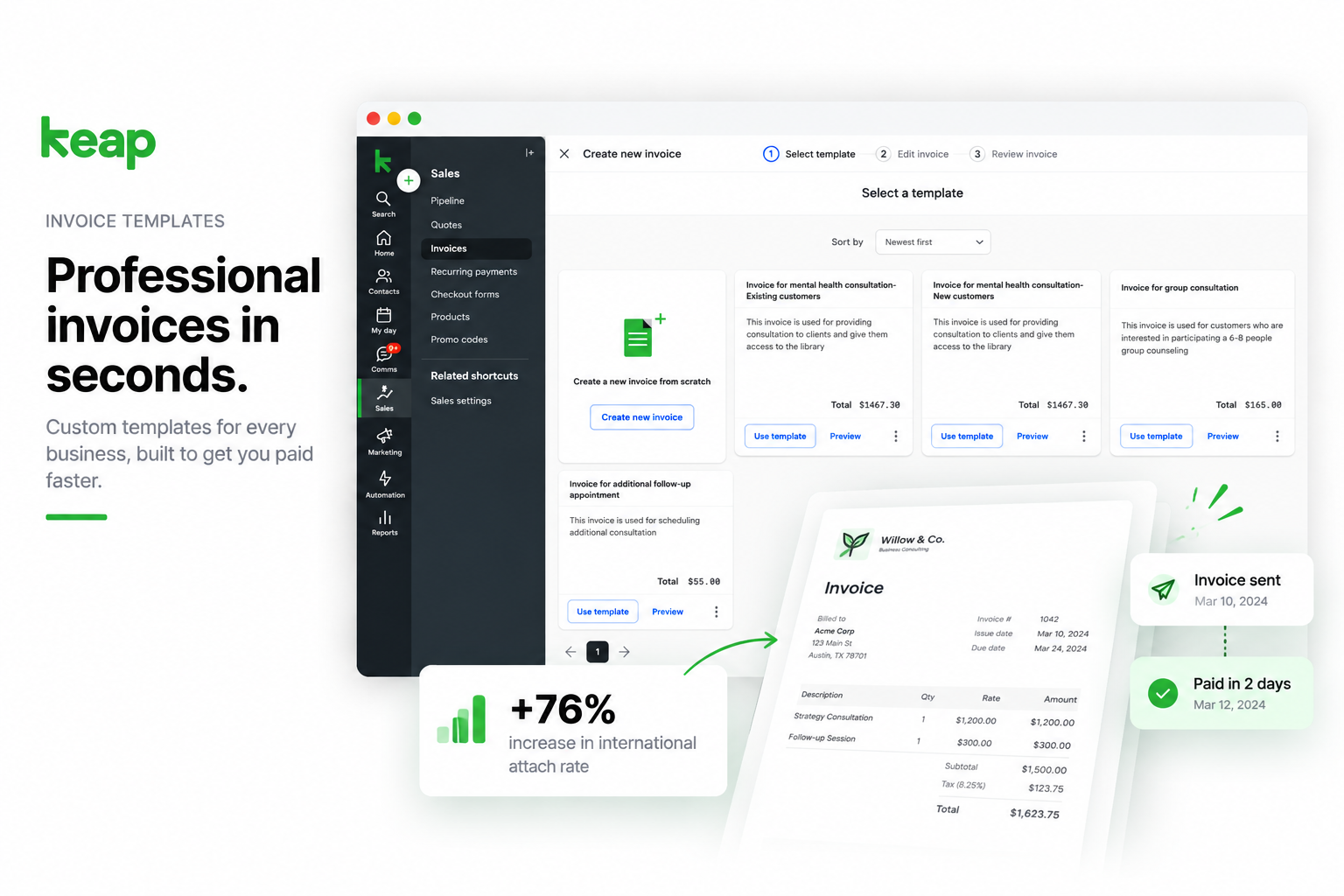
I was the sole designer on a three-month MVP, from research through testing and handoff. I tested with six users and combined invoice previews with ownership and pricing details, using the existing invoice flow and design system.
Discovery
Keap users were re-entering line items, prices, descriptions, and branding for similar invoices. Each invoice meant 10-15 minutes of repeated work, and templates were among the most requested features.
Fast duplication, reusable product and price information, and professional output that reflected their business.
Ship an MVP in three months while integrating with the existing invoice flow and maintaining design-system consistency.
I have to create an invoice from scratch and send it to another customer.
Catherine R., user feedback

Six user interviews and three partner interviews surfaced duplication, product storage, brand customization, and time savings.
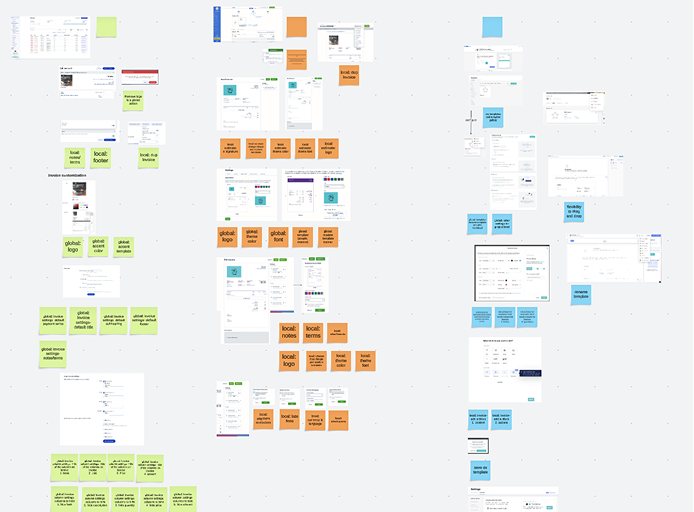
QuickBooks, FreshBooks, Wave, and Zoho were compared for template, duplication, and automation support.
Process
I explored a visual gallery and a simplified list. The gallery supported browsing, but ownership and pricing were unclear. The list made details easier to scan but reduced preview visibility.
Strong visual previews, but inconsistent patterns and missing information made selection less certain.
Clear ownership and essential information, but less help evaluating the invoice's appearance.
The refined design combined visual previews with explicit ownership and pricing. Testing with six users then focused on selecting, saving, and using a template within the existing billing workflow.
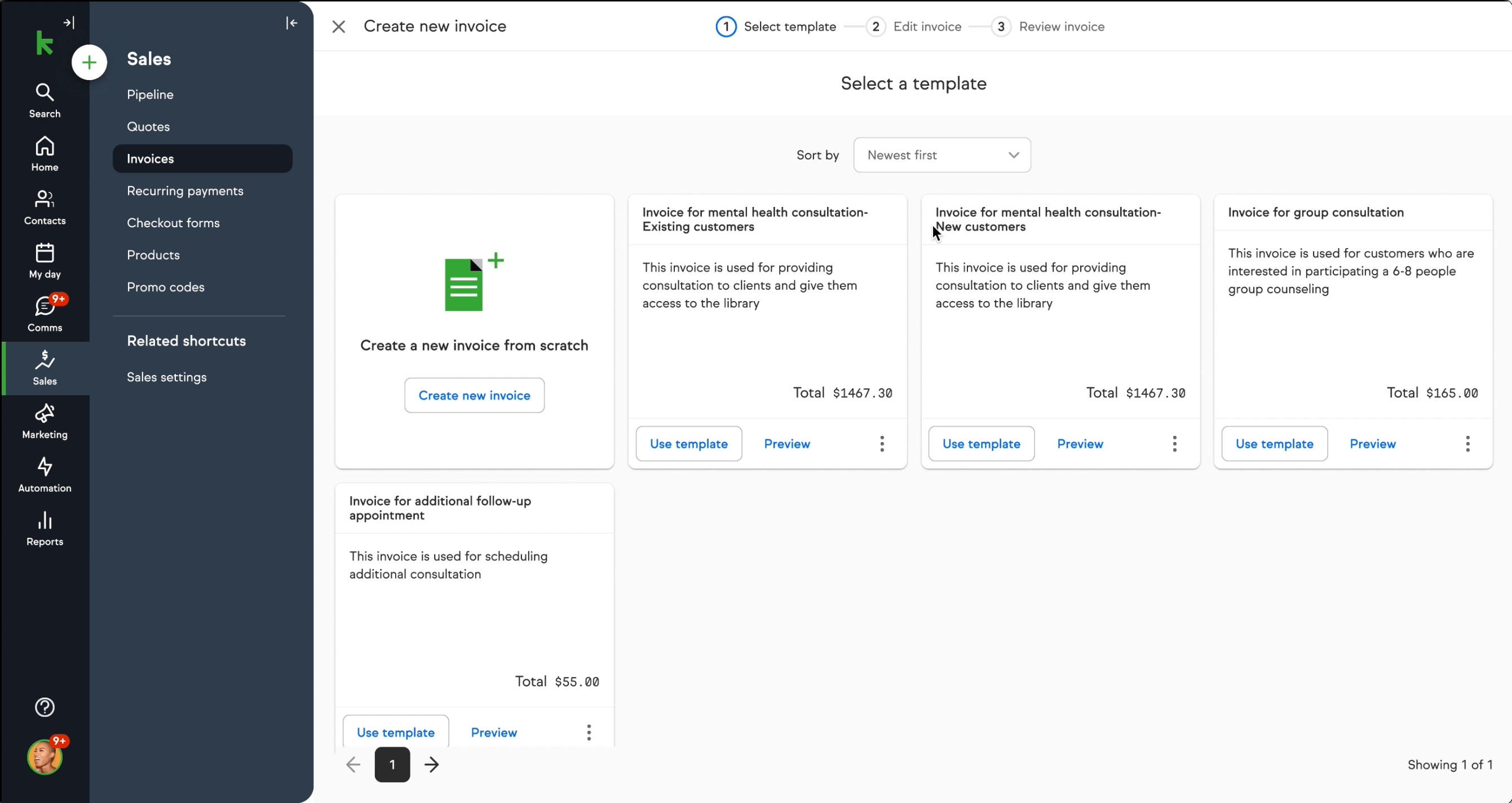
Users found the step-by-step selection process and visual previews clear.
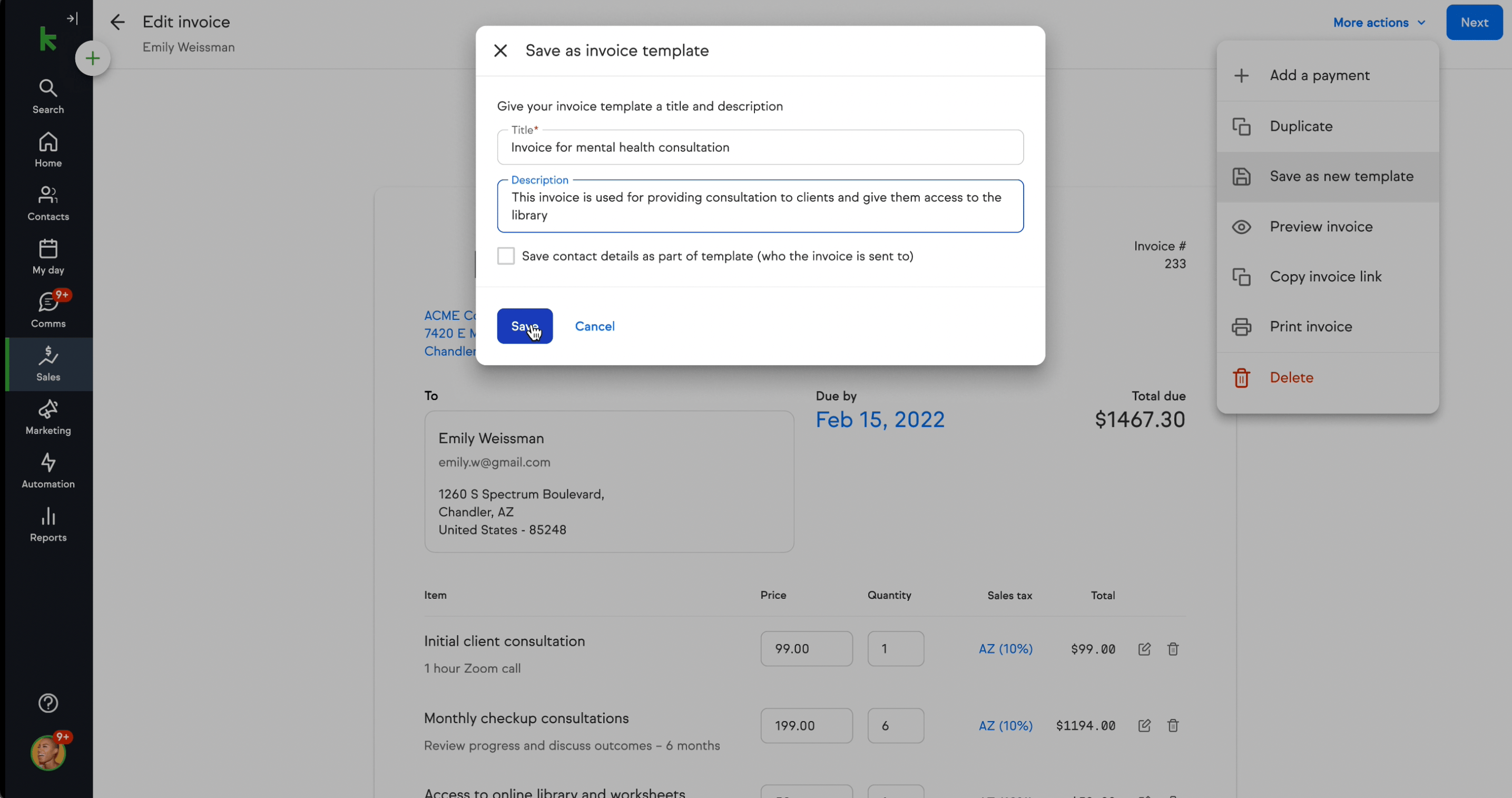
The save modal asks for a name and description without making users learn another editor.
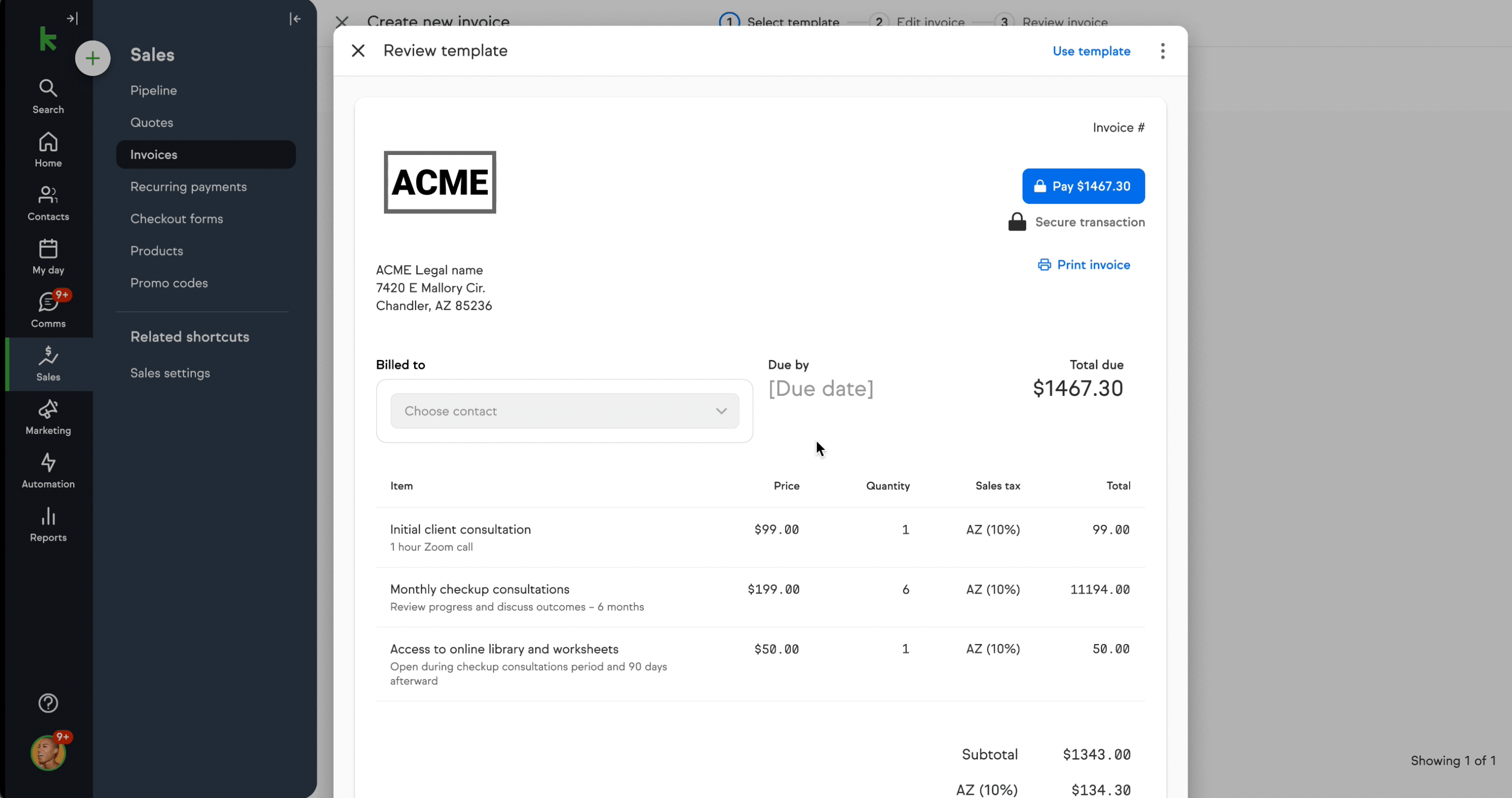
The preview provides confidence before a template becomes a client invoice.
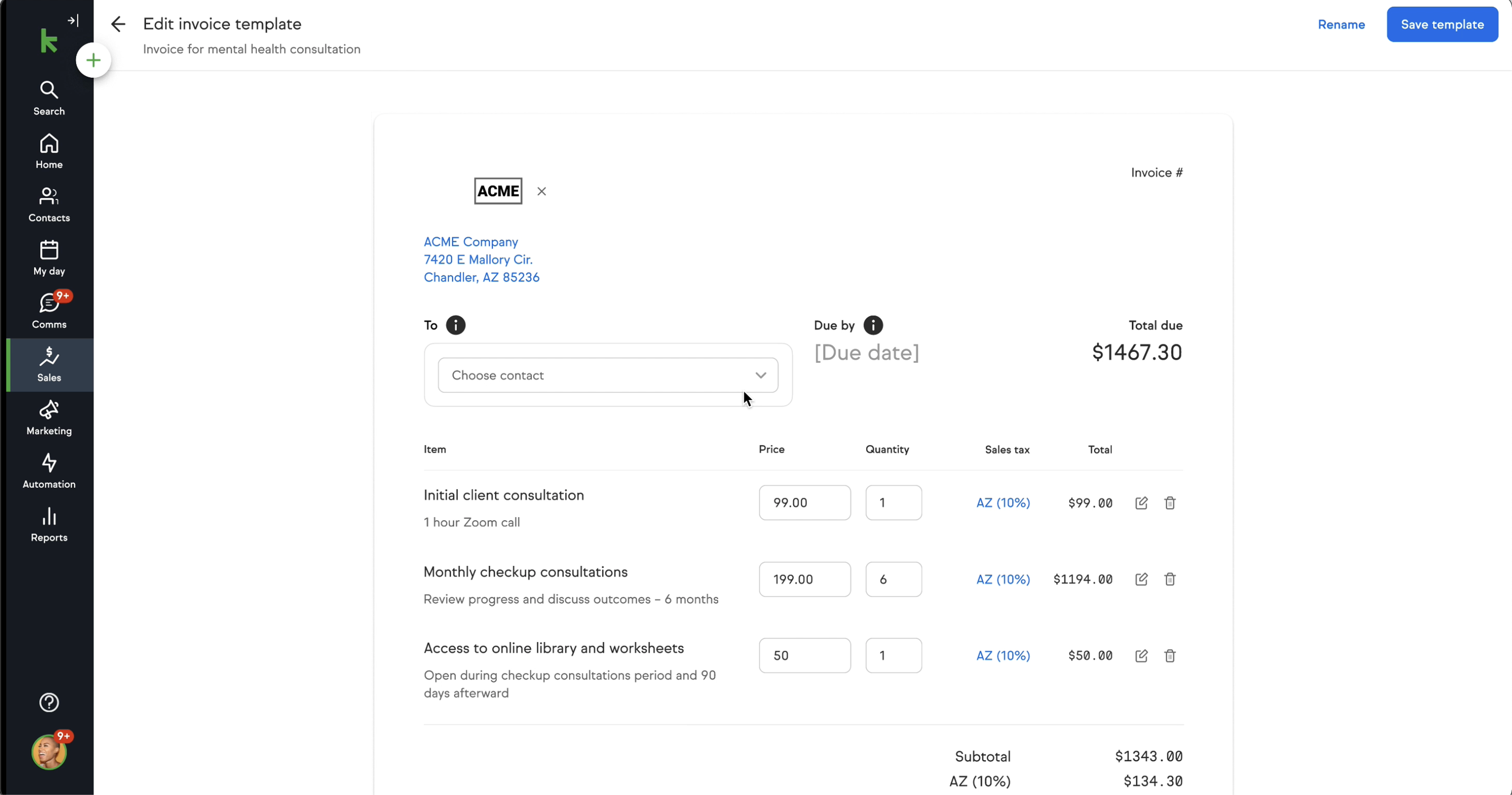
Template reuse reduces repetitive entry while preserving the ability to edit for a client.
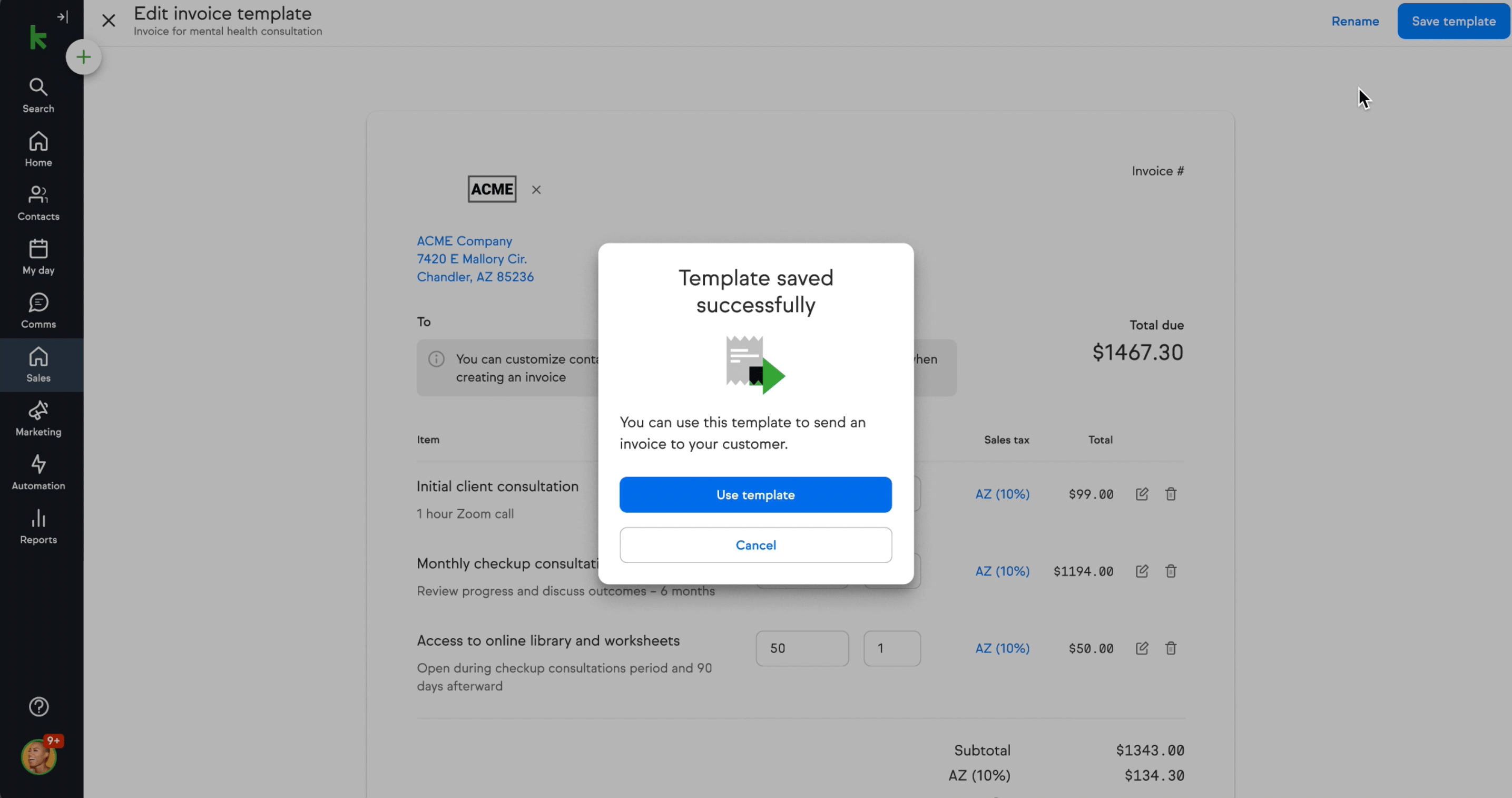
Testing also examined the transition from a saved template to the next useful billing action.
Product Design
The design supports three connected actions without requiring users to leave the invoice workflow or learn a separate template tool.
Duplicate for a one-off need or save a named template for repeated use, preserving line items and details.
Open prototype on Vimeo ↗Browse the library, review the preview and pricing, then edit the details where needed.
Open prototype on Vimeo ↗Selecting a template pre-fills line items, pricing, and settings. Users add the client-specific information and review before sending.
Open prototype on Vimeo ↗The validated prototype connects template management to Keap's existing invoice creation flow.
Open prototype on Vimeo ↗Results
After launch, invoice creation became faster, billing support requests declined, and template usage grew over the first three months.
Compared with creating an invoice from scratch.
Reduction in billing-related support requests.
Usage within the first three months after launch.
These are reported project results. The timing sample, ticket comparison period, and definition of the adoption audience are not included here. Revenue and retention effects were not established.
The strongest solution combined visual confidence with practical details. Testing made the tradeoff between gallery and list clearer than either direction alone.
Global brand settings and workflow rules that select templates by client or project type, followed by longitudinal validation of reuse patterns.